Fender Studio Pro 8 Review: Powerful Digital Audio Workstation for Modern Music Production



Fender Studio Pro 8 Review: Powerful Digital Audio Workstation for Modern Music Production
Explore the versatile features and authentic sound of Fender Studio Pro, a digital audio workstation designed to elevate your music production workflow.
Remember When Switching DAWs Felt Like Moving Abroad?
Remember those days when switching to a new DAW (digital audio workstation) felt like relocating to a foreign country? You had to relearn the interface language, adjust to unfamiliar routing logic, and mourn over your lost favorite hotkeys. These days, the software market has consolidated so much that surprising veteran producers is nearly impossible. But what happens when a legendary guitar brand swallows your favorite DAW whole and slaps its logo on it? Does it kill the soul of the program, or give birth to an absolute beast?
I brewed a double espresso, cleared my Mac’s cache, and dove headfirst into Fender Studio Pro. Guess what? This corporate mash-up completely shattered my skepticism. We’ll unpack Fender’s true motivations later, but first, let’s take this monster apart and see what makes it tick.
Fender Studio Pro 8 Specs At a Glance
- Type: Digital Audio Workstation (DAW)
- Integrations: Splice, Melodyne (ARA), Tonalic
- Built-in Plugins: Over 45
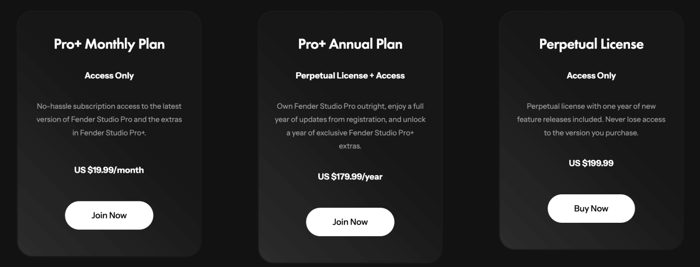
- Lifetime License Price: $199
- Subscription: $180/year or $20/month
Availability and Pricing Considerations
Officially buying Fender Studio Pro directly from the company’s website isn’t an option everywhere, but the software is readily available from various third-party sellers on digital marketplaces. A lifetime activation key typically runs about $199 USD, which places it comfortably in the same league as Apple’s Logic Pro X but noticeably cheaper than top-tier Ableton Live, Cubase, or Bitwig editions.
A lifetime license includes one year of updates. After that, don’t be surprised if major feature releases come with a $99 upgrade fee. Alternatively, the annual subscription option bundles the software with Pro+ content—fresh samples, loops, the Notion notation software, and more. The $20 monthly plan is a great way to test the waters if you’re not ready to commit.
Keep in mind there’s no dedicated demo or trial version, so that monthly subscription is your best bet for a test drive.
From Presonus Roots to Fender’s Digital Rebirth
We always knew that after Fender’s free mobile app launch, a professional version would eventually emerge—rebuilt on the sturdy bones of Presonus Studio One. Presonus, an acclaimed team from Louisiana, was acquired by Fender for their highly regarded software and audio interfaces.
Now, the professional DAW stands before us as Fender Studio Pro. Though the name has changed, it carries the DNA of its predecessor, now beefed up with fresh features in version eight.
The rebranding extends to Presonus hardware too—Quantum LT/HD interfaces and AudioBox controllers are now part of the Fender family. We’re saying goodbye to the Presonus name, though the transition is still underway.
DAW Features That Pack a Punch
Studio Pro is an all-encompassing beast, perfect for writing MIDI, recording audio, editing, mixing, and mastering with countless options. Projects are saved as "sessions" now, a curious rename from the old "songs" terminology.
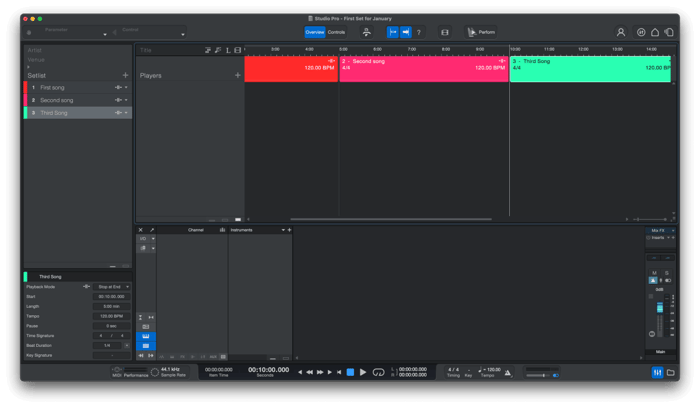
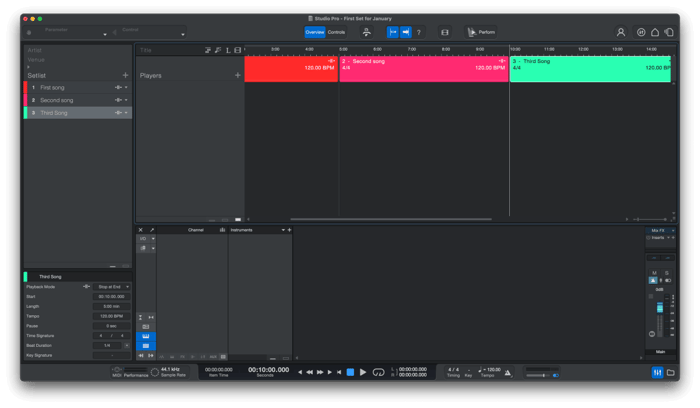
What really sets Studio Pro apart is its live performance module. Imagine building setlists, triggering playbacks, and handing parts to different musicians — it’s very much like Apple’s Mainstage, but bundled into the DAW.
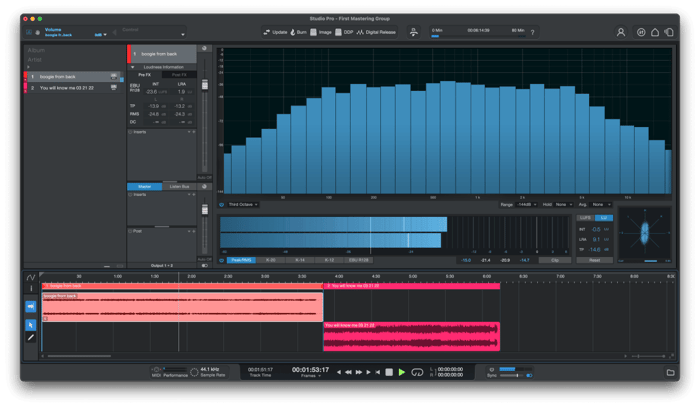
Another killer feature is the integrated mastering module. Drop in all your mixes, apply common effects and limiters, and ensure your album sounds cohesive across tracks. It even includes advanced level meters and export presets tailored for streaming platforms.
The arrangement window feels familiar, stacking tracks vertically. Alongside standard audio and MIDI tracks, you’ll find tempo, marker, lyric, and time signature tracks. The arrangement track lets you split your session into blocks—chorus, verse, bridge—and shuffle them with drag and drop. No love for that second bridge? Just move it around!
Studio Pro also delivers a clip and scene launch matrix reminiscent of Ableton Live’s iconic Session View. It slices your audio and MIDI into independent clips you can loop and combine live—perfect for sketching ideas, DJ sets, or performances.
Hardware and Virtual Instruments Galore
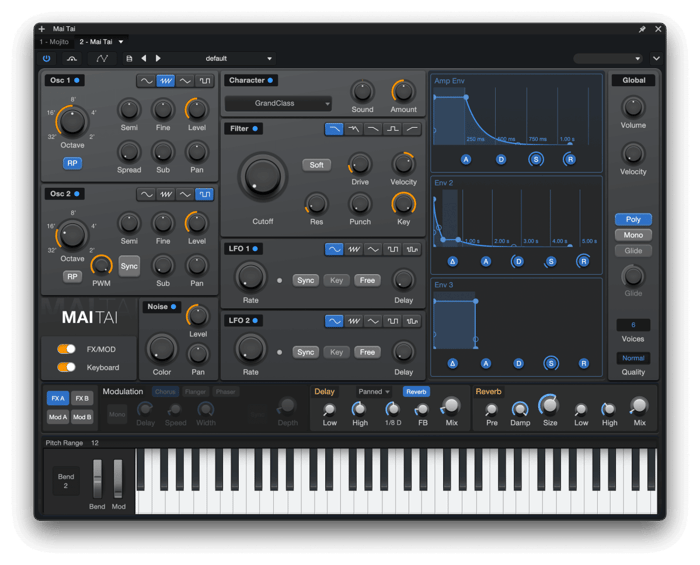
Today’s DAWs come stuffed with virtual instruments, and Studio Pro is no exception. Inside the box, you’ll find the Impact drum machine, classic samplers SampleOne and Presence, synths Mojito and Mai Tai, plus a treasure trove of cinematic textures.
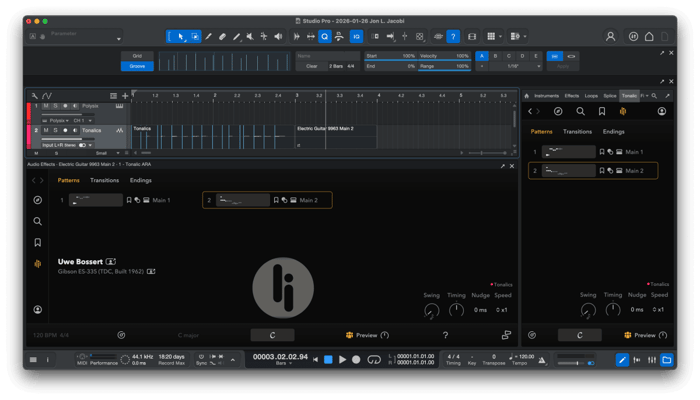
For more loops and one-shots, Studio Pro natively integrates with Splice (subscriptions start at $4.99/month) and Fender Studio Pro+’s own library. Fender also bundles Tonalic, a revolutionary guitar loop and riff generator working inside the DAW via ARA or standalone plugin. Think EZ Drummer after a gym session—but with a guitar.
As someone who’s not a guitarist, I had a blast turning Tonalic riffs into audio, extracting MIDI notes, and crafting wild electronic beats.
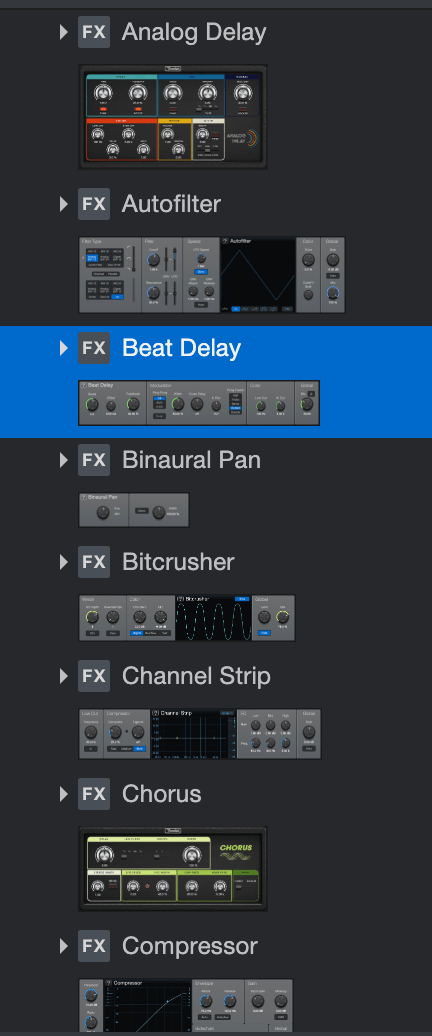
The plugin arsenal includes over 45 effects: compressors, reverbs, delays—all expertly emulating classic guitar pedals.
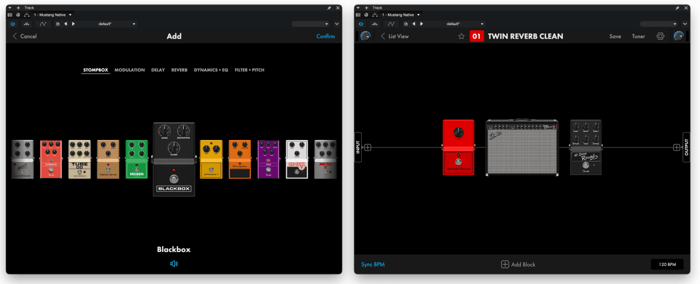
The crowning glory is the authentic Fender amplifier emulations, powered by the same algorithms behind Fender Mustang and Rumble digital amps. Just imagine having those iconic tones right inside your DAW!
For those new to music gear: Leo Fender founded the company in the late 1940s, creating guitar and amp designs that transformed music forever. The Stratocaster’s shape, still copied millions of times, was in Buddy Holly’s hands and later Eric Clapton’s. I own three myself! Almost every guitarist has at least one. Country artists worship the Telecaster, another Fender classic.
Smart Features and AI-Powered Tools
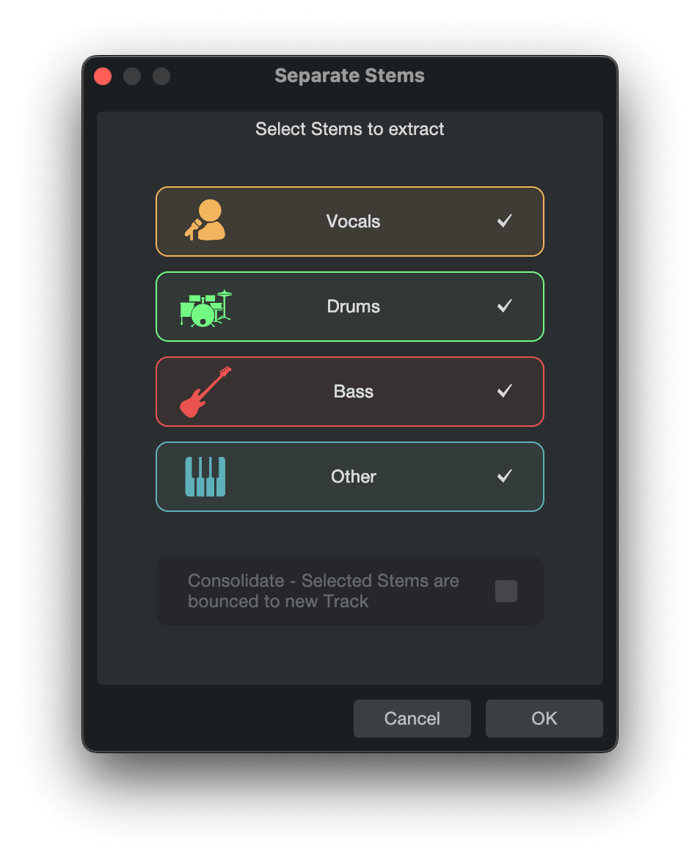
Fender Studio Pro includes AI-powered vocal and drum stem separation, letting you extract vocals or drums from any mp3. The built-in notation editor and ARA integration allow deeper pitch correction through Melodyne, which comes bundled in the basic package.
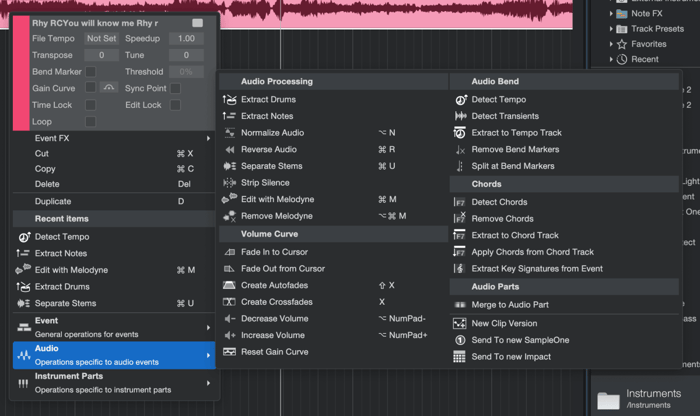
Old hands could list endless feature requests, but I found nearly everything I need here. The audio menu alone is a labyrinth of tools and options.
Interface and Usability Upgrades
Version 8 introduced two slick new views: a top navigator for arranging large projects and a plugin overview tab.
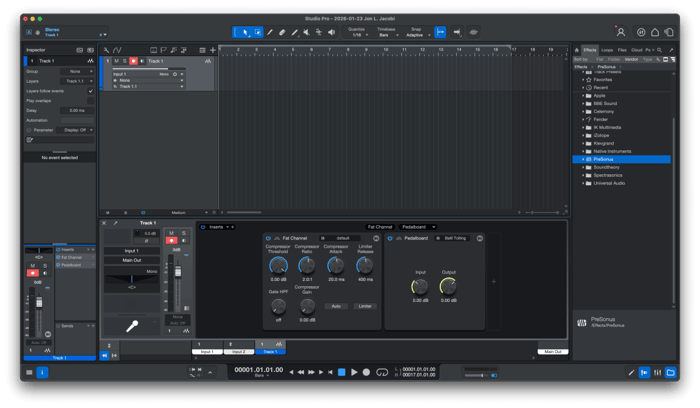
This plugin overview is a game changer—knobs from plugins appear right on the track panel, saving you from opening separate windows. You can even assign macros from third-party VSTs here.
Pet peeves? The fixed window size and bottom navigation tabs hogging screen real estate, though they can be detached as floating panels.
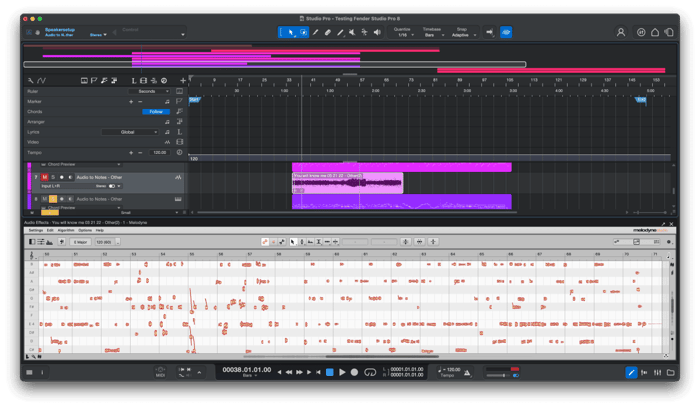
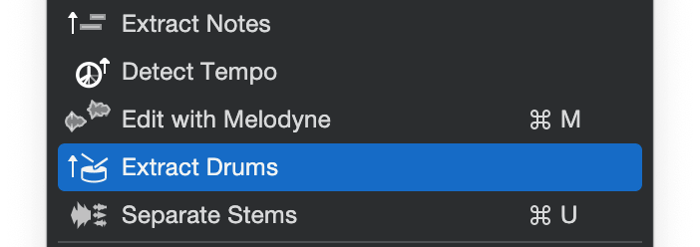
Converting audio to notation is simple: record a guitar part, and the DAW generates MIDI notes, ready to layer with synths.
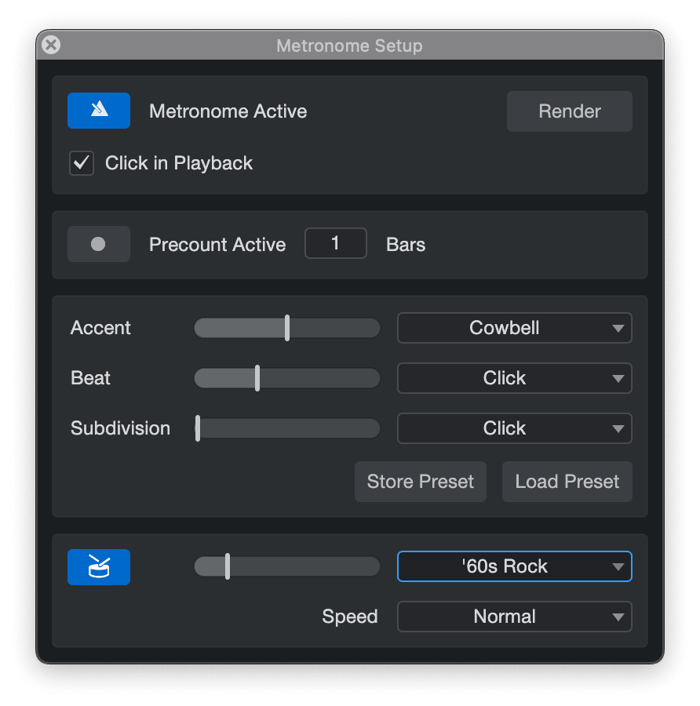
Tired of the metronome’s beep? The musical metronome plays full drum beats in your chosen style and groove—like having a virtual drummer instead of a click. The classic beep is still available and can be swapped out with your own sample.
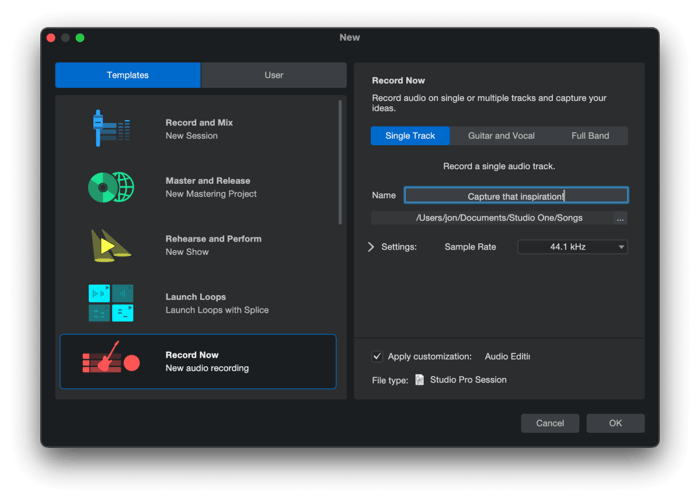
The “Record Now” button in the startup window is pure genius—hit it, and you instantly open a blank project with a ready-to-record audio track. No routing fuss while the muse strikes. It’d be even better if it started recording immediately and included a MIDI track — maybe next update?
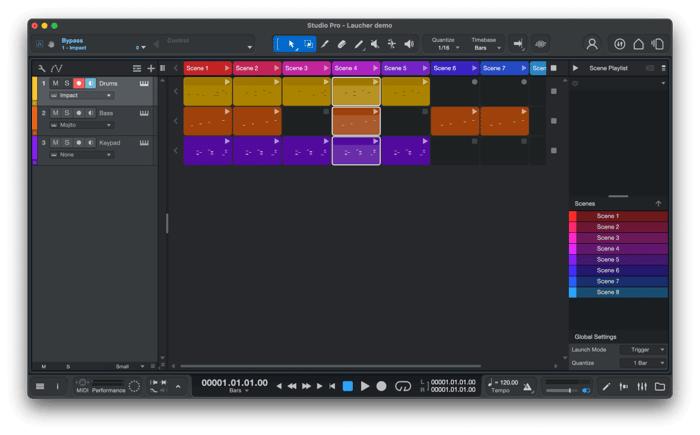
Projects from the mobile Fender Studio app import directly, perfect for those battling writer’s block: chord tracks and a special harmony plugin help you flesh out tracks. And of course, the Fender amp sims exclusive to version 8 add that special touch.
Ease of Use: For Newbies and Pros Alike
Hit any pro audio forum and you’ll find endless debates about interface preferences. At the end of the day, it boils down to muscle memory and habit. Objectively, Studio Pro feels clear and logical. If you’ve mixed even one track in another DAW, you’ll pick it up quickly.
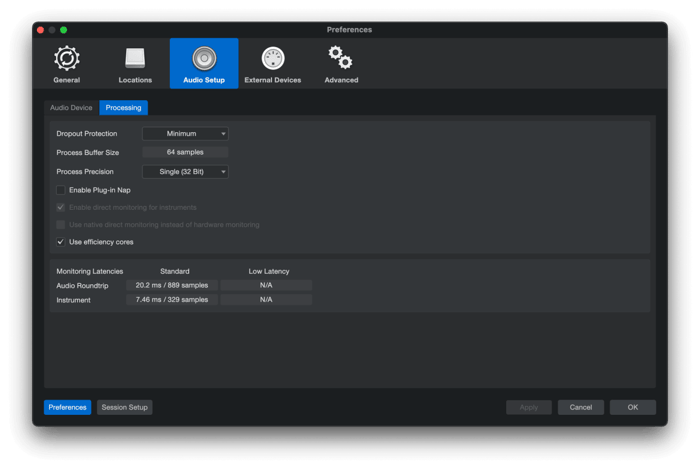
The interface has softened compared to the sharp-edged Studio One days. Icons and menus are easier on the eyes, and you can customize the track inspector, transport panel, and browser—cutting out unnecessary clutter.
Sure, there’s still plenty of tiny text and monochrome icons, and dropdown menus can stretch too wide. But it’s miles easier to navigate than before. If they gave medals for ergonomics in this class, they’d win one.
Studio Pro also handles multiple open songs and mastering projects without crashes—a huge plus for big studio sessions.
Sound Quality and Performance
Online debates rage on about which DAW sounds “cleaner” or “warmer.” Usually, this is placebo territory. Modern audio engines are flawless; any coloring in sound is now plugin-dependent.
Studio Pro’s native effects sound pristine, and my guitar, bass, and even my notoriously difficult vocals came through beautifully.
Stem separation is top-notch, sometimes cleaner than hyped neural services. Pro tip: for perfect audio-to-MIDI, run tracks through stem separation first, then the converter.
Audio-to-MIDI for drums was near flawless, though velocity detection occasionally skewed. Bass lined up well, though some fast attacks got missed (I play fingerstyle—pick attack might fare better). Guitar transcriptions became abstract art, but at least the attempt was there.
As with all software, quality depends on the source recording. Sharp transients translate well, but some mouse tweaks may be needed. For today’s tech, that’s perfectly normal.
Performance-wise, the engine is efficient. Tested on a beefy Mac Studio with M4 Max, 24-track projects played smoothly without hiccups.
I did encounter a MIDI bug caused by a conflict with Studio One 7.2 installed side-by-side: MIDI input was detected but no notes reached the synth. The fix? Complete removal of 7.2 and a clean reinstall of Fender Studio Pro with a cleaner utility.
They should coexist peacefully, but hey, the new version is so good, I’m not missing the old one.
Final Thoughts
There’s no musical task Fender Studio Pro can’t handle. The integrated mastering module alone justifies every penny if you produce your own albums.
If you own an older lifetime license, upgrading is worth it—new features abound. Though 7.2 remains a solid tool, the choice is yours.
As I closed my project and removed my headphones, I realized what Fender really did here. The revolution isn’t in vintage amp emulations or sleek button designs—it’s in how Fender is quietly monopolizing every phase of a musician’s life.
They’re not just selling you a guitar or gear anymore. They’re building an ecosystem.
Think about it: you buy a Stratocaster, download the Fender tuner app, start sketching demos in their free mobile app, graduate to a Fender AudioBox interface, then dive into powerful Fender Studio Pro. Inside, algorithms replicate your garage amp’s sound to the last detail. When your track’s ready, you master it in the same ecosystem, preparing for release.
They’re guiding you from that tentative first chord in the bedroom to a stadium-ready album.
It's like being gently locked in a beautiful velvet-lined cage—and honestly, it feels so cozy, you might never want to leave.
“Fender Studio Pro redefines how musicians grow within an integrated ecosystem—from first chord to final master.”
FAQ
- What platforms does Fender Studio Pro support? Fender Studio Pro runs smoothly on both macOS and Windows, with optimized performance on modern hardware.
- Can I use third-party plugins with Fender Studio Pro? Yes, it supports VST and AU plugins, but note that many native plugins are exclusive to the DAW and won’t run elsewhere.
- Is there a free trial available? There isn’t a standalone demo, but the monthly subscription plan offers a risk-free way to test the software.
- Does Fender Studio Pro include guitar amp simulators? Absolutely! It features authentic Fender amp emulations alongside other popular brands.
- How does the live performance module compare to other software? It’s comparable to Apple’s Mainstage, allowing setlist creation, playback triggering, and musician part assignment within the DAW.
Ready to immerse yourself in the Fender Studio Pro vibe? Celebrate your favorite music moment by decking your space with iconic album cover posters—shop your new studio’s perfect companion at Architeg Prints.
 | DISCOUNTGET 30% OFF*Use code on your next order:
|
* This post may contain affiliate links, meaning we earn a commission if you make a purchase through these links, at no additional cost to you.