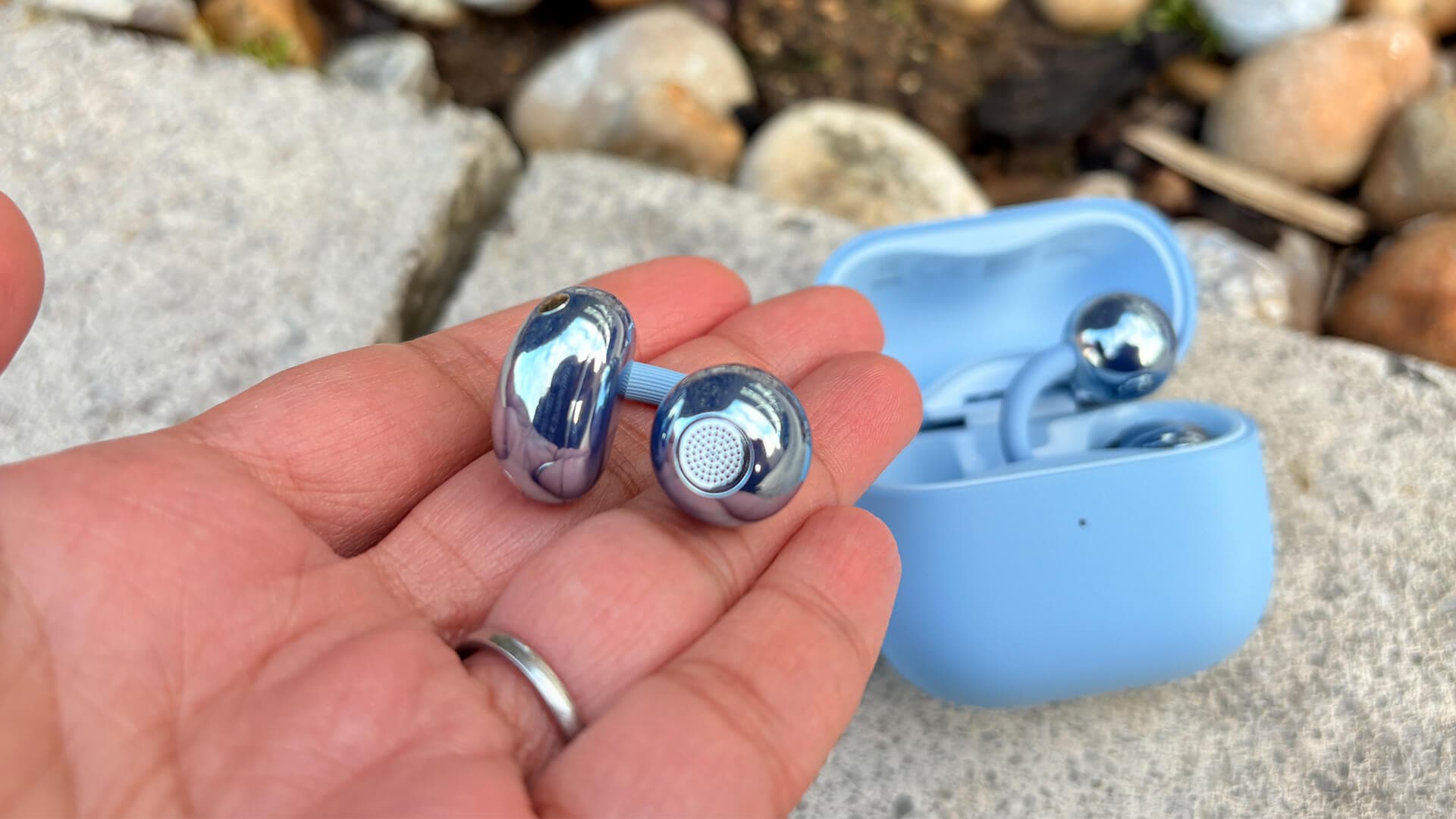
Huawei FreeClip 2 Review: When Comfort Takes Center Stage



Huawei FreeClip 2 Review: When Comfort Takes Center Stage
Experience ultimate comfort with Huawei FreeClip 2, blending open-ear design with improved sound quality and stylish convenience.
Remember when open-ear headphones first hit the market? Huawei FreeClip 2 headphones shook things up in 2023 with its original FreeClip—a bold, sculptural design inspired by Jeff Koons, clipped right onto your ear. It was lightweight and comfy, sure, but the sound quality? Let’s just say it left a bit to be desired.
Fast forward two years, and Huawei FreeClip 2 brings us the sequel. This promises to fix the sonic shortcomings with a full acoustic overhaul, polish the design, add fresh features, and keep the price steady. For fans of comfort and fresh style, this sounds like a promising remix.
Availability and Pricing Insights
If you’re eyeing the Huawei FreeClip 2 headphones, you can find them through official brand stores and major electronics retailers, ensuring easy access and reliable warranty service. The headphones typically launch priced around $200-$230, with plenty of sales and bundles to sweeten the deal. Official support means hassle-free servicing, a huge plus for those who want peace of mind alongside style.
Navigating Software and Compatibility
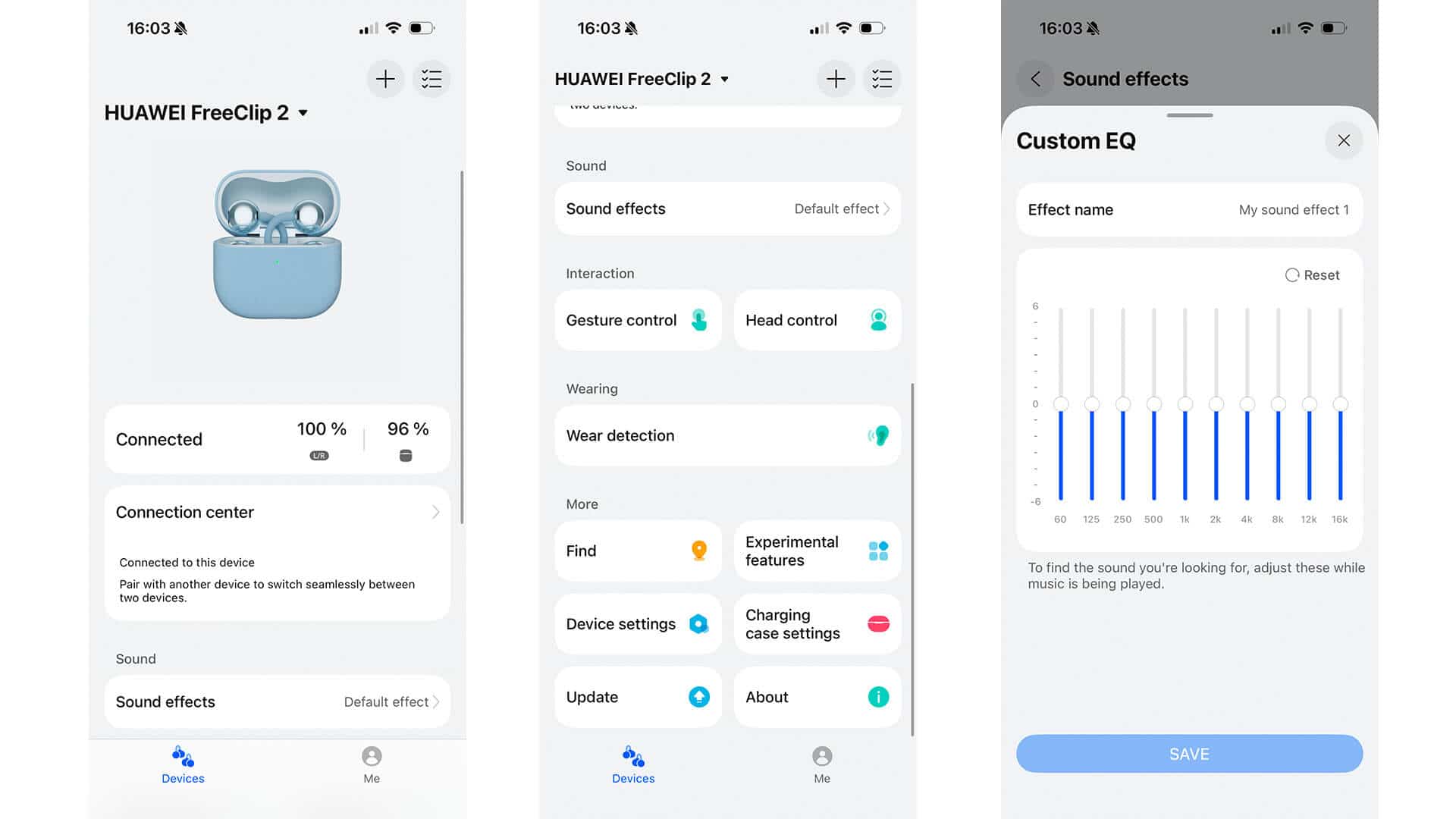
For Android users, there’s a small twist: managing your FreeClip 2 headphones requires the Huawei AI Life app, which you’ll download from Huawei’s AppGallery instead of Google Play. This is due to certain restrictions, but installing AppGallery is simple and quick on any Android phone. iPhone users enjoy straightforward access via the App Store. The app unlocks fine-tuned control and ensures the headphones speak your language—literally and figuratively.
Design & Comfort: Sophistication Meets Function
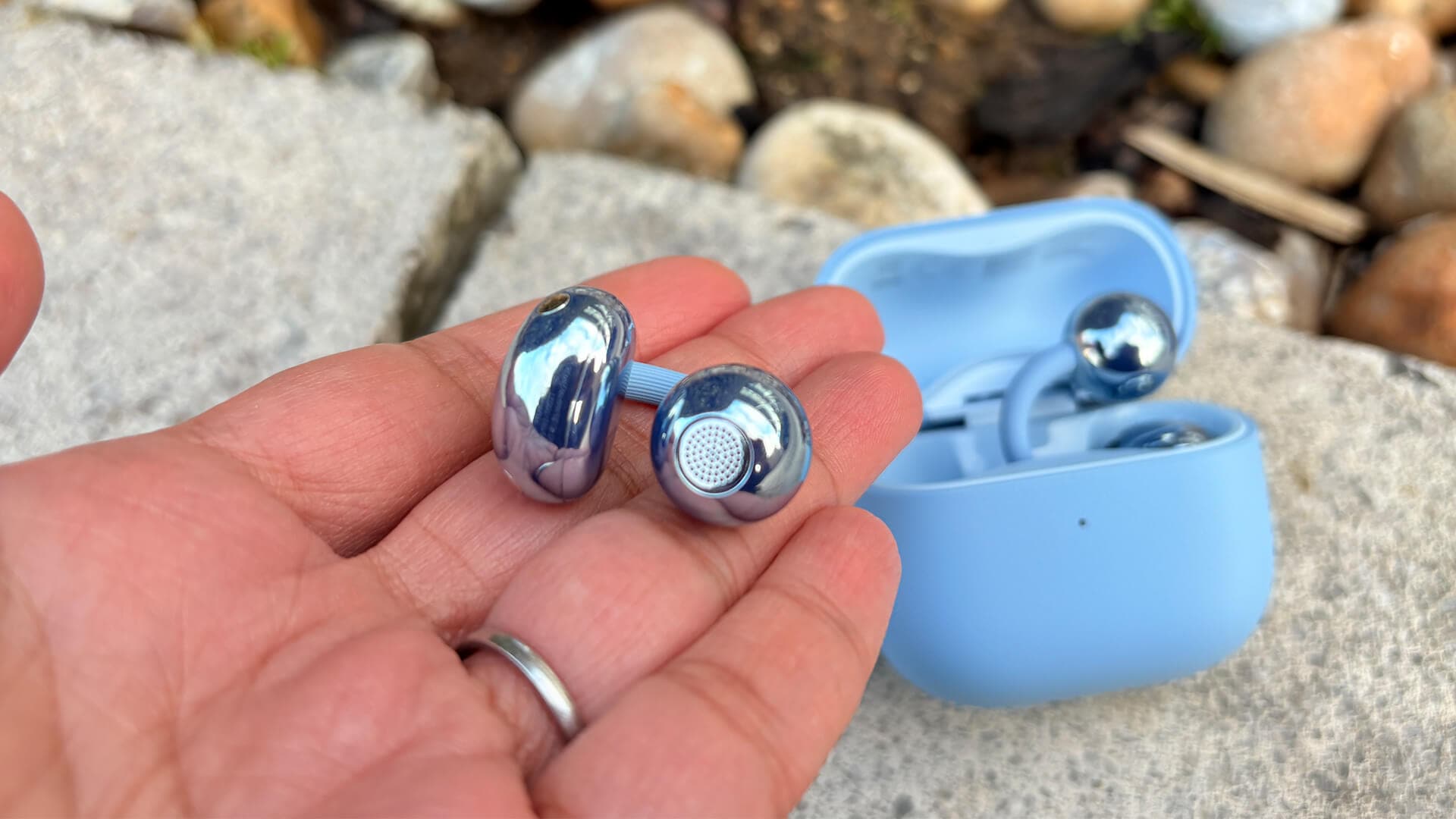
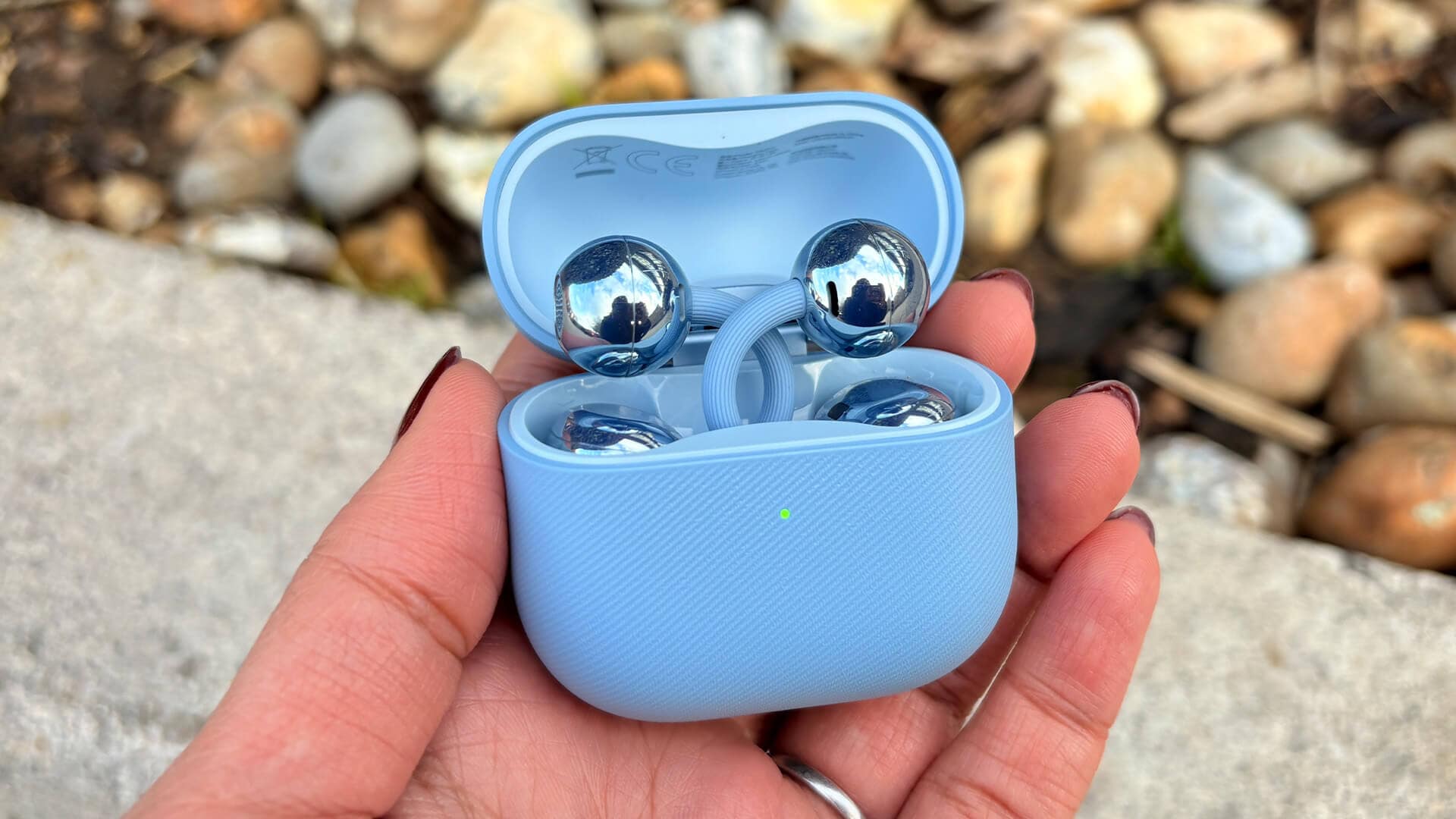
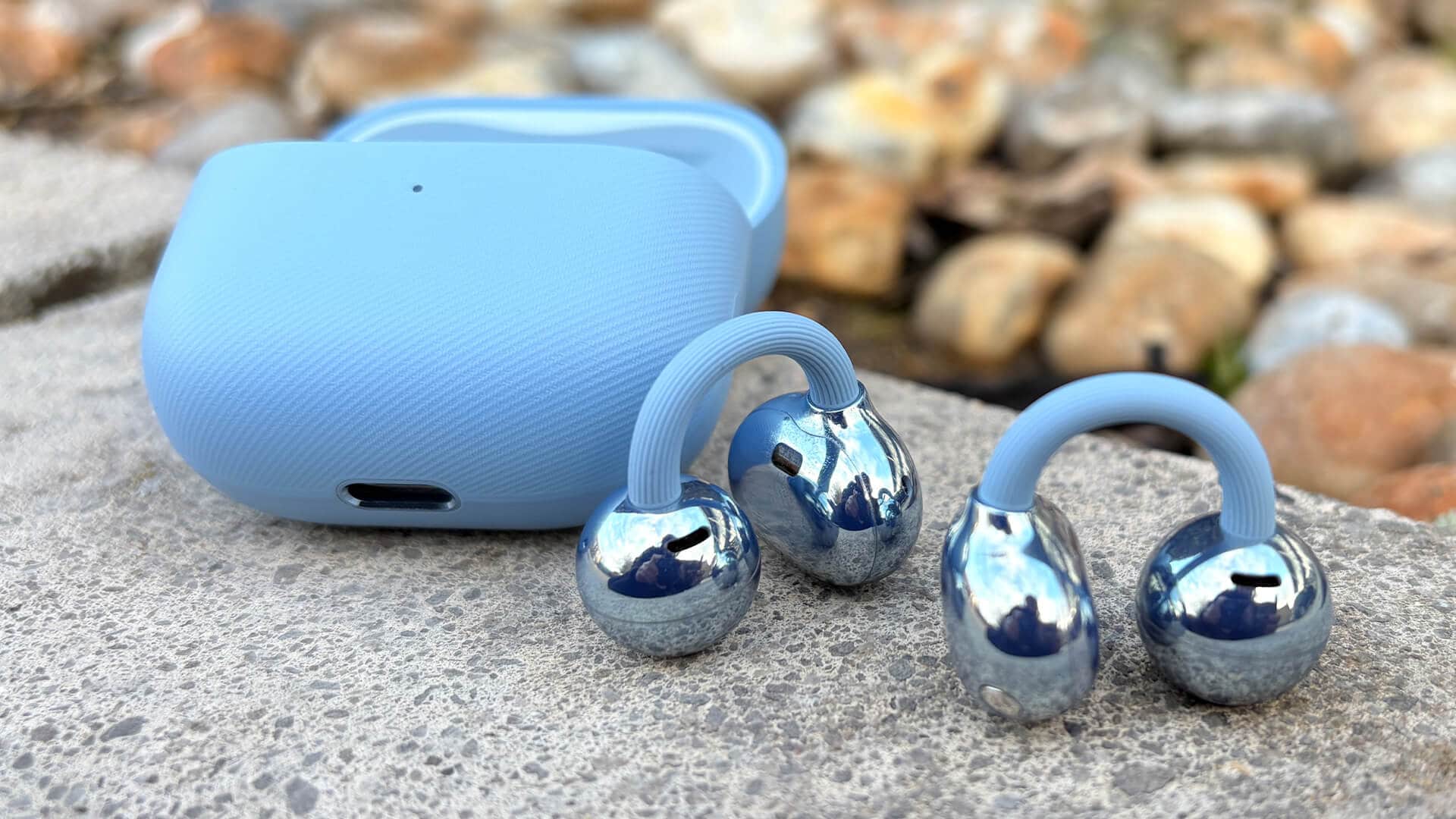
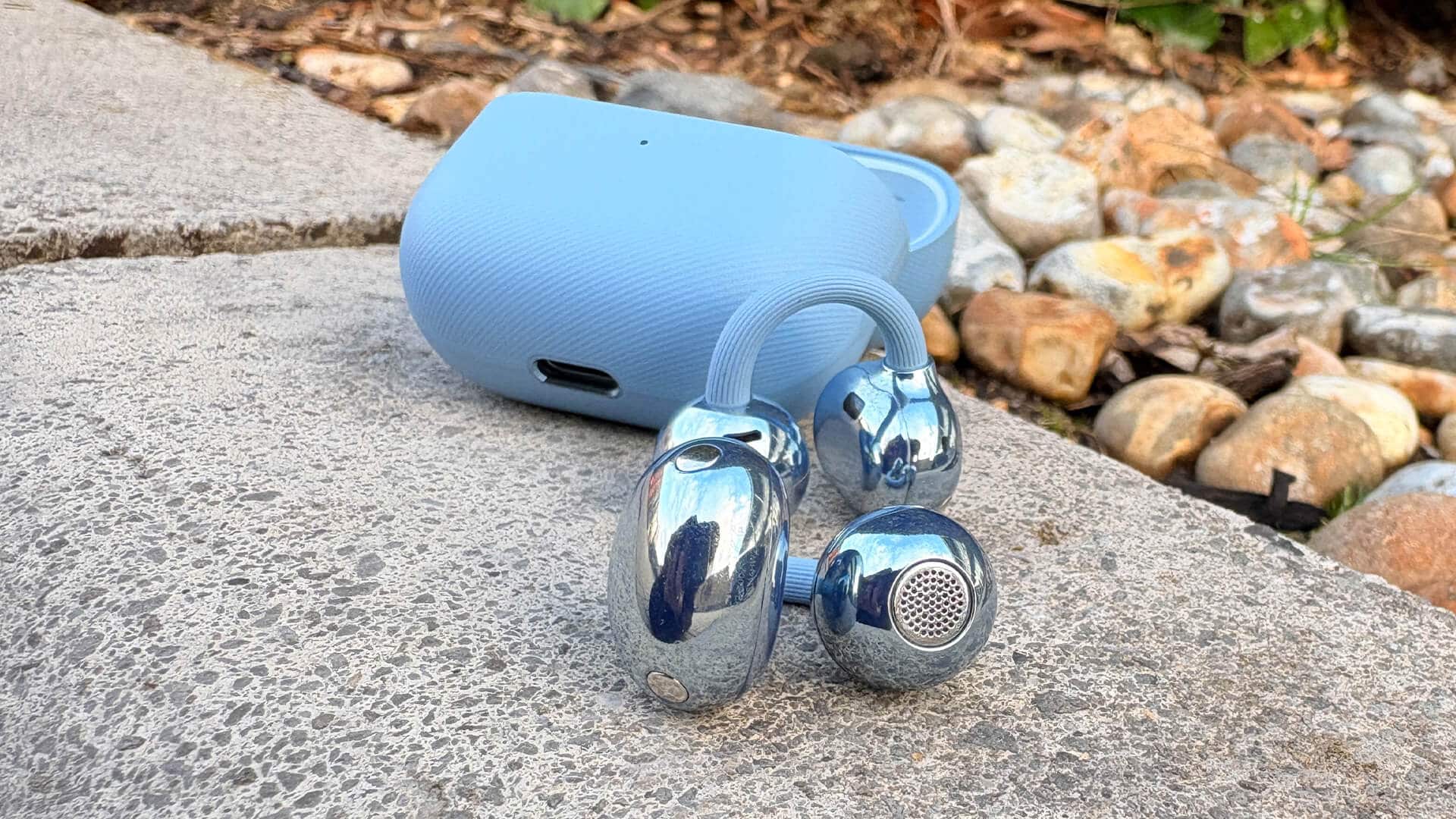
The FreeClip 2’s design is a clever trio of parts:
- The acoustic sphere: nestled snugly in your ear’s concha housing the driver tech.
- The comfort “bean”: a larger piece behind your ear that holds sensors and ensures a secure fit.
- The flexible C-shaped bridge: a memory metal wire keeping everything locked in place gently.
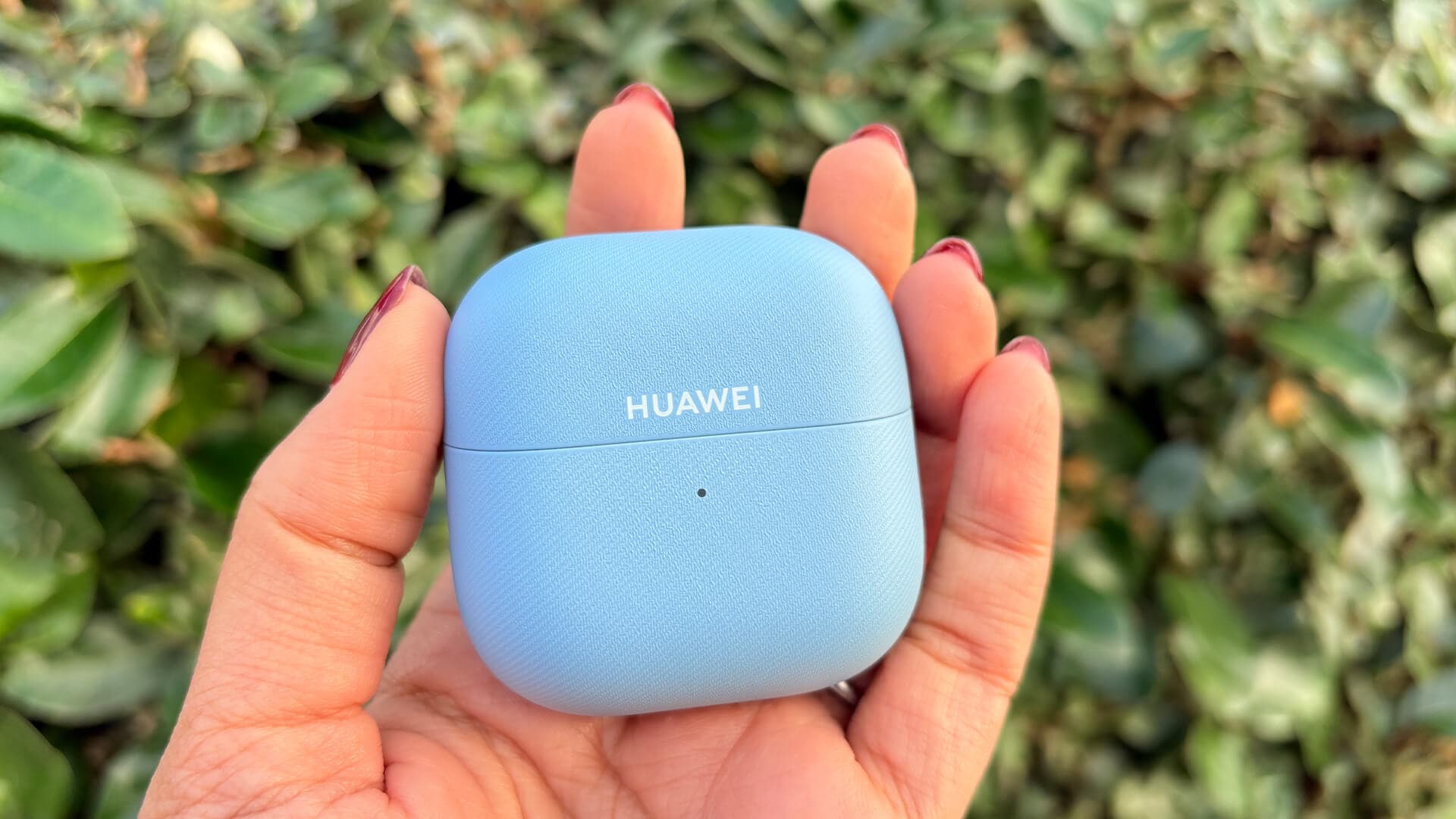
Compared to the first gen, these are 11% smaller and lighter (5.1 g per earbud versus 5.6 g), with a more ergonomic “bean” shape to fit a wider range of ears. The charging case also shrunk to a neat little package.
What’s delightful is how they wear like ear cuffs—you don’t jam anything into your ear canal. The flexible nickel-titanium alloy bridge snugly secures the buds without squeezing, making these perfect for all-day wear. I often forgot they were there, a rare feat for headphones!
The look? Still a divisive style choice. The design might not charm every fashion lover, but for those prioritizing feel over flash, comfort reigns supreme.
Acoustic Engineering: Sound Step-Up
Huawei went deep into revamping the acoustics here. Each earbud sports a 10.8mm “turbo” driver with a dual diaphragm, doubling the bass compared to the original. They optimized the acoustic chamber and added a dual-vent system to let air move freely, creating a wider, more immersive soundstage.
Since these are fully open-ear, some sound leakage is inevitable—you’ll share your beats with those nearby if the volume’s cranked. Huawei’s tech counters this with an “inverse sound field” to reduce leakage and keep calls private.
Controls & Smart Features
Control is all about taps and swipes:
- Double or triple tap around the acoustic sphere or C-bridge to play, pause, or skip tracks.
- Swipe up/down on the “bean” to adjust volume—responsive and fast, but could use smoother increments.
- Nod to accept calls, shake your head to decline—fun, futuristic gestures that actually work.
These gestures are customizable via the Huawei Audio Connect app. Just a heads-up: Android users will find this app in Huawei’s AppGallery, not Google Play.
Battery life impresses too—9 hours on a single charge, topping out at 37 hours with the case. I tested them for two weeks non-stop, and the case barely moved below half power. One minor quirk: the USB-C cable isn’t included, but any charging cable will do the trick.
Seamless Pairing & Connectivity
Pairing with my Apple iPhone 16, Samsung Galaxy S22+, and laptop took mere seconds. Multi-point connectivity lets you switch between devices effortlessly. While strolling through busy streets, I noticed occasional dropouts, but generally, the Bluetooth AAC and SBC codecs keep things smooth across any device.
The app offers four preset EQ profiles, though I preferred the default for balanced sound. Customizing through a 10-band EQ is a new, welcome addition, letting audiophiles tweak the sound to their taste.
The AI-powered adaptive volume adjustment reacts to ambient noise, turning up the music on bustling streets. However, this mode introduced a slight processing artifact I found distracting.
Call Quality: Clearer but Not Perfect
Call quality improves significantly over the original FreeClip. Gone are the harsh, robotic sounds—voices now come through clearer, though still a bit mechanical compared to premium rivals like Apple AirPods 4 headphones or a native phone call.
Background noise stays subdued even in rainy, windy conditions, making conversations easy to follow. Huawei has tightened connectivity and mic processing, but the FreeClip 2 still can’t fully match the warmth of higher-end earbuds.
Sound Experience: Open Yet Engaging
Open-ear headphones like the FreeClip 2 inherently sacrifice some audio isolation but in exchange, you stay connected to your surroundings—dog barks, traffic hum, and chatter all come through naturally.
This time around, though, Huawei nailed a much clearer, richer sound. The bass is fuller, richer, and the whole frequency range feels balanced and dynamic. Gone is the tinny, flat sound of the original. Tracks from Def Leppard’s “Rock of Ages” hit with satisfying power, and Alt-J’s “Breezeblocks” flows organically.
Vocals improved notably—whether it’s Waxahatchee’s lush delivery, Billie Eilish’s intimate whispers, or Dr. Dre’s harder edge, lyrics become easier to follow and more enjoyable.
Podcasts sound crisper too, with voices feeling natural and expressive enough to hold your attention. Of course, street noise can drown out audio at times, but that’s the trade-off for open design comfort and situational awareness.
Comparing With the Competition
In this price range, Sony LinkBuds Open headphones and Apple AirPods 4 headphones are the main rivals, offering sharper dynamics, tighter rhythms, and more detail. Each brings its unique open-ear design, differing quite a bit from the FreeClip 2’s approach.
The question comes down to personal fit and style preference: if comfort and openness top your list, FreeClip 2 is an excellent contender; if you crave intricate soundstage finesse, the competition might edge ahead.
Final Thoughts: A Comfort-Forward Choice
Huawei has made a commendable leap forward with FreeClip 2’s sound quality. While open-ear designs won't deliver audiophile perfection, these headphones make switching between tunes and the world around you effortless and enjoyable.
Whether you adore their bold design or not, the FreeClip 2 shines in comfort for long wear and offers a worthy alternative for those who dislike traditional in-ear buds. They’re not perfect, but they do their niche job better than ever.
If you’re willing to trade some audio polish for all-day comfort and situational awareness, Huawei FreeClip 2 headphones deserves a spot on your radar.
Ratings
- Sound: 3/5
- Comfort: 5/5
- Features: 4/5
“Huawei’s acoustic revamp delivers a fuller, richer sound that finally matches the FreeClip’s comfort promise.”
FAQ
- What type of headphones are the Huawei FreeClip 2?
They are open-ear wireless headphones designed to rest around the ear rather than inside the ear canal. - How long does the FreeClip 2 battery last?
Up to 9 hours on a single charge, with an overall 37 hours when combined with the charging case. - Are the Huawei FreeClip 2 suitable for workouts?
They have an IP57 rating, making them water-resistant for rain, but they may not be the best choice for intense exercise due to potential shifting. - How do I control volume and playback on these headphones?
Use touch gestures: tap to play/pause, swipe up/down on the comfort bean to adjust volume, nod or shake your head to accept or reject calls. - Can I customize the sound settings?
Yes, via the Huawei Audio Connect app, you can select preset EQ profiles or fine-tune sound with a 10-band equalizer.
If you’re inspired by the FreeClip 2’s unique blend of comfort and style, why not bring that vibe into your space? Shop your favorite album cover posters at Architeg Prints and keep the music-inspired energy alive.
 | DISCOUNTGET 30% OFF*Use code on your next order:
|
* This post may contain affiliate links, meaning we earn a commission if you make a purchase through these links, at no additional cost to you.