JPLAY 1.4.3 Introduces UPnP Eventing for Seamless Two-Way Control


 See more Architeg Prints stories on Google.
JPLAY 1.4.3 Introduces UPnP Eventing for Seamless Two-Way Control
Experience flawless synchronization with UPnP Eventing in JPLAY 1.4.3, enhancing control over your network players.
A New Era of Two-Way Control with UPnP Eventing
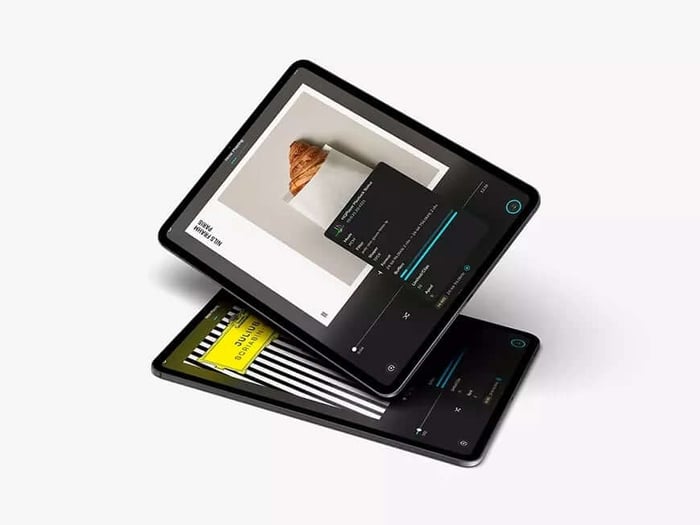
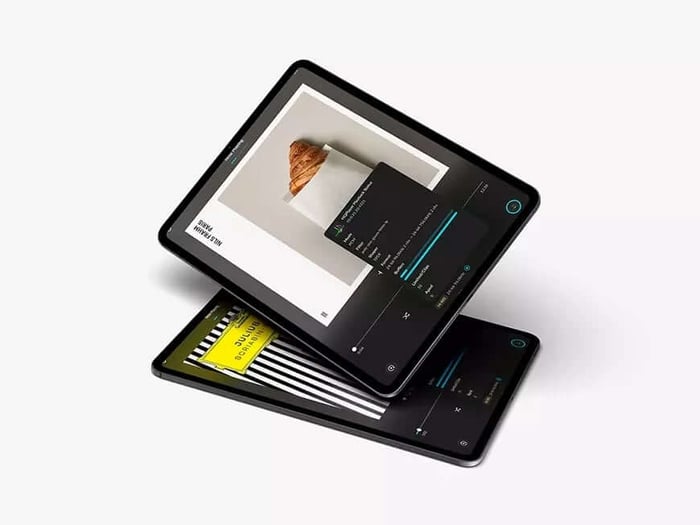
As a longtime fan of high-fidelity music streaming apps, I was genuinely excited to dive into the latest update from JPLAY music streaming app: version 1.4.3. The headline feature? Support for UPnP Eventing—a technology that promises to revolutionize the way we interact with our networked audio players. Developed hand-in-hand with Grimm Audio MU1 network player and Grimm Audio MU2 network player, this upgrade brings two-way synchronization to the forefront, especially enhancing the experience for users of these devices.
Before this update, controlling UPnP-compatible devices through JPLAY felt a bit like steering a ship from a distance. You could send commands from the app, but any action taken directly on the device itself—pressing pause on the player, fiddling with the volume, or toggling play—didn't always reflect immediately back in the app. Now, with UPnP Eventing, the app instantly receives status changes the moment they happen.
Imagine this: you're comfortably settled with your phone on the couch, streaming music through JPLAY. You press pause using the physical dial on your Grimm MU1, or maybe the infrared remote, or even through the GRUI web interface. Previously, the JPLAY app would take its sweet time catching up, if at all. Now? The app updates the status automatically and immediately. It’s a small touch, but it makes the entire listening experience feel much more natural and connected.
Plug-and-Play with Grimm Audio MU1 and MU2
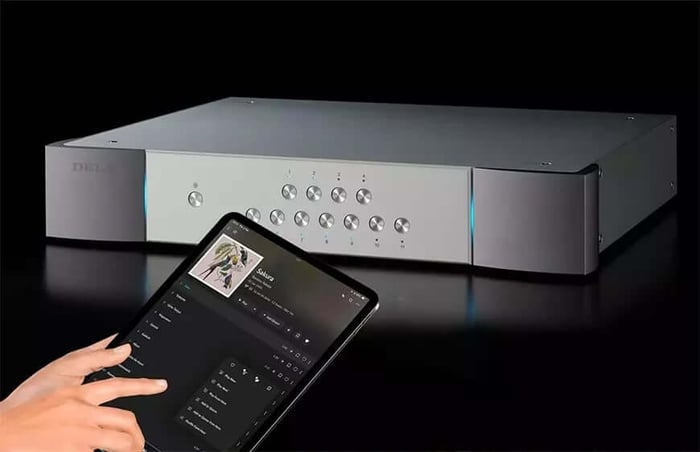
What’s great is that if you’re already rocking a Grimm Audio MU1 network player or Grimm Audio MU2 network player, you won’t need to fiddle with complicated setups. These players are recognized automatically by JPLAY 1.4.3, and UPnP Eventing kicks in right away without requiring any user intervention. It’s like the app and player just “get” each other now.
This smooth integration was validated through the JPLAY Certified program, which ensures the devices meet rigorous standards for compatibility, connection stability, and precise control reliability. It’s that kind of peace of mind that lets you just sit back and enjoy the music without worrying about glitches or dropouts.
But the new features don’t stop there.
Enhanced Features for the Audiophile Ecosystem
For those running HQPlayer music player with MinimServer media server, the update unlocks Direct Disk Playback capabilities. This means JPLAY can now serve as your central command station for HQPlayer, thanks to its support for the HQPlayer Control API. Setting up and managing playback has never been this streamlined. From queuing up your favorite albums to tweaking playback settings, everything is accessible in one sleek interface.
And if you’re someone who loves discovering new tunes on the fly, the newly introduced Queue Radio Modes are worth checking out. These modes intelligently pick music based on your current queue, so your listening session keeps flowing with tunes that match your vibe. It’s like having a DJ who understands your taste perfectly.
Performance Tweaks and Subscription Details
Of course, with all this new functionality, the JPLAY team didn’t forget to polish under the hood. This update comes with bug fixes and performance optimizations that make the app smoother than ever. JPLAY supports a variety of platforms including iPhones, iPads, and Apple Silicon Macs, making it a versatile player in the streaming game.
It also plays nicely with local UPnP servers and popular streaming services like Qobuz, TIDAL, and HIGHRESAUDIO, so your music options are vast and varied.
For existing users, the 1.4.3 update is available free of charge. New users can enjoy a 14-day free trial before deciding whether to jump in. The pricing breaks down as follows:
- Annual JPLAY Premium subscription: €51.99
- Lifetime license: €199
Not a bad deal for an app that’s become a staple in so many audiophile setups.
JPLAY now receives player state changes immediately after they occur, creating a truly synchronized listening experience. – JPLAY team
Final Thoughts: A Must-Have for Network Audio Fans
Having tested the new JPLAY 1.4.3 update myself, I can say the addition of UPnP Eventing genuinely elevates the user experience. It’s subtle but impactful—making controlling your music feel effortless and more intuitive. If you’ve been craving an app that doesn’t just send commands but also listens back, this is it.
What do you think about two-way syncing in your music apps? Have you tried JPLAY 1.4.3 yet?
FAQ
- How does UPnP Eventing improve JPLAY’s functionality?
It enables the app to instantly receive and reflect player status changes made directly on the device, ensuring perfect synchronization. - Do I need to configure anything for my Grimm MU1 or MU2?
No, compatible devices are recognized automatically, and UPnP Eventing activates without manual setup. - What platforms does JPLAY support?
JPLAY works on iPhone, iPad, and Apple Silicon Macs, providing a versatile listening experience. - Can JPLAY control HQPlayer?
Yes, with version 1.4.3, JPLAY supports HQPlayer Control API and offers Direct Disk Playback for HQPlayer + MinimServer users. - What are the subscription options for JPLAY?
There’s a 14-day free trial for new users. The annual Premium subscription costs €51.99, and a lifetime license is available for €199.
Ready to showcase your passion for music with iconic album art? Shop your favorite album cover posters at our store here and bring your listening space to life with style!
 | DISCOUNTGET 30% OFF*Use code on your next order:
|
* This post may contain affiliate links, meaning we earn a commission if you make a purchase through these links, at no additional cost to you.