Razer Clio X Brings Immersive Gaming Audio Right to Your Chair



Razer Clio X Brings Immersive Gaming Audio Right to Your Chair
Gaming audio doesn’t always need headphones or a full speaker system. Razer’s Clio X places focused spatial sound directly behind your head.
A Third Option for Immersive Gaming Audio
Gaming audio has always involved a small compromise. Put on a headset and the game surrounds you, but the rest of the room seems to disappear. Turn to a traditional speaker setup and you regain that shared-space feeling, yet the sound loses some of its personal, close-up character.
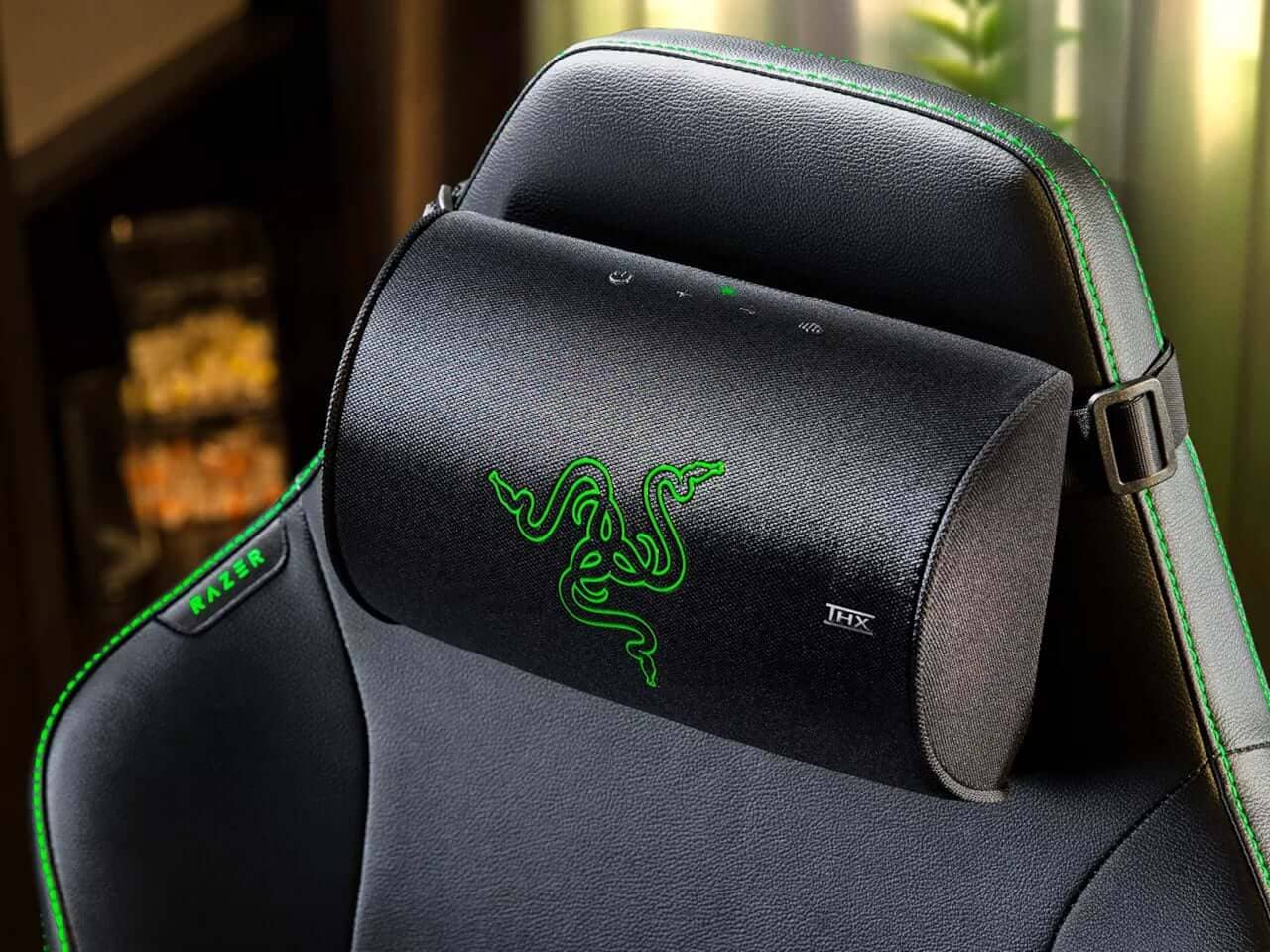
Razer’s Clio X aims for the middle ground. Instead of sitting on a desk, stretching across a wall, or clamping over your ears, this compact speaker system is built into a cushion designed for the headrest of a high-back gaming chair. The result is a more personal listening experience that doesn’t require wearing anything.
That’s the clever bit. The Clio X isn’t trying to replace a complete home theater system or compete with a powerful soundbar for room-filling volume. It has a much more focused job: place immersive audio exactly where your ears already are.
For anyone who has ever taken off a headset halfway through a long gaming session and felt immediate relief, that distinction matters. The Clio X offers another way to stay wrapped in game audio without feeling like your head is being squeezed by hardware.
A Smaller Cushion With a Deliberate Design
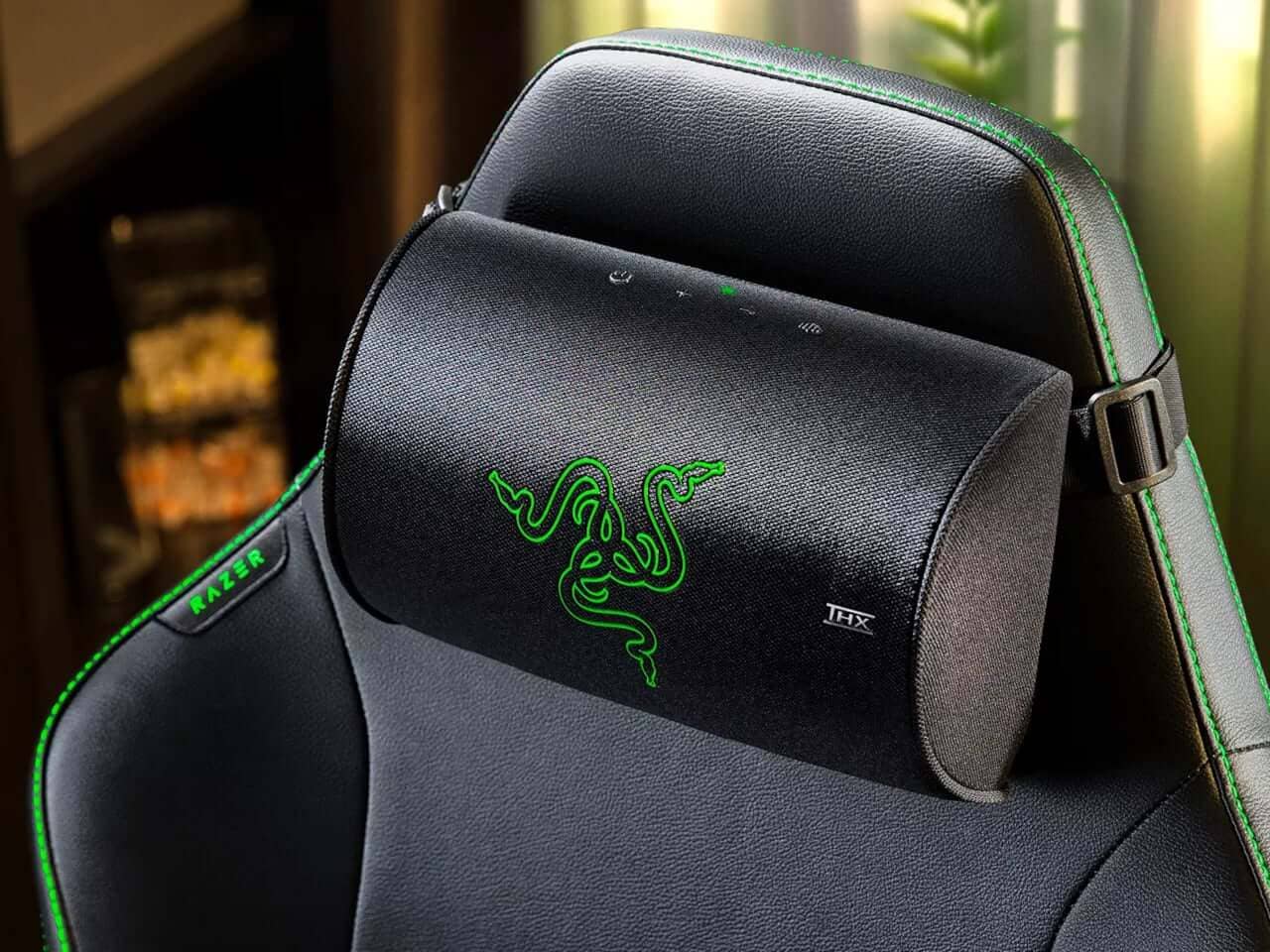
The hardware inside the cushion is compact but purposeful. Razer fits the Clio X with two 1.5-inch loudspeakers alongside two 2.2-inch passive radiators. That arrangement is smaller than the 1.7-inch aluminum cone drivers used in Razer’s flagship Clio, but the difference reflects a change in priorities rather than a simple step backward.
The Clio X is designed to sit naturally against a chair’s headrest. Its profile needs to remain comfortable, unobtrusive, and light enough to blend into the furniture instead of looking like a separate audio component attached to it. In other words, it’s meant to be noticed through sound rather than appearance.
The system still delivers THX Spatial Audio and near-field clarity. Because the speakers sit close to the listener’s ears, the audio can feel more directed and intimate than sound coming from across a desk or room. It’s a bit like moving from a stage performance to a tiny private venue where the speakers know exactly where you’re sitting.
Wireless Audio Without the Headset Clamp
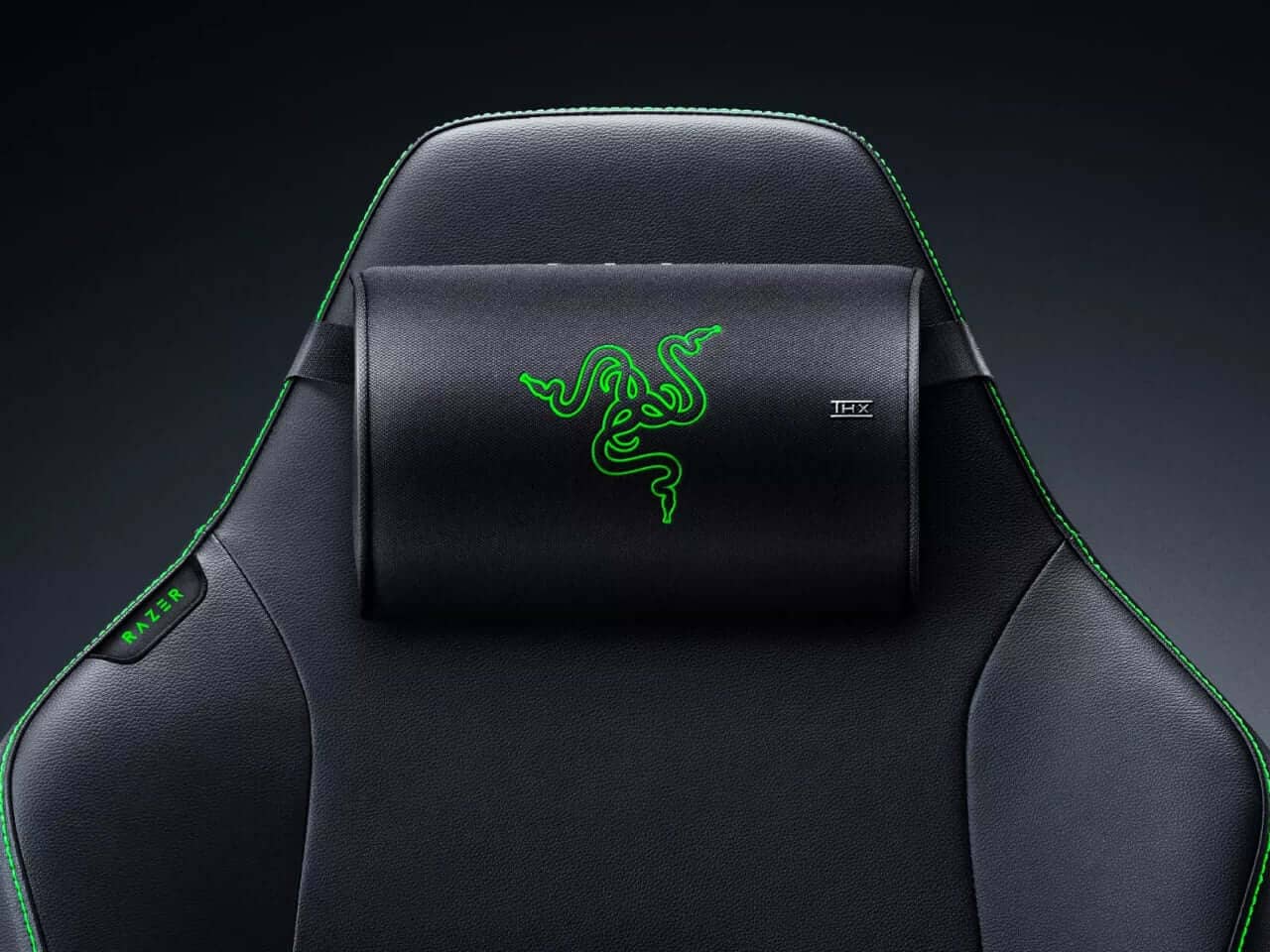
Once the cushion is attached to the chair, sound reaches it through Razer’s HyperSpeed wireless connection. The system uses a 2.4 GHz wireless link intended to avoid the delay that standard Bluetooth can introduce during fast-moving game audio.
That focus on responsiveness is especially important in games where sound cues arrive quickly. Footsteps, directional effects, sudden alerts, and other audio details need to line up with what’s happening on screen. Even a small delay can make the experience feel slightly disconnected, so the wireless connection is built around keeping the audio signal moving promptly.
There’s also a welcome lack of clutter. No headset presses down on your head. No cable trails from your ears to the desk. No separate speaker needs to occupy another patch of floor or tabletop. The Clio X secures to the chair with a strap, then handles the audio wirelessly.
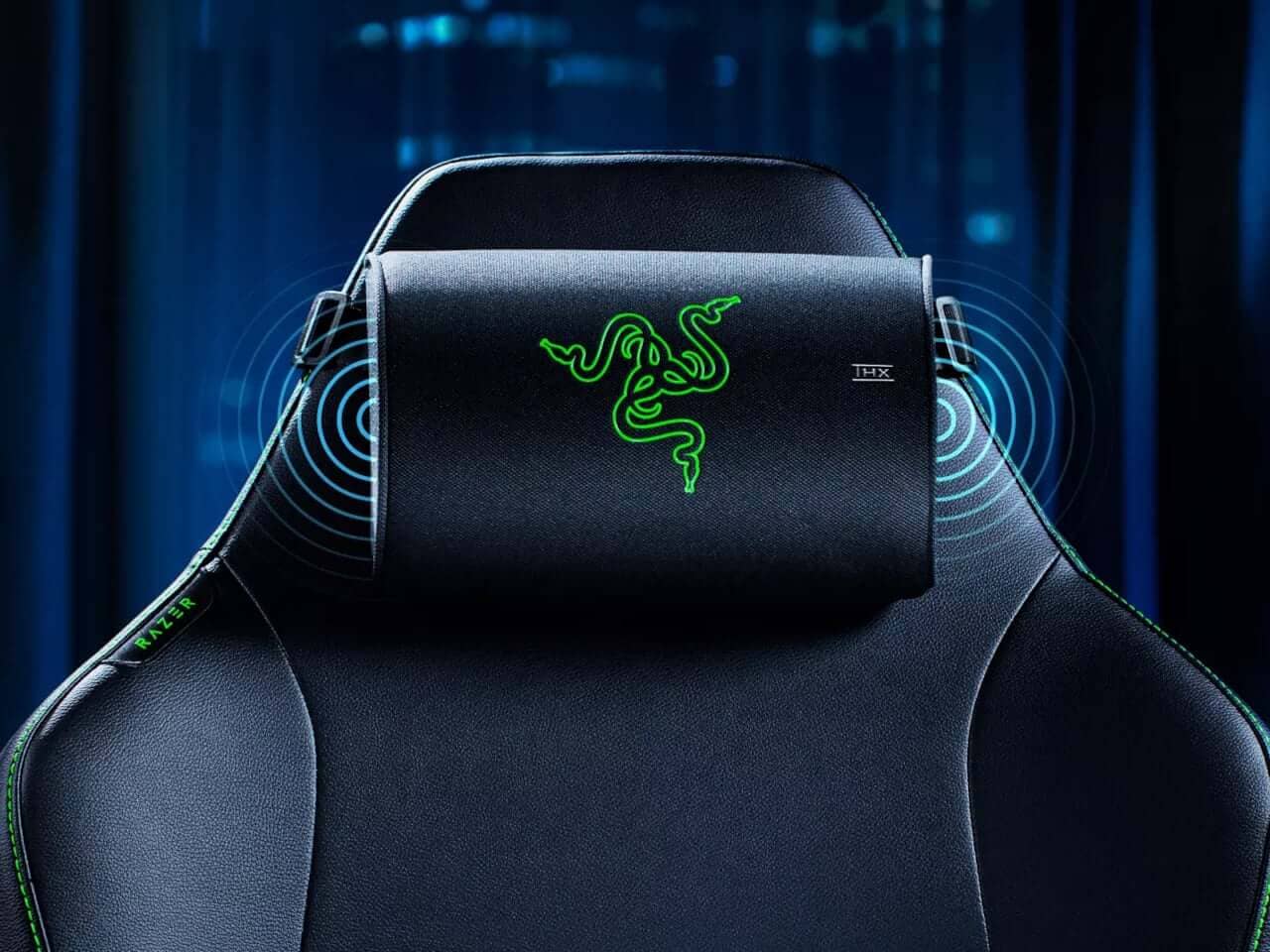
That setup has the relaxed feeling of putting on a favorite hoodie: familiar, simple, and not especially demanding. Once the cushion is in position, the chair becomes part of the audio arrangement.
USB-C Power Keeps Long Sessions Going
The Clio X takes a different approach to power, too. Rather than relying on a built-in battery with a fixed runtime, it connects through USB-C and draws power from a 15-watt-or-higher PD2.0 source to reach full volume.
The benefit is straightforward. During a long gaming session, the cushion doesn’t have to race against a battery percentage that slowly drifts toward zero. There’s no sudden interruption in the middle of a match simply because the audio accessory needs to recharge.
The tradeoff is just as clear: the chair setup needs access to a suitable power source. That could mean using a nearby outlet or bringing in a power bank for a more portable arrangement. It adds a little planning, but it also makes the Clio X better suited to extended use.
For players who settle into lengthy campaigns, late-night multiplayer sessions, or marathon viewing at a desk, that compromise may feel reasonable. A power cable is less glamorous than a completely wireless device, but it’s predictable—and predictable is often exactly what you want when your session has already lasted longer than planned.
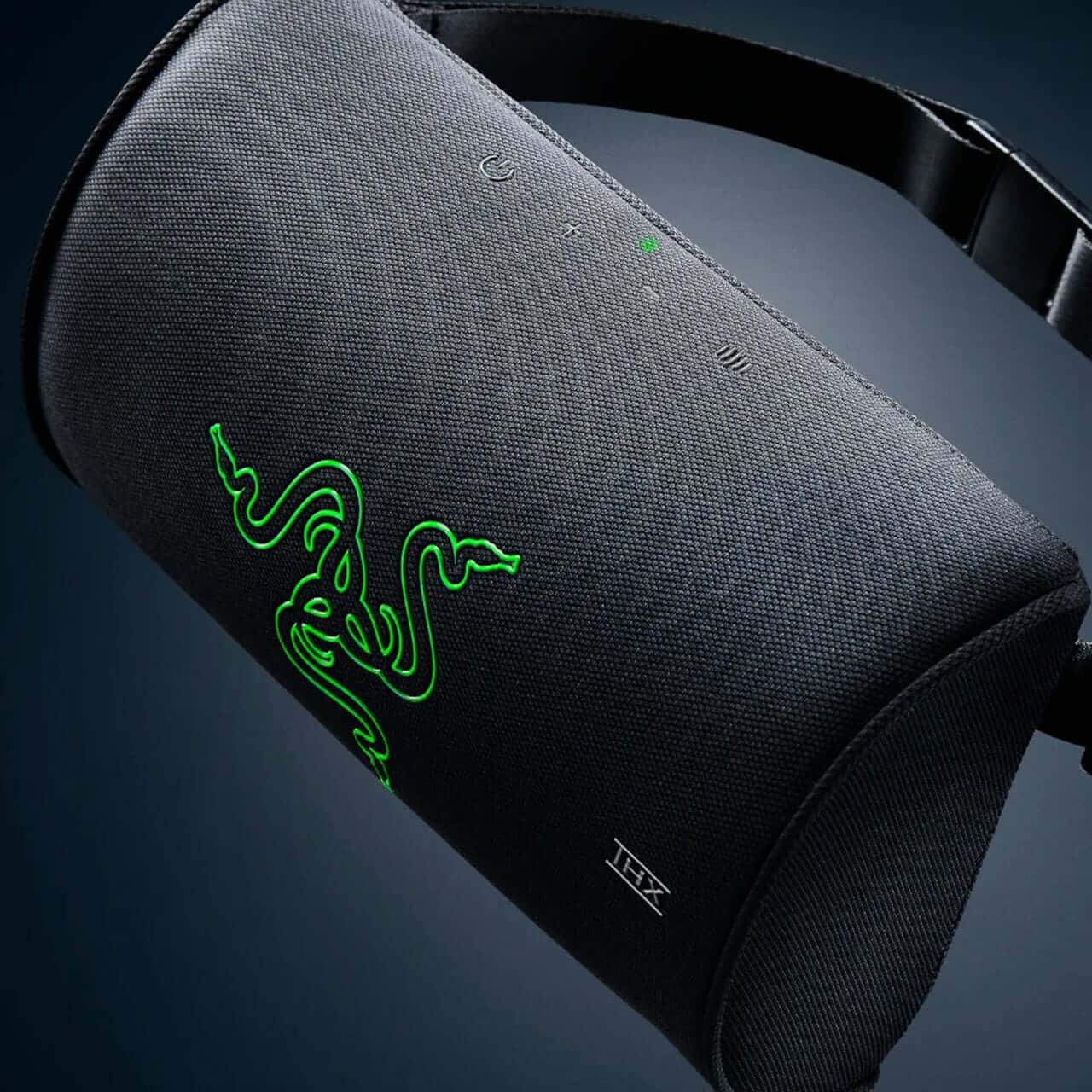

A Flexible Addition to an Existing Setup
The Clio X becomes more interesting when it joins equipment that’s already on the desk. A player with a 2.0 or 2.1 speaker system can use the cushion as a wireless rear channel, creating a setup that feels closer to surround sound without routing another cable behind the chair.
That flexibility gives the device two distinct personalities. Used by itself, it can serve as the primary audio system for the chair. Used alongside existing speakers, it can add sound from behind the listener and make the overall arrangement feel more enveloping.
The appeal is easy to understand. Running cables around a gaming chair can quickly turn a clean setup into a small obstacle course. One cable catches on an armrest, another disappears under the desk, and suddenly the tidy battle station looks like it’s preparing for a wiring inspection. A wireless rear channel avoids much of that mess.
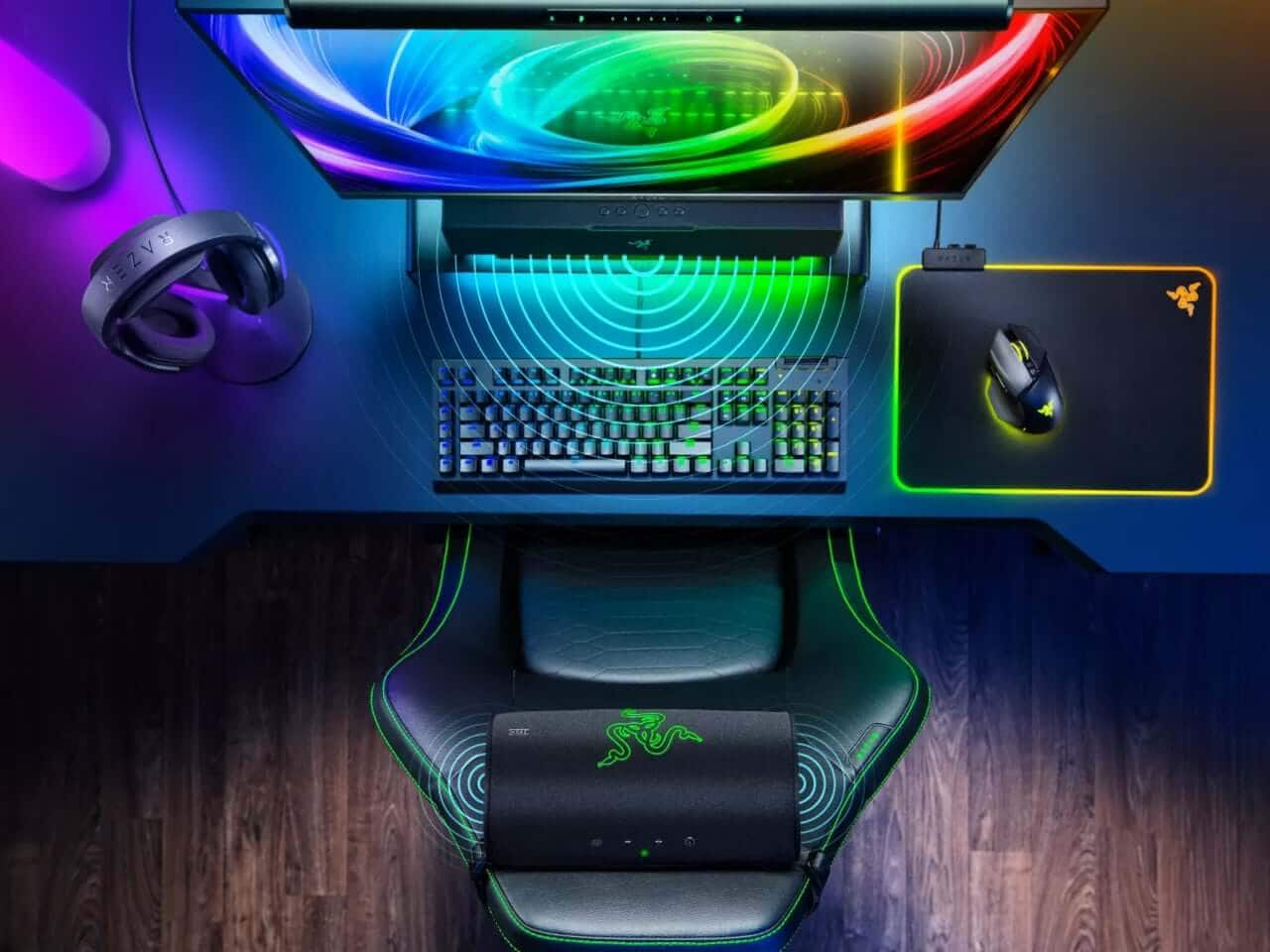
Of course, the Clio X doesn’t make every other audio component unnecessary. Its value lies in how easily it can adapt to what’s already there. It can be the whole system for one player and a supporting element for another.
Made for Shared Rooms and Late Nights
The most convincing use case may be the one that happens after dark. Imagine playing late at night while someone else is asleep down the hall. A traditional soundbar might be too loud, while headphones can become uncomfortable after hours of use.
That’s where the Clio X splits the difference. The sound is positioned close enough to the listener to feel present and surrounding, but the setup doesn’t require a headset covering the ears or a large speaker broadcasting across the room.
It also works for shared spaces where everyone has different plans. One person can continue gaming while another reads, watches television, or simply enjoys a quieter room. The system doesn’t make the audio disappear, but it keeps the experience more contained than a standard room-wide speaker arrangement.
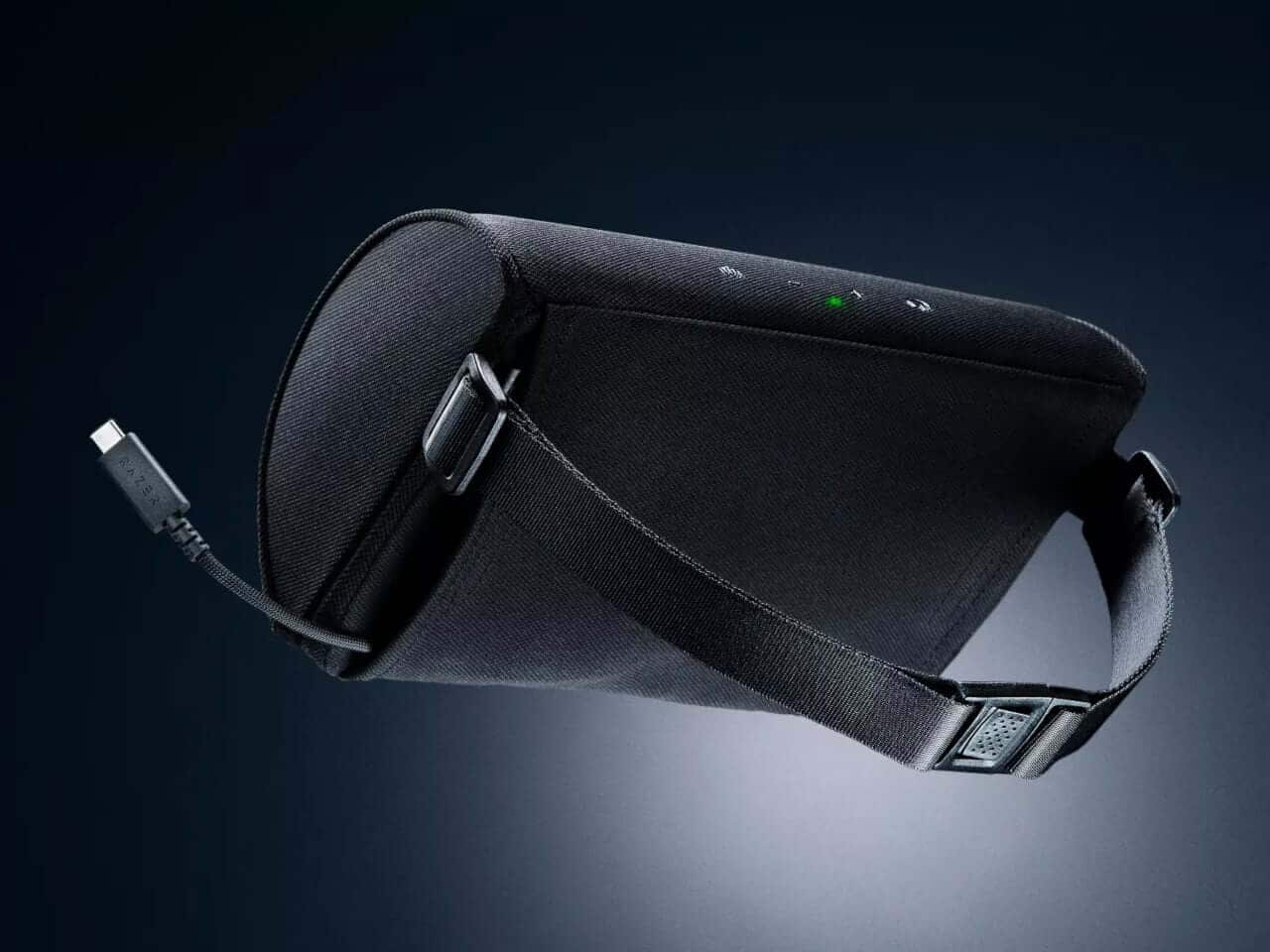
There’s a certain comfort in that idea. The chair becomes a personal listening zone, almost like a small audio bubble. You still remain part of the room, but the game gets its own space around you.
A Focused Alternative to Larger Audio Systems
The Clio X isn’t designed to replace a dedicated home theater system built for maximum output. It doesn’t need to. Expecting a compact headrest cushion to behave like a full surround setup would miss the point of the design.
Its promise is narrower and more practical: bring immersive audio into the furniture you already use every day. The device asks for a strap, a compatible chair, and a USB-C power connection. In return, it places the speakers close to your ears and keeps the setup free from the usual headset pressure.
That makes the Clio X an intriguing option for players who want stronger immersion but don’t want to commit to headphones every time they sit down. It’s also a neat solution for anyone trying to keep a gaming area tidy, adaptable, and considerate of the people sharing the room.
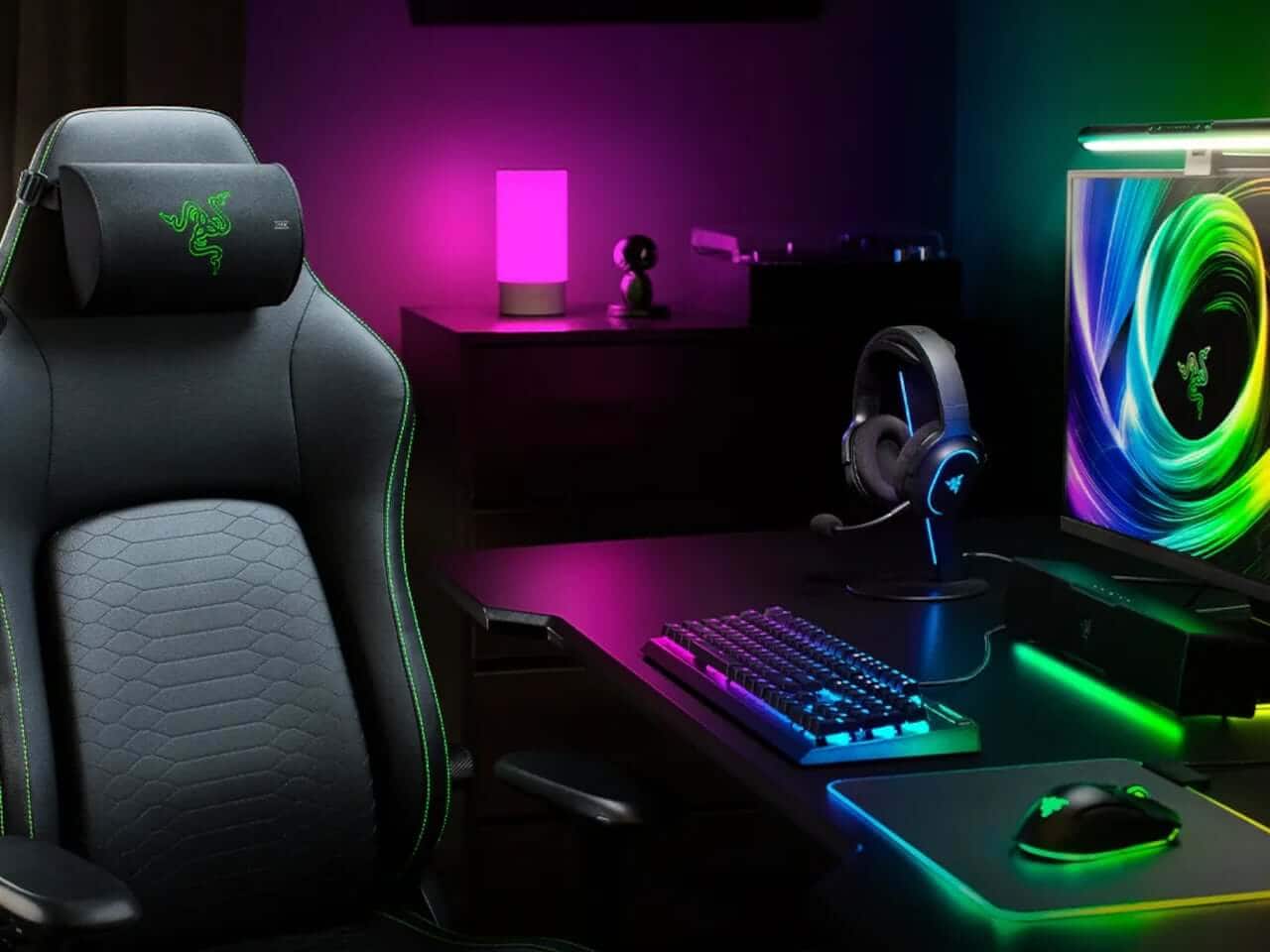
The idea feels refreshingly specific. It doesn’t try to solve every audio problem. It simply looks at the moment when headphones have to come off and asks, “What if the chair could take over?”
Conclusion
Razer’s Clio X presents gaming audio as part of the chair rather than something you wear or place nearby. With THX Spatial Audio, HyperSpeed wireless connectivity, USB-C power, and the option to work alone or as a rear channel, it offers a tidy middle path between headphones and traditional speakers. Would a headrest speaker become your preferred way to play?
FAQ
- What is the Razer Clio X?
The Razer Clio X is a wireless speaker cushion designed to attach to the headrest of a high-back gaming chair. It delivers focused spatial audio without requiring headphones. - How does the Clio X connect wirelessly?
It uses Razer’s HyperSpeed wireless connection over a 2.4 GHz link, designed to minimize the lag associated with standard Bluetooth during gaming. - Does the Clio X use a built-in battery?
No. It connects through USB-C and requires a 15-watt-or-higher PD2.0 power source to reach full volume. This allows it to keep running during extended sessions without relying on a limited battery runtime. - Can the Clio X work with other speakers?
Yes. It can be used with an existing 2.0 or 2.1 speaker system as a wireless rear channel, helping create a more surround-like arrangement without adding another cable behind the chair. - Is the Clio X a replacement for a home theater system?
Not exactly. It’s intended as a focused, near-field audio solution built into a gaming chair. Its strength is personal immersion and flexible placement rather than maximum room-filling output.
If your favorite album deserves a place beyond the playlist, explore a thoughtfully designed album cover poster at our store. It’s a warm way to bring the same atmosphere that makes great sound so memorable into your space.
 | DISCOUNTGET 30% OFF*Use code on your next order:
|
* This post may contain affiliate links, meaning we earn a commission if you make a purchase through these links, at no additional cost to you.