Teenage Engineering-Inspired Music Sampler Brings AI to Beginners in a Hands-On Way



Teenage Engineering-Inspired Music Sampler Brings AI to Beginners in a Hands-On Way
Explore how this innovative music sampler blends AI and tactile controls to help beginners create music effortlessly and intuitively.
A Fresh Take on AI Music Creation for Beginners
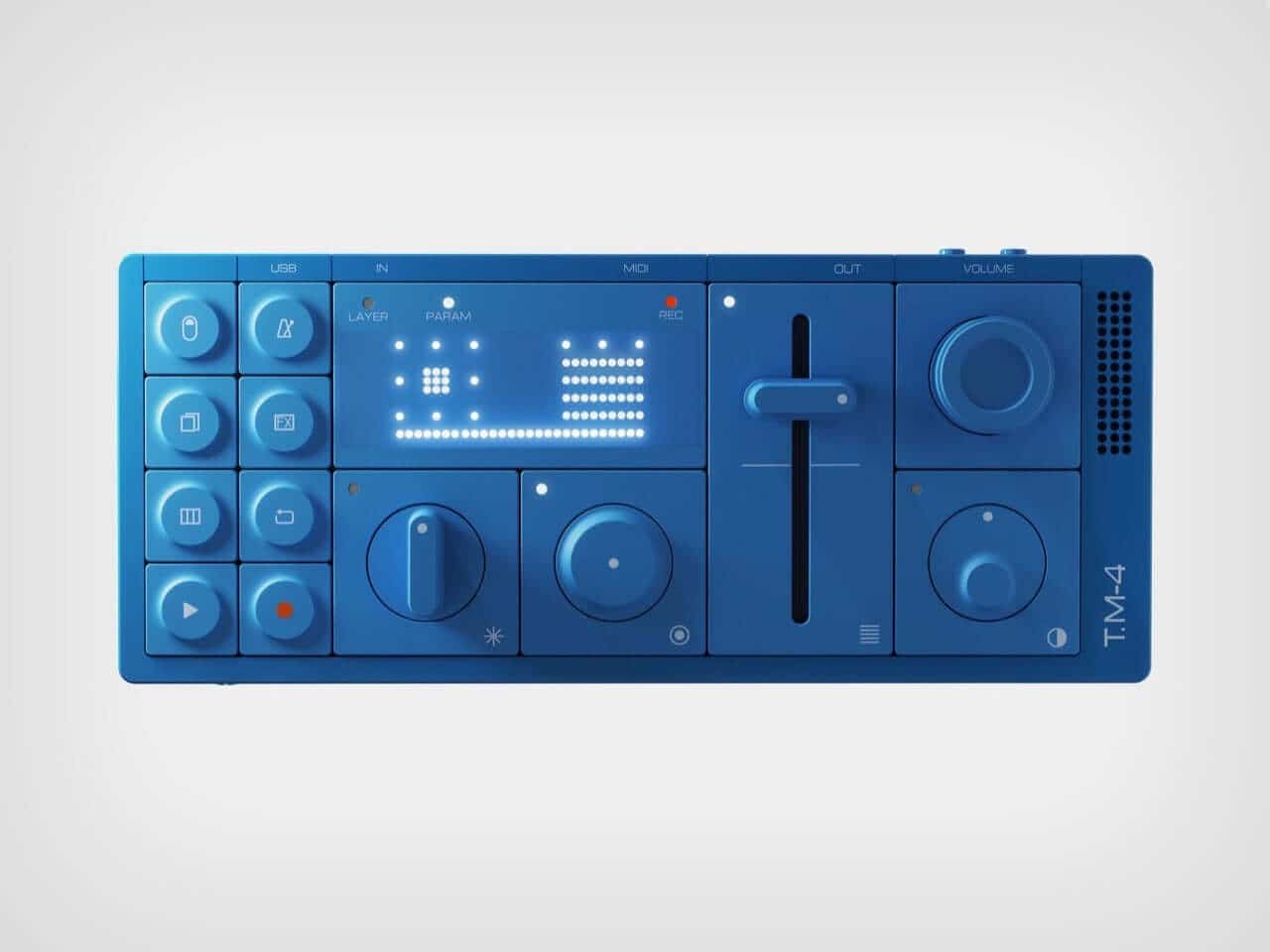
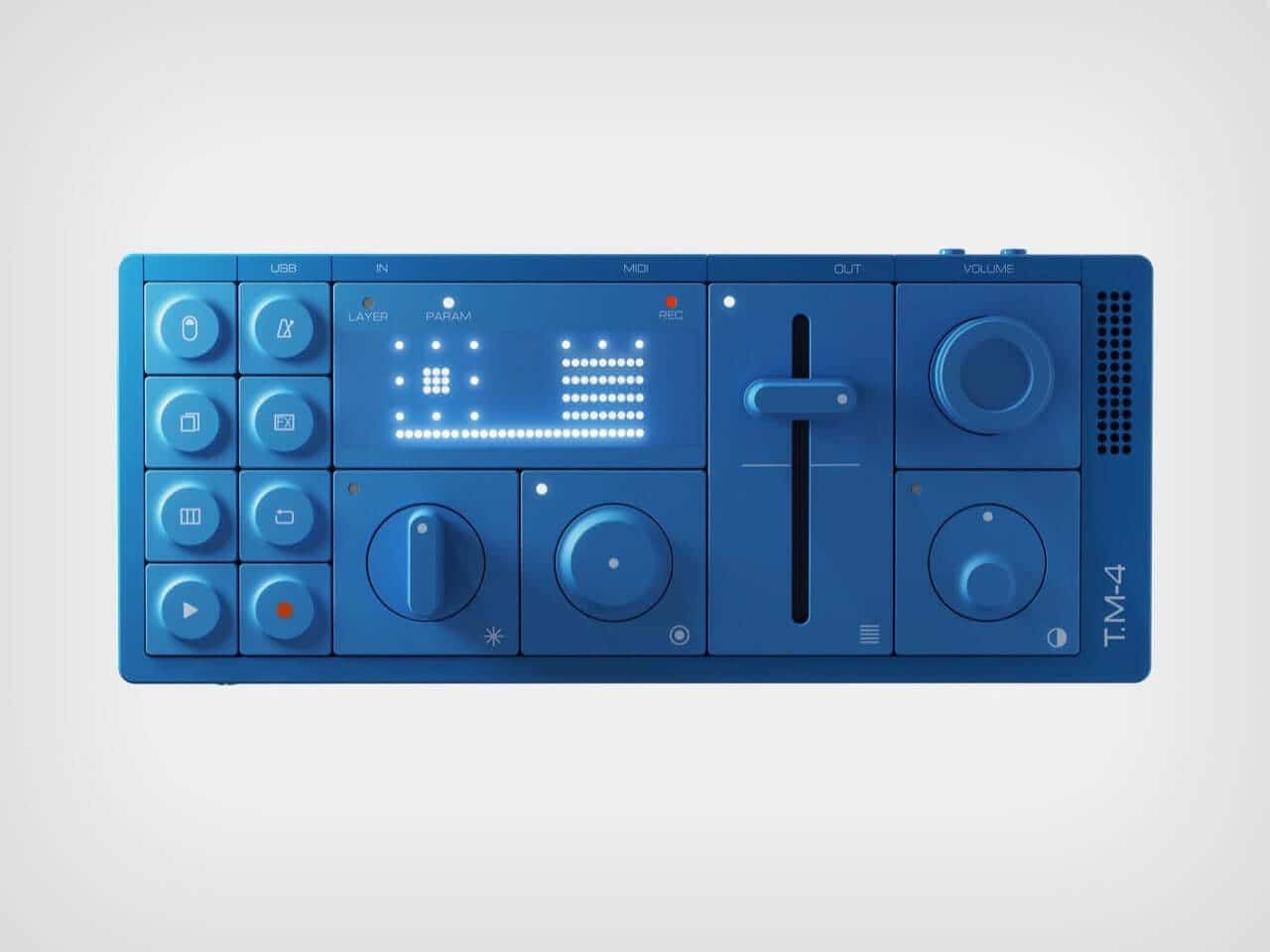
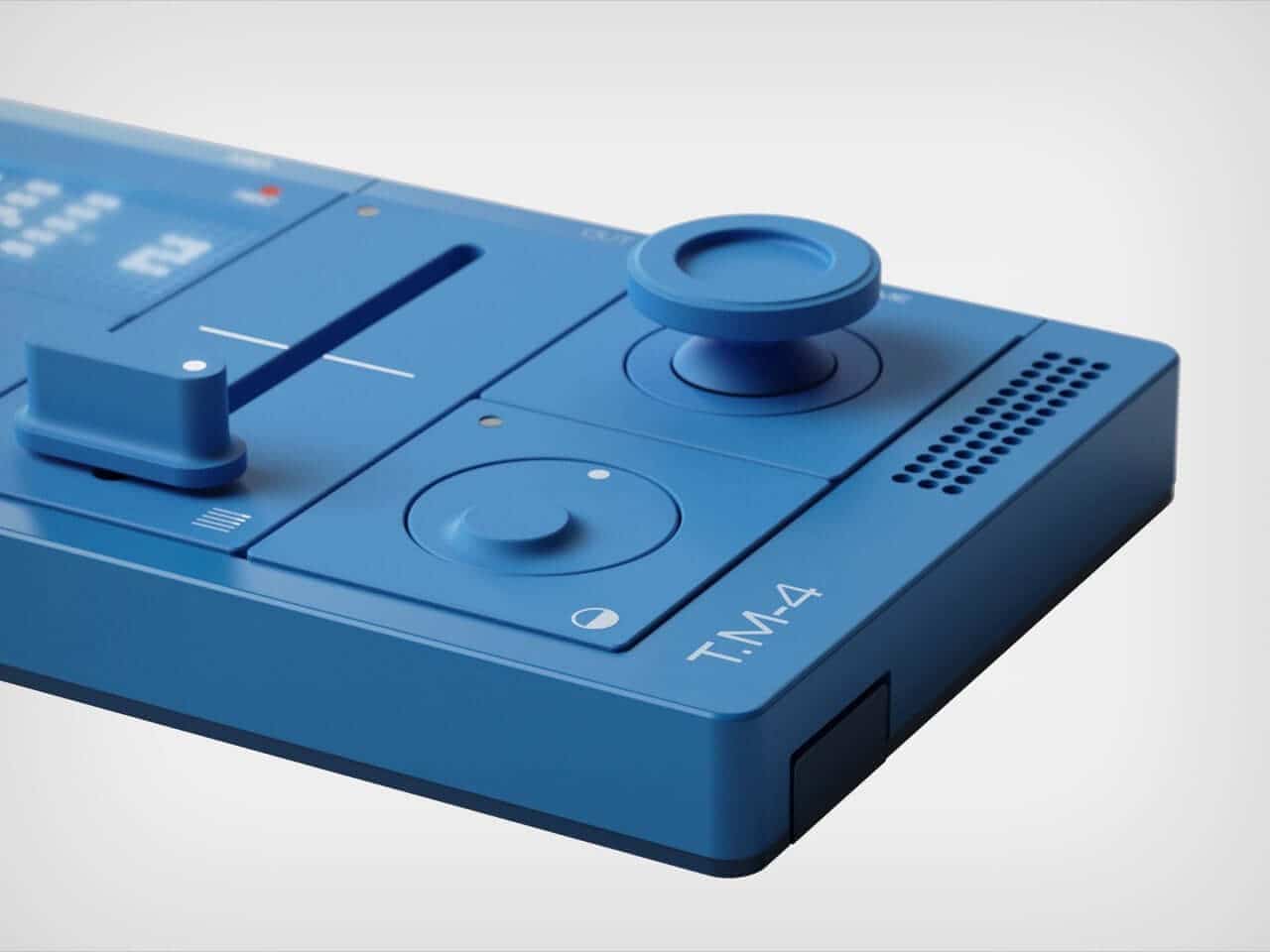
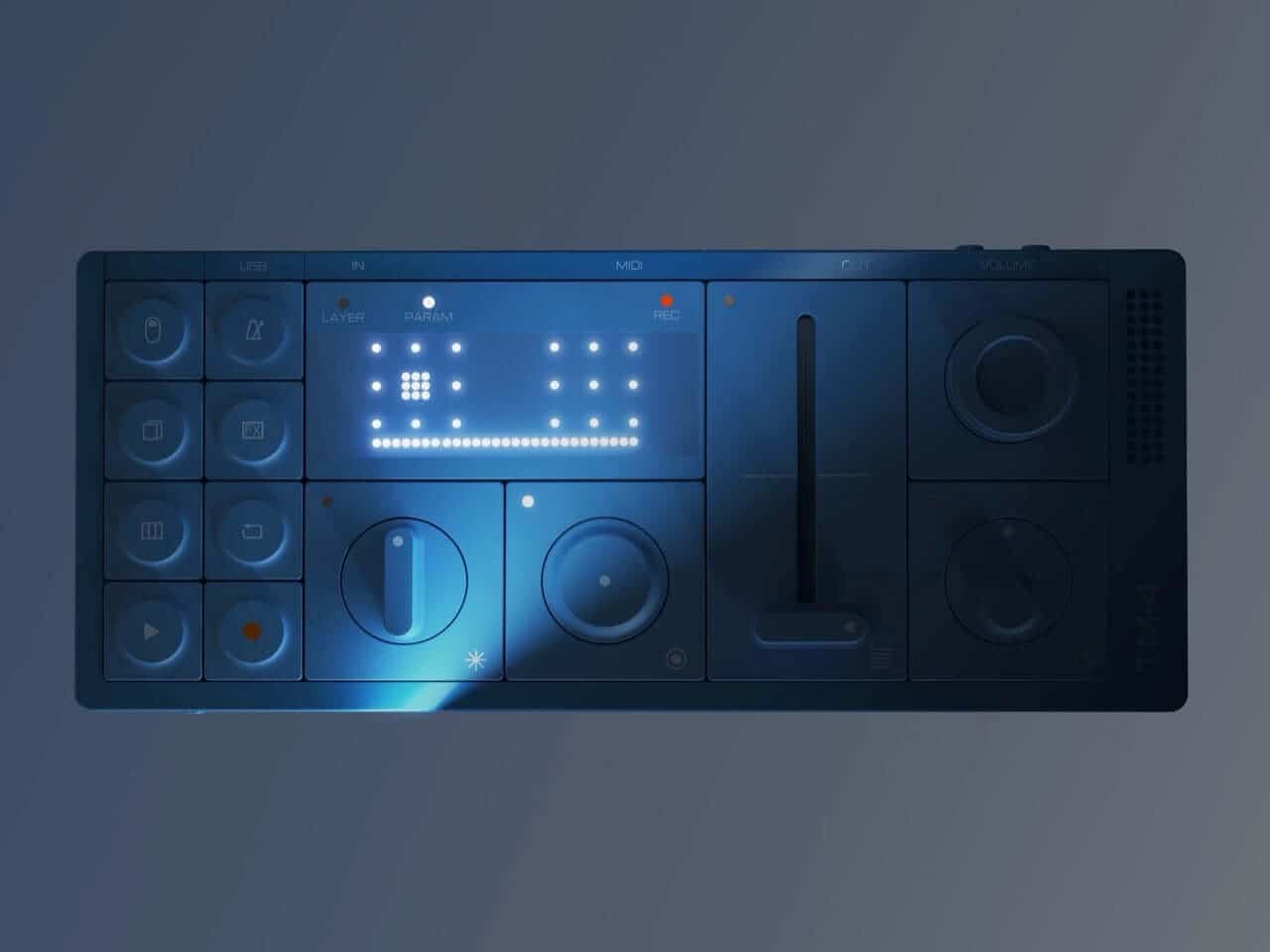
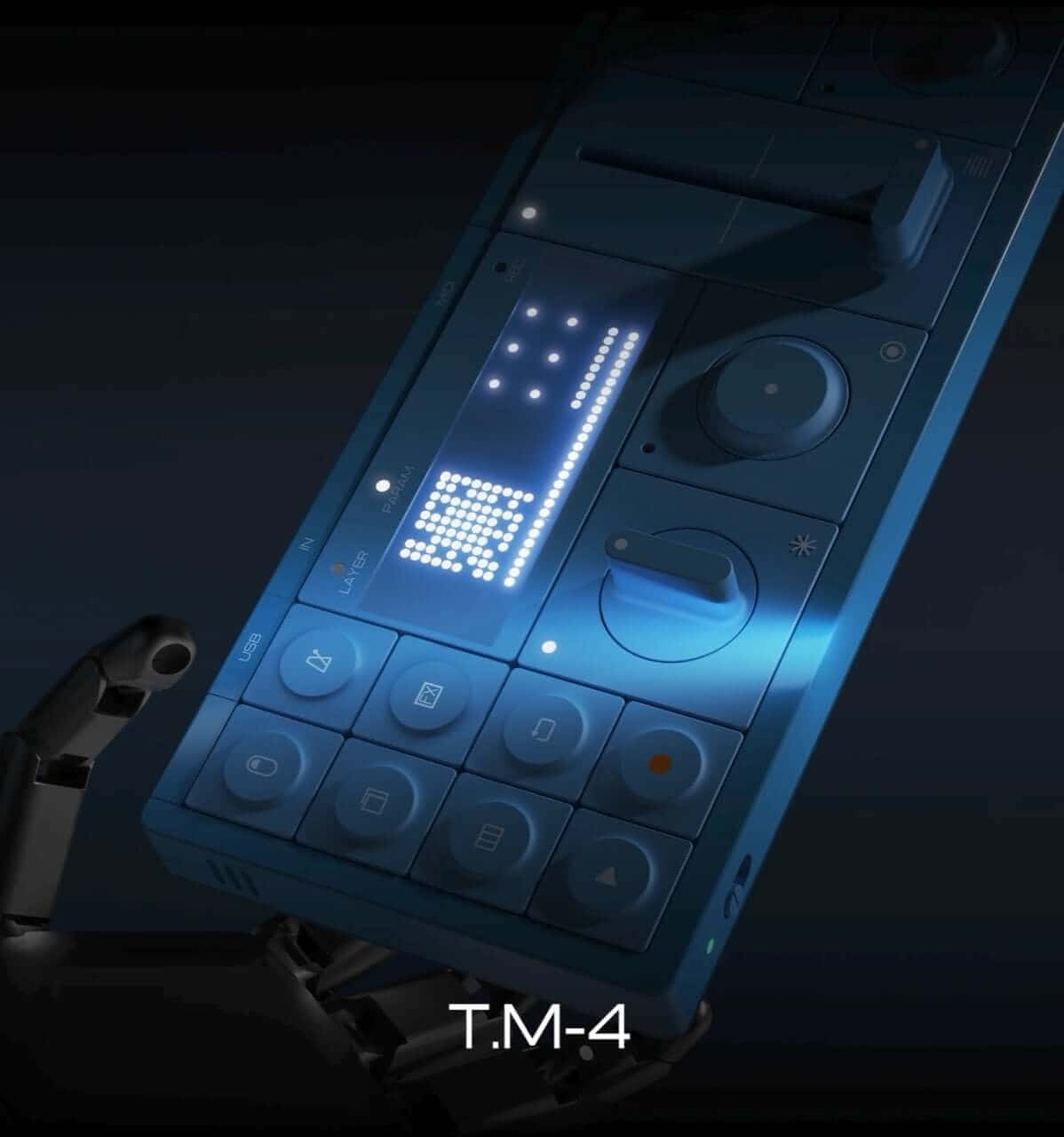
Imagine a device that looks like it jumped straight out of Teenage Engineering music sampler’s creative playground but with a mission to help music novices find their voice without drowning in technical jargon. That's exactly what Junho Park's T.M-4 sampler concept delivers. As a passionate fan of TE's unique style, I was instantly drawn to its bold, modular design and the playful mix of knobs and buttons that scream "touch me!"
Unlike typical gear designed for synth-savvy users, the T.M-4 targets those of us brimming with ideas but lacking the vocabulary to shape them. It cleverly automates the complex task of breaking down audio into layers, letting you control each piece physically—like the OP-1’s music sampler cool confidence married to the latest AI stem separation tech.
What Makes the T.M-4 More Than Just a Pretty Face?
Digging deeper, what makes this concept truly resonate is how it channels Teenage Engineering’s spirit beyond just looks. TE gear stands out because it minimizes the friction between what you imagine and what you hear. Complex tech feels friendly, thanks to smart interface design and tactile feedback that always feels right.
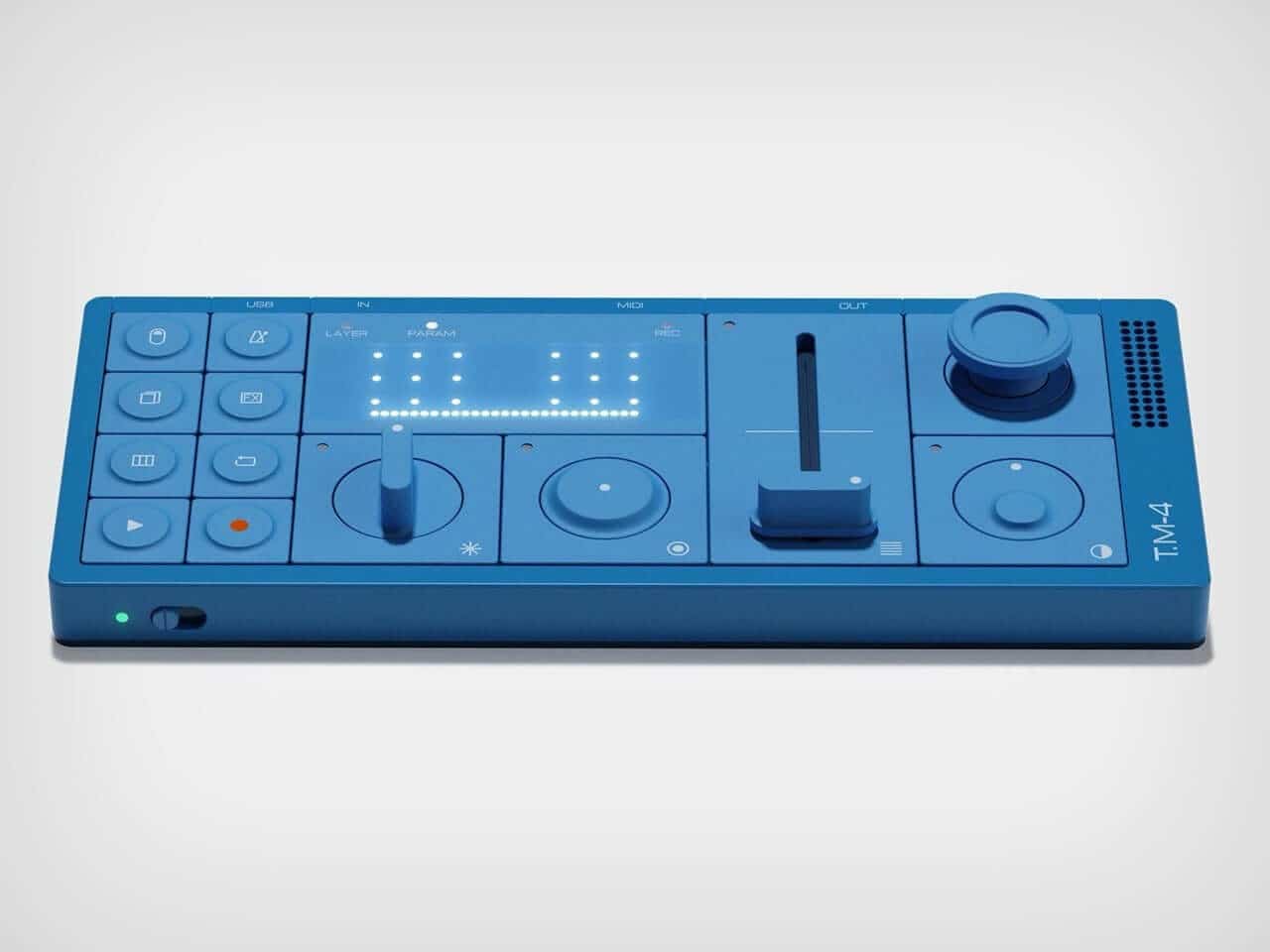
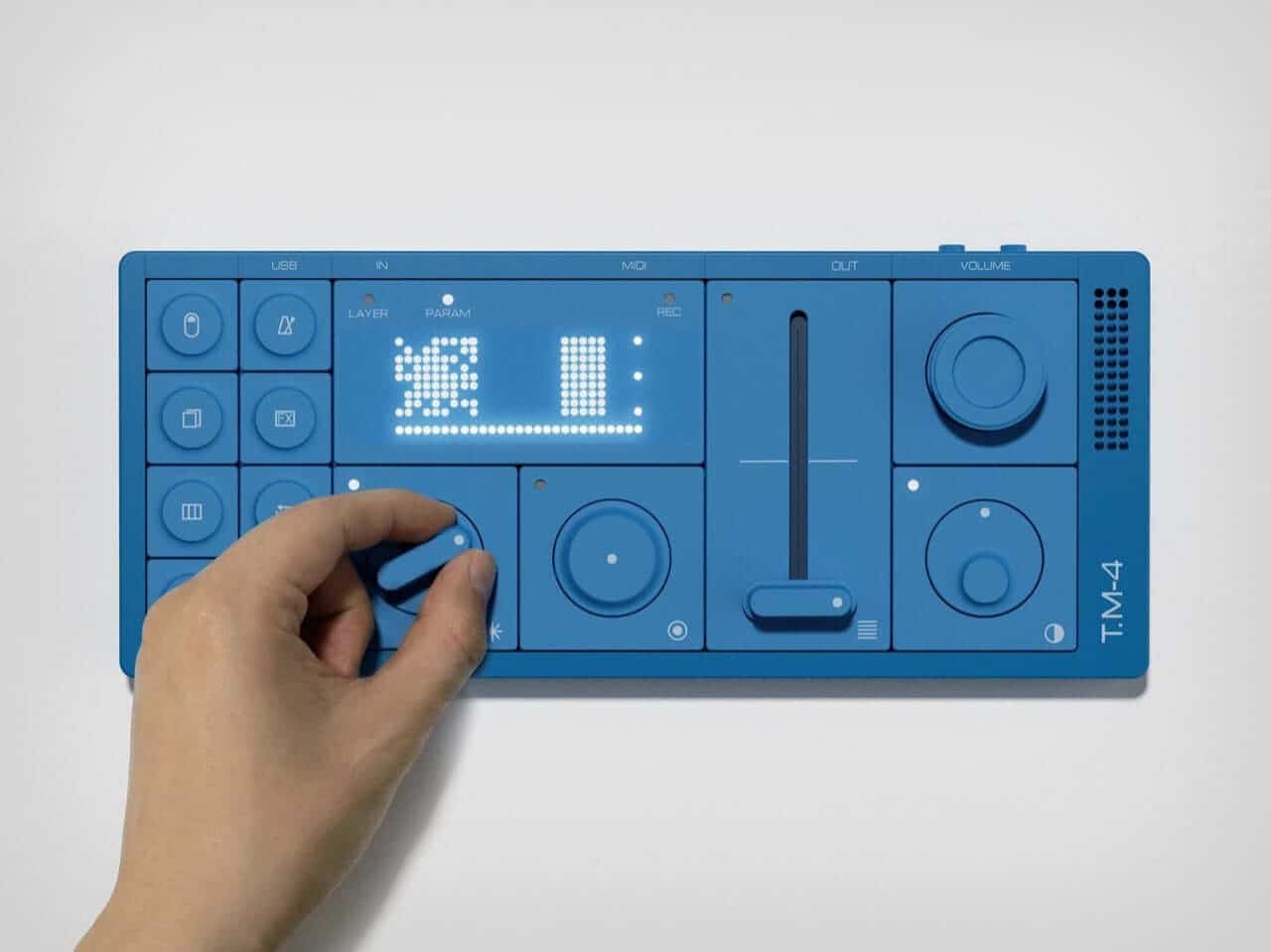
The T.M-4 extends this ethos to AI music generation. You’re not fiddling with abstract settings. Instead, turning knobs adjusts AI parameters like texture, energy, complexity, and brightness, translating into real-time sound manipulation. It even uses an SD card system, like swapping game CDs, to load different AI "personalities." This hands-on approach transforms experimentation from intimidating to downright fun.
Designer: Junho Park
Tackling Music Creation’s Biggest Beginner Hurdle
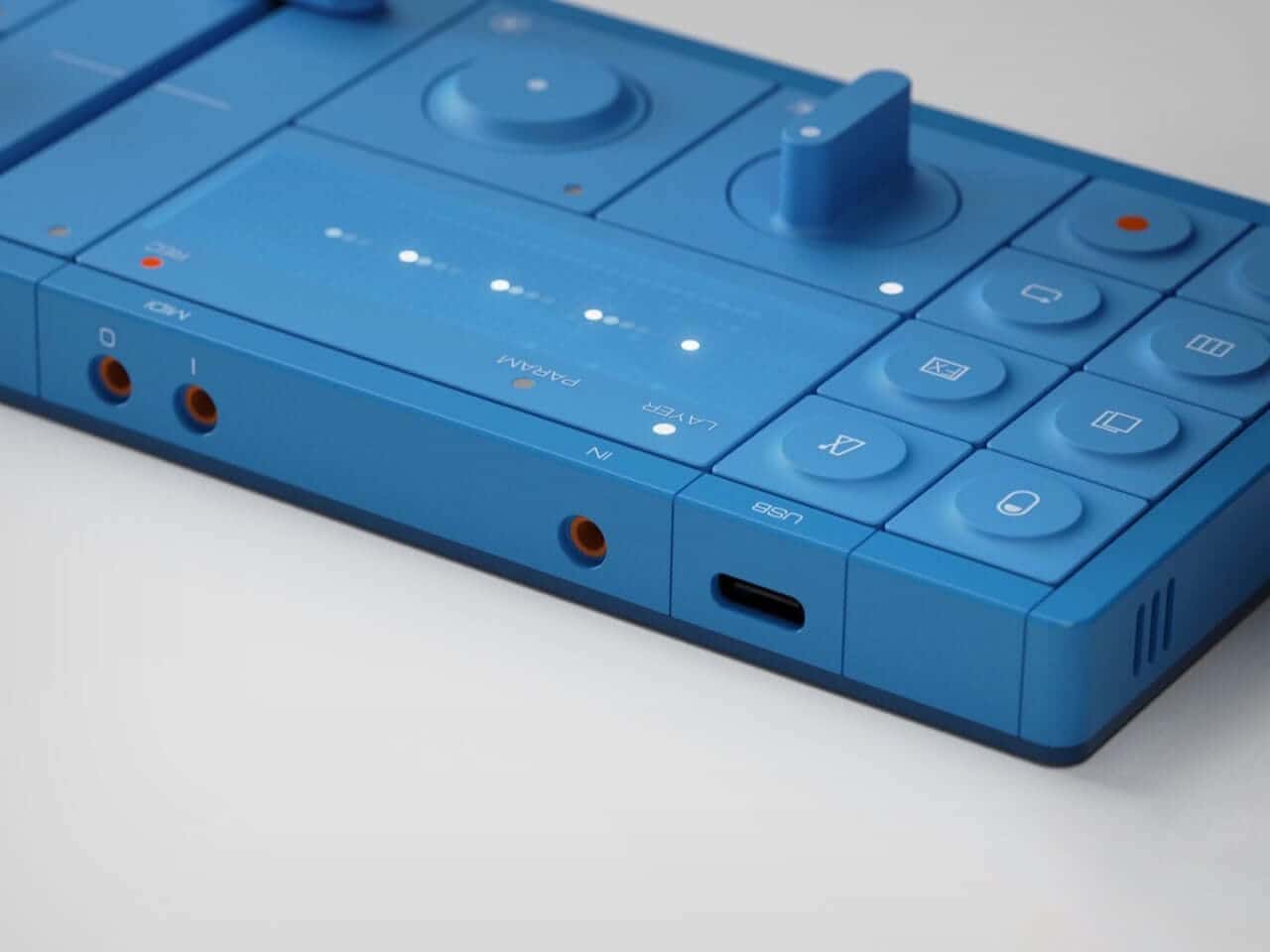
Remember the frustration of trying to remix a track only to find no isolated drums or vocals—just one mushy audio blob? The T.M-4 solves this headache. Just feed in audio via USB-C, mic, AUX, or MIDI, and it automatically splits the sound into drums, bass, melody, and effects layers.
No need for complicated plugins, endless routing, or getting lost in spectral editing tutorials on YouTube. Suddenly, you’re free to sculpt the bassline or tweak the melody while everything else keeps flowing smoothly. It’s like having a magic assistant that reads your mind—only cooler.
Simplifying Complex Music Editing into Playful Navigation
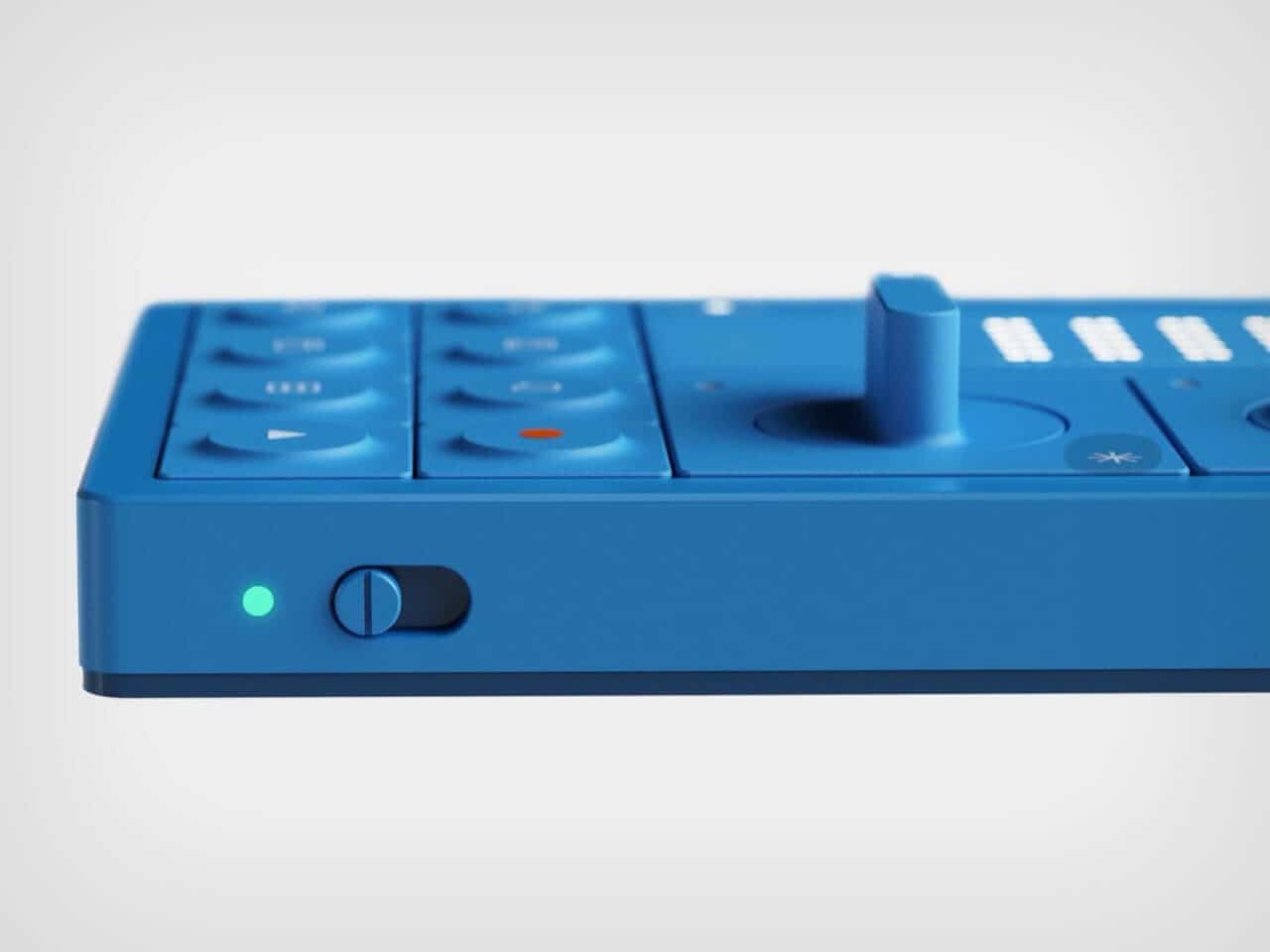
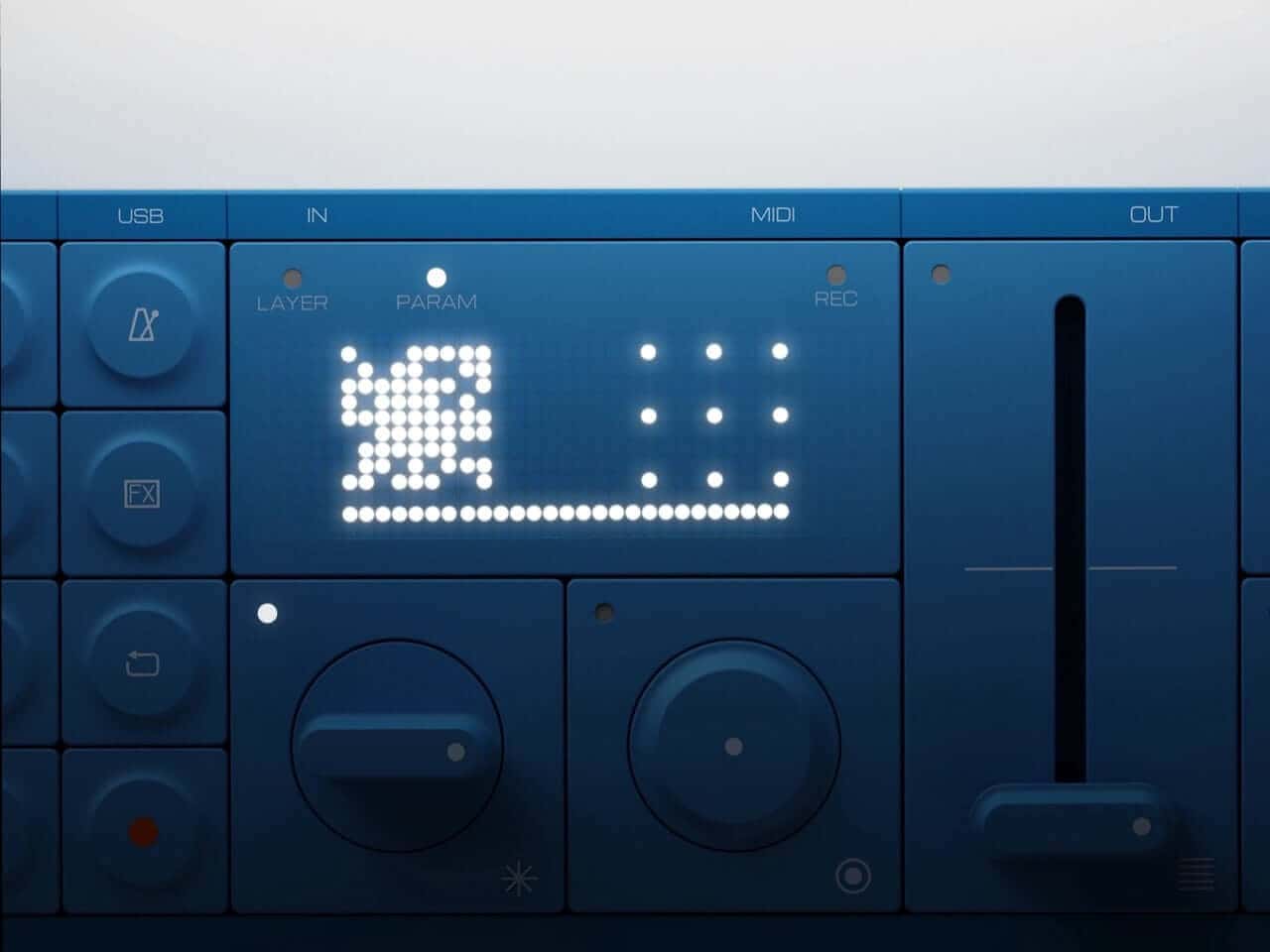
The joystick and grid display add another layer of genius. Instead of drowning in a dense digital audio workstation timeline, you get a grid of dots representing sections and layers—like navigating a handheld console. This shift in perspective turns daunting editing into playful exploration.
Manipulating the four core parameters—texture, energy, complexity, brightness—becomes a natural learning experience. Push complexity, and the track thickens. Drag energy down, and the mood mellows. Before you know it, you’re building an intuitive map of how sound works, without even realizing you're learning.
The Perfect Partner for Your Hybrid Music Workflow
Picture this: T.M-4 nestled beside your laptop and budget MIDI keyboard, acting as a hardware interface for whatever AI engine runs on your computer. Sample sounds from your phone, synth, or even a YouTube rip, then sculpt the layers physically on T.M-4 before exporting to your DAW.
This hybrid workflow is where a lot of music tech is quietly headed. It’s less about generating finished tracks with a click and more about giving you a tactile sketchpad for ideas—something that feels both immediate and inspiring.
The Road Ahead: What Challenges Might Lie in Wait?
As a student project, the T.M-4 wisely sidesteps tough questions like latency, hardware specs, and whether it needs an external GPU to handle AI magic. But as a concept, it nails the design philosophy.
It treats AI as the quiet assistant behind the scenes, spotlighting the interface and the creator instead. Imagine if a company like Teenage Engineering music sampler—or any innovative mid-tier brand—brought this to life. We'd finally get a beginner-friendly tool that says, “Touch here, hear what happens, keep creating,” instead of “Click here to generate a track and hope for the best.”
Wrapping It Up
The T.M-4 sampler concept feels like a breath of fresh air for budding music makers tangled in the tech maze. With its playful design, hands-on controls, and AI-powered sound separation, it promises to lower barriers and spark creativity. Wouldn't it be fantastic to have this kind of friendly AI-powered instrument sitting on your desk, inviting you to play and experiment?
FAQ
- How does the T.M-4 simplify music layering for beginners?
It automatically separates incoming audio into distinct layers like drums, bass, melody, and effects, removing the need for complex editing software. - What makes the T.M-4's interface beginner-friendly?
The joystick and grid display turn complex editing into intuitive navigation, with simple controls for texture, energy, complexity, and brightness. - Can the T.M-4 work with AI engines on a computer?
Yes, it’s designed to act as a tactile front-end for AI music software running on your laptop or desktop. - Is the T.M-4 currently available for purchase?
As a graduation concept, it’s not yet commercialized but showcases promising ideas for future products. - What inspired the design of the T.M-4?
It draws heavily from Teenage Engineering music sampler’s unique aesthetic and philosophy of minimizing friction between idea and sound.
Feel inspired by this blend of AI and tactile music creation? Shop your favorite album cover posters and bring that creative spark to your space at Architeg Prints. They’re the perfect companion to any music lover’s studio setup.
 | DISCOUNTGET 30% OFF*Use code on your next order:
|
* This post may contain affiliate links, meaning we earn a commission if you make a purchase through these links, at no additional cost to you.