Apple HomeView Explained: The iMac, iPad, Watch, and HomePod Remix



Apple HomeView Explained: The iMac, iPad, Watch, and HomePod Remix
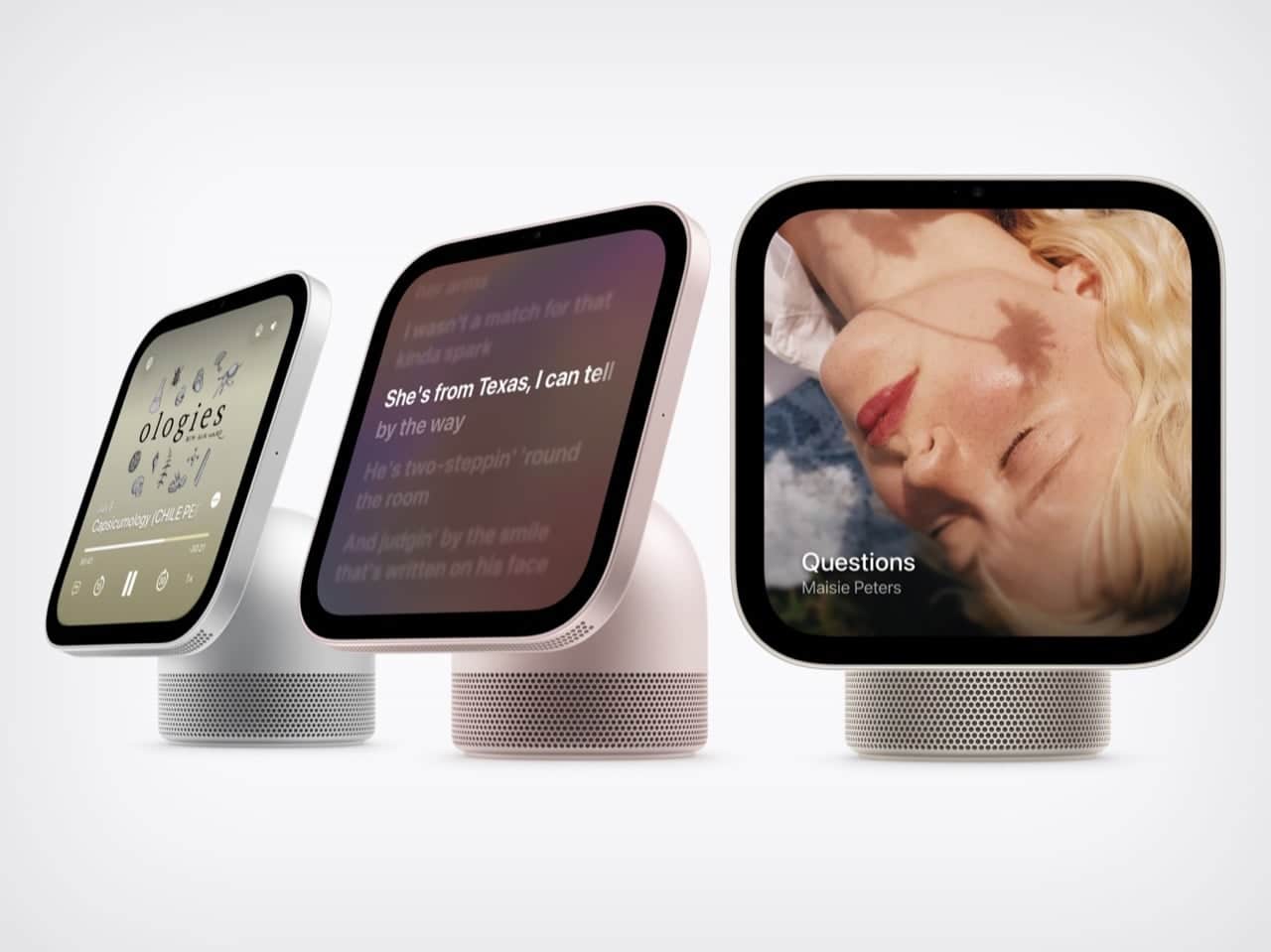
Apple HomeView blends a tilting display, personalized smart-home controls, and HomePod-style audio into one surprisingly charming device.
A Familiar Apple Shape With a New Job
Some Apple products feel as if they’ve been designed by committee. Apple HomeView, by contrast, feels like someone opened four family photo albums, picked out the best-looking relatives, and somehow got them to pose together.
There’s a little iMac G4 in its floating-screen silhouette, a dash of Apple Watch in its animated faces, a generous helping of iPad in the glass display, and a HomePod-inspired speaker base underneath. As someone who still has a soft spot for the sunflower-shaped iMac, I’ll admit that seeing a dome and a tilting screen return in 2026 made me unreasonably happy.
The combination sounds busy on paper. In person—or at least in Apple’s presentation—it makes visual sense. HomeView resembles a compact lamp, behaves like a touchscreen tablet, and doubles as a household speaker. It’s a curious object, but that curiosity is part of the appeal.
Apple announced HomeView on October 13, 2026. The device pairs a 7-inch Liquid Retina display with a domed aluminum speaker base and a stainless-steel hinge that allows the screen to tilt. An A18 chip powers the experience, alongside the rebuilt Siri AI.
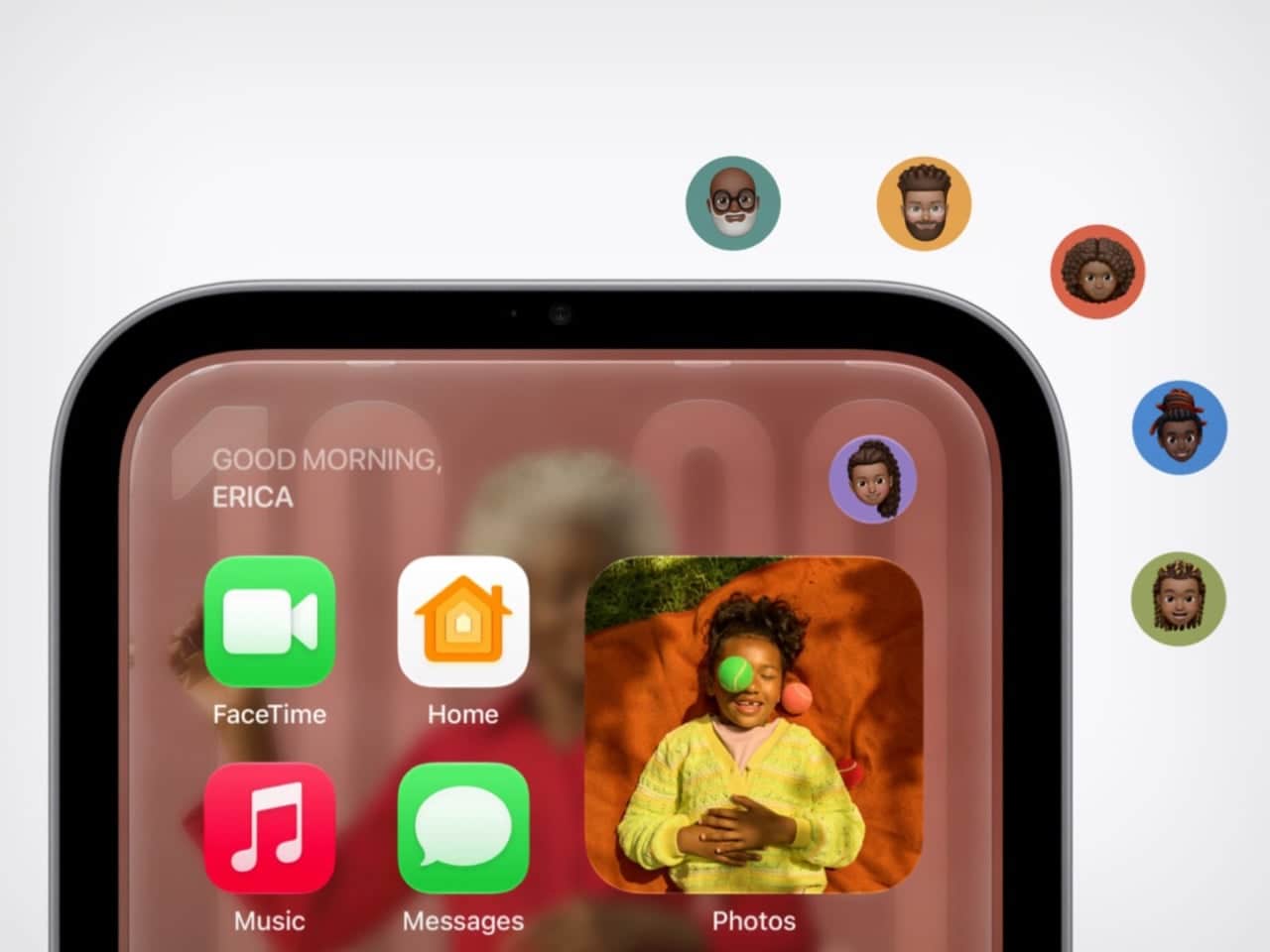
Apple says HomeView can recognize up to six enrolled users, giving each person a personalized experience. There’s also a wall-mounted version with the same display and core functions, although its speaker hardware is different. Both models are priced at $299 in the United States, with preorders open and availability scheduled for November 13, 2026.
Designed by Apple, HomeView is clearly intended to live where people actually gather: on a kitchen counter, beside a bed, or somewhere in the middle of the family routine.
The iMac G4’s Dome and Personality Return
The iMac G4 appeared in January 2002 with a 15-inch flat-panel display hovering above a rounded base.
The iMac G4’s sunflower-inspired design grew out of discussions involving Steve Jobs and Jony Ive. Walter Isaacson’s account credits Ive with suggesting that the screen should separate from the base like a sunflower. That idea gave the computer a sense of movement and personality at a time when most desktops looked like beige office equipment.
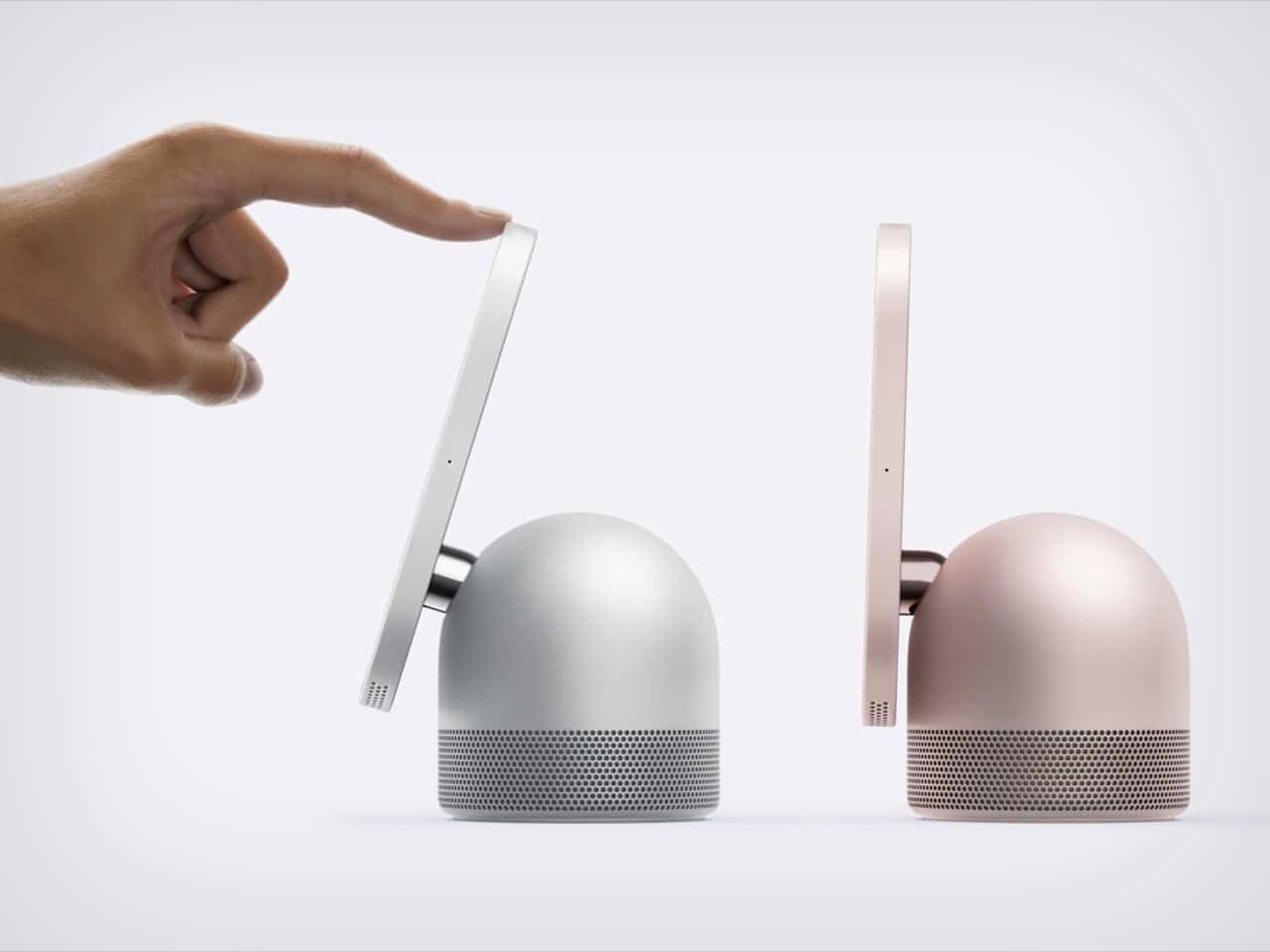
HomeView borrows the same basic visual language but makes it more compact. Instead of the G4’s long swinging arm, it uses a shorter hinge that feels better suited to modern counters and nightstands. Nobody wants a lamp-like neck reaching across the kitchen and knocking over the olive oil, after all.
The tilt adjustment also gives the screen some welcome flexibility. It can angle toward someone sitting beside a bed or face upward toward a person standing at a kitchen island. That small range of movement makes the product feel less like a stationary monitor and more like something that can participate in the room.
The iMac G4 proved that a computer could have personality. HomeView seems to understand the same trick. A rounded base, a screen held above it, and a slightly face-like posture make the device seem friendlier than a conventional smart display.
That matters because HomeView includes a camera and microphones, along with face recognition. A small black box watching from a shelf might feel cold. A little dome with a head-on-neck stance feels more like a desk pet. It’s a clever bit of industrial design psychology.
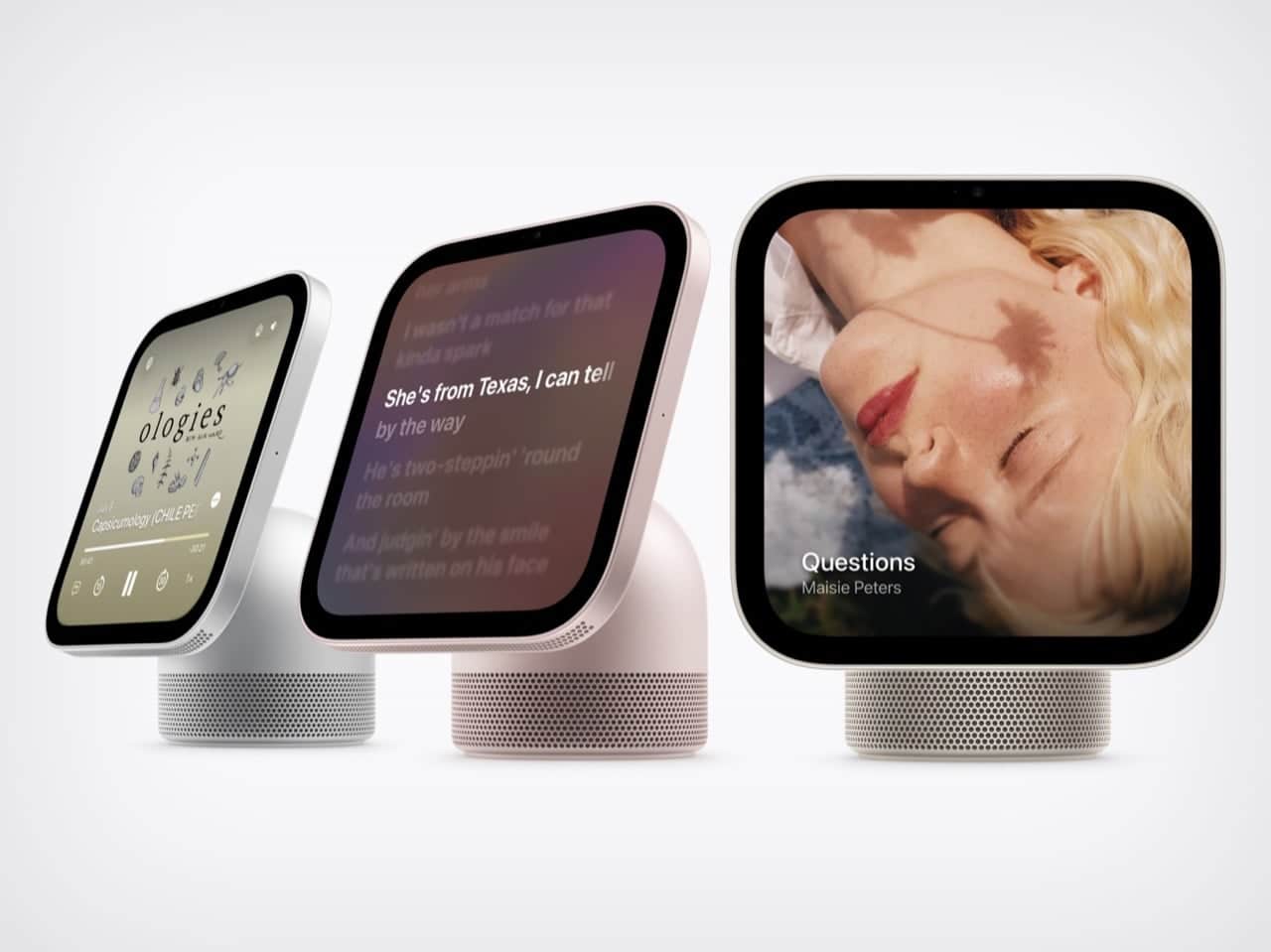
I’m also willing to defend the thick black bezel. It’s not the most minimalist choice, but it gives the Photos face a defined picture-frame border. Instead of making the display disappear into the background, the bezel helps it look intentional—even when it’s simply showing a favorite image.
Watch-Style Faces Meet iPad-Style Glass
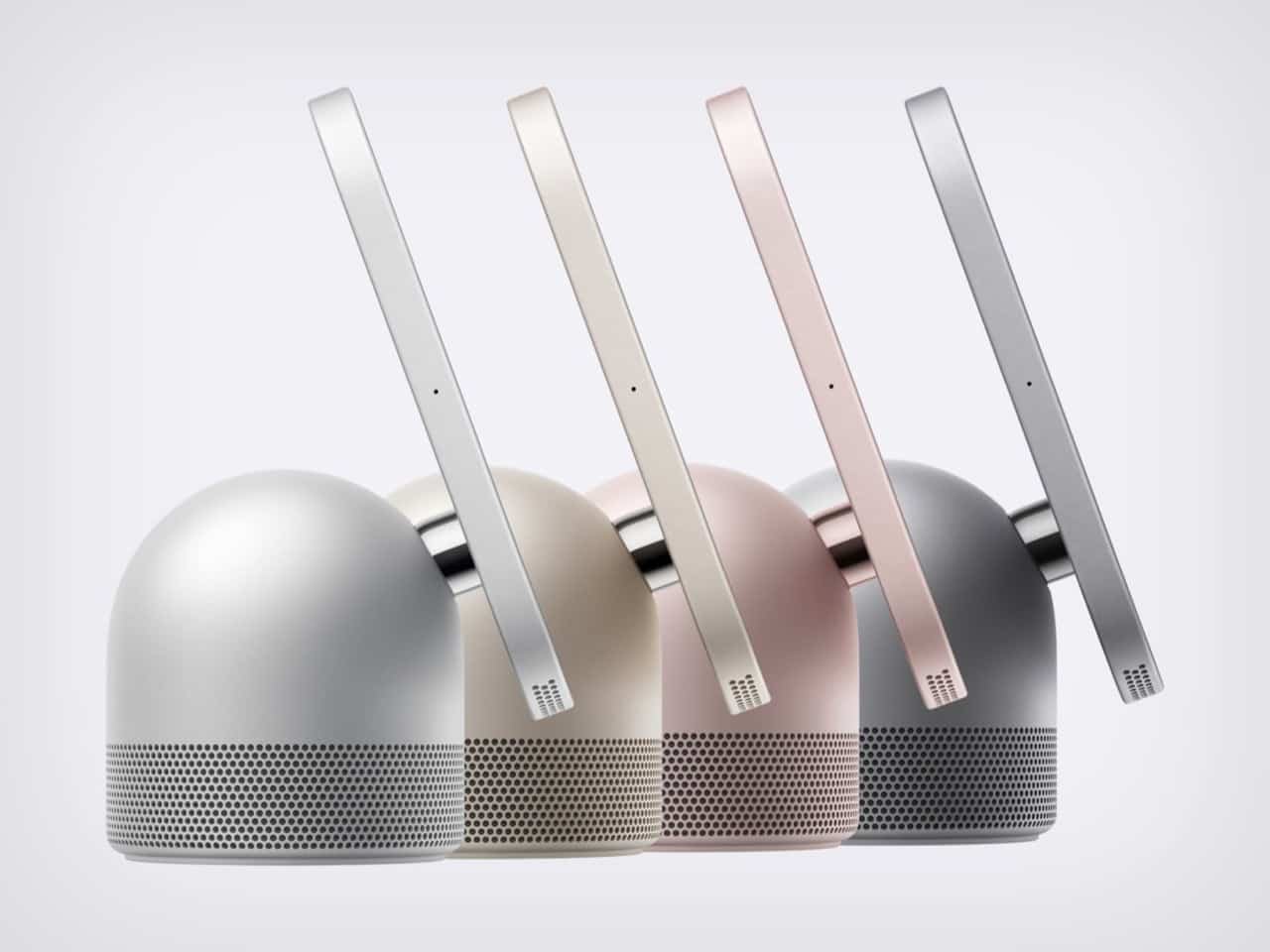
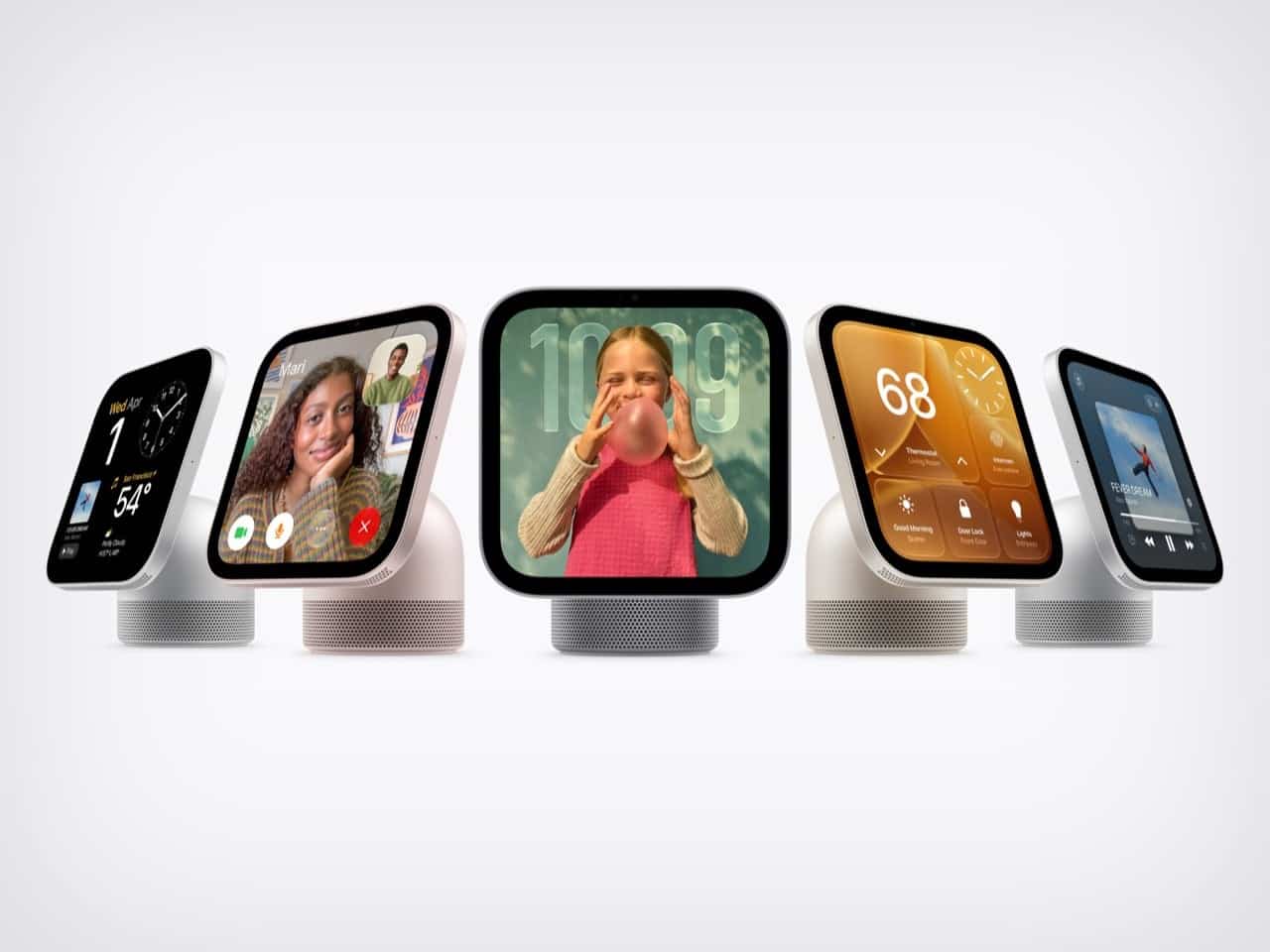
The screen itself belongs to the iPad side of the family. It’s a square slab of glass with rounded corners and a front-facing camera for FaceTime, giving HomeView a familiar tablet-like presence without pretending to be a handheld device.
HomeView uses Center Stage to adjust the framing during FaceTime calls. As people move around or join the conversation, the camera can keep the composition focused on them. It’s the sort of feature that sounds technical until you’ve tried to squeeze three people into a video call and realized someone is always half out of frame.
The display has a brightness range from 500 nits down to 0.3 nits. That gives it enough brightness for daytime viewing while allowing it to dim considerably at bedtime. True Tone adjusts the white balance according to the surrounding light, helping the screen feel less glaring when the room changes from afternoon brightness to warm evening lamps.
Selected interface elements also react to how far away you are. From across the room, HomeView can show simpler information. As you approach, it can reveal more detail. That distance-aware behavior is a natural fit for a screen intended to be glanced at rather than held inches from your face.
Then come the faces, which feel distinctly inspired by Apple Watch. Photos can add Portrait-style depth effects, while Flow responds to movement in the room. Snoopy’s animations react to the time of day, weather, and sporting events—a very Apple Watch-like blend of useful, whimsical, and just a little bit silly.
Home Modular places favorite accessories on one dashboard. Home Camera can stream up to nine video feeds at once, giving HomeView a more practical role in a connected household. It isn’t simply a digital picture frame with a speaker hiding underneath; it’s meant to become a visual command center.
The interface also uses Live Activities to show the current song, an active timer, or an incoming Intercom message. That glance-and-go logic makes sense on a household display. You don’t necessarily want to open an app, pick up a phone, and navigate through menus just to see how much time remains on a timer.
The Speaker Base Does the Heavy Lifting
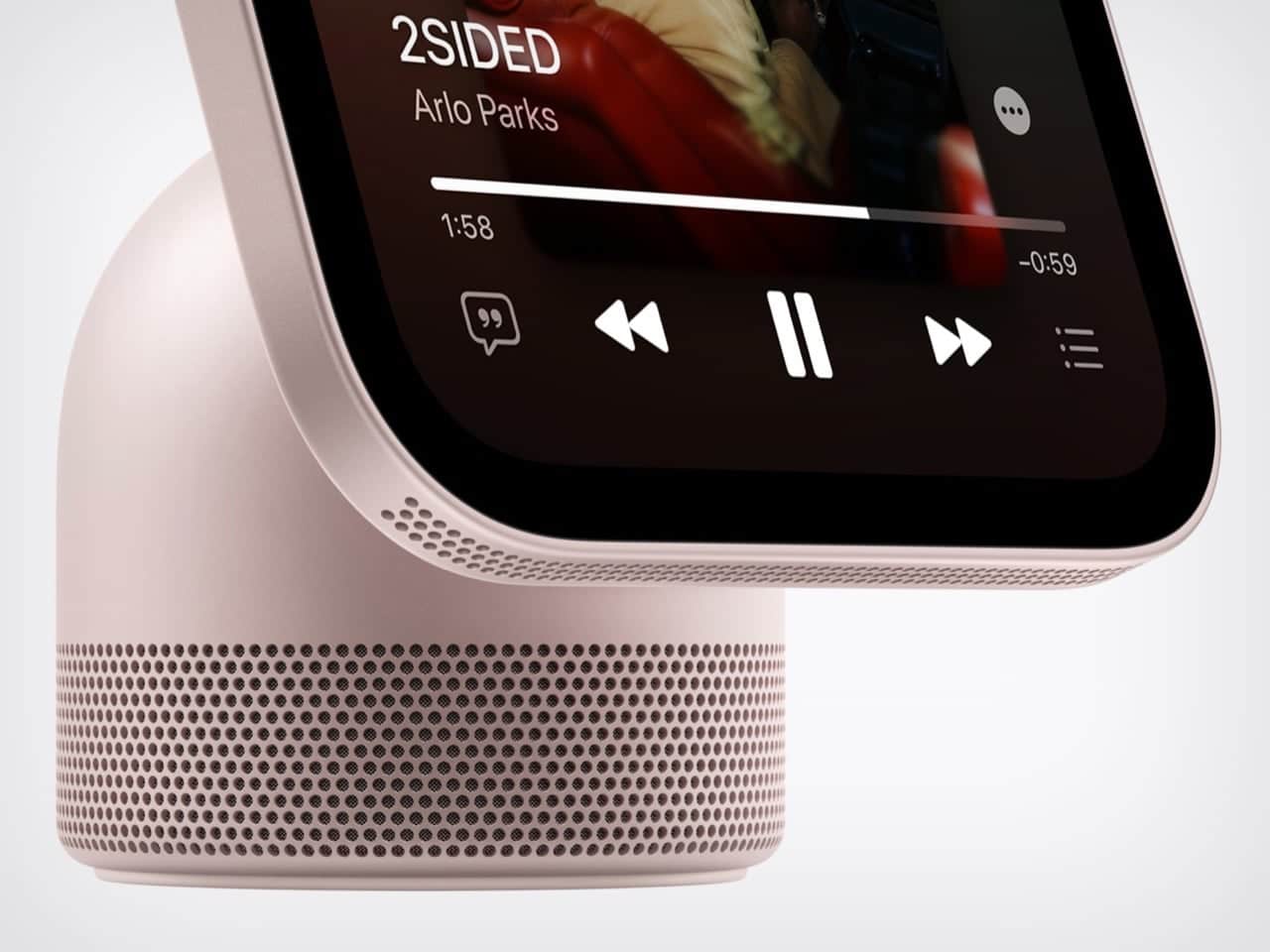
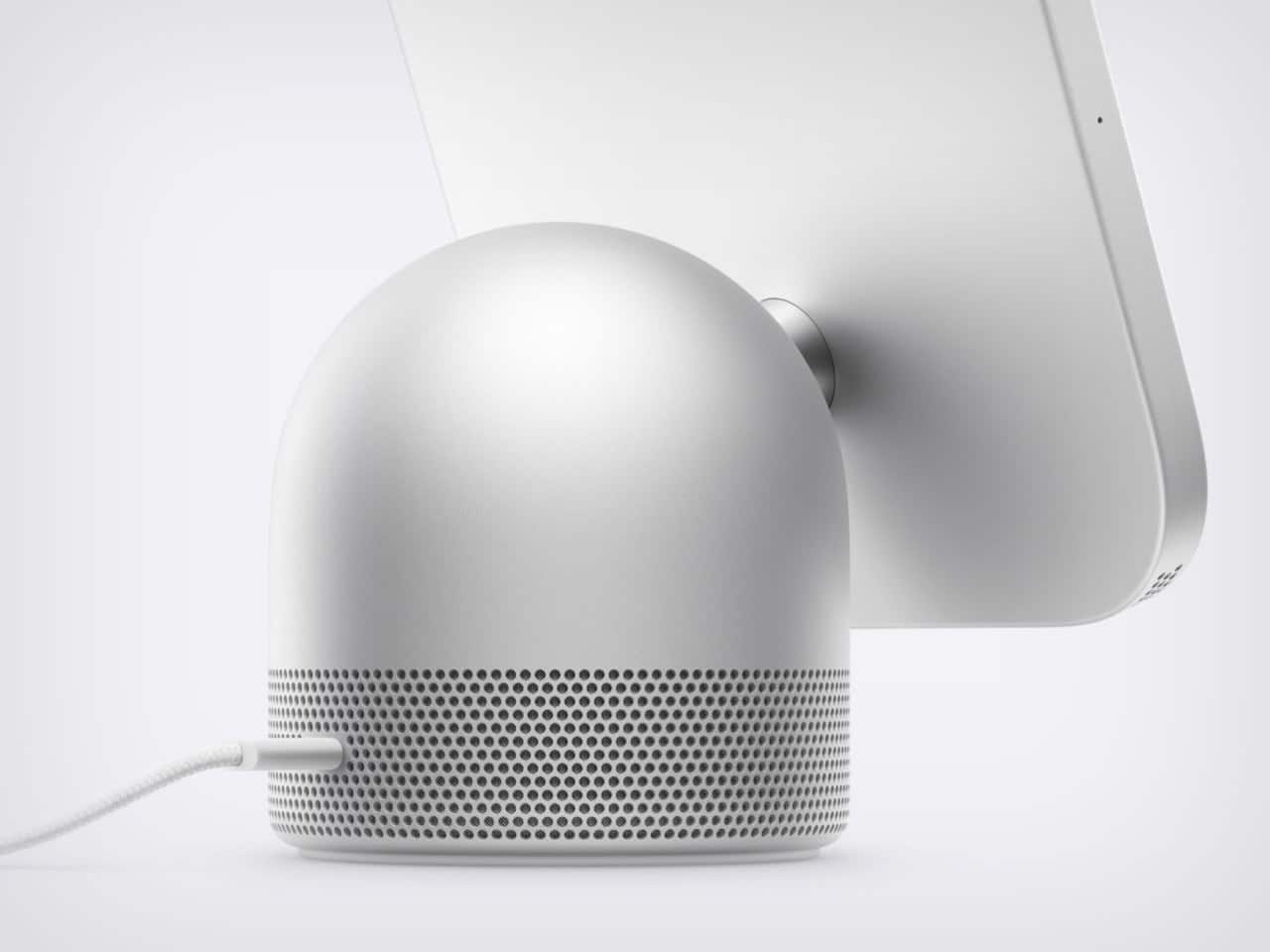
The display may grab your attention first, but the base is doing much of the practical work. Its rounded aluminum form recalls the HomePod, although the exterior shown in Apple’s images uses a perforated, color-matched surface rather than the HomePod’s fabric mesh.
Small grille holes also run along the lower edge of the display. Inside the tabletop model, a down-firing woofer and two force-canceling passive radiators sit in the base, while two full-range drivers are housed in the display section.
Apple says computational audio uses the device’s silicon and onboard sensors to adjust loudness and bass response in real time. In other words, the sound system isn’t simply blasting audio at a fixed setting. It can respond to the way HomeView is being used.
The wall-mounted model is acoustically different. It includes two full-range drivers but does not have the base-mounted woofer or passive radiators. That means the tabletop and wall versions shouldn’t be treated as identical speakers simply because they share the same screen and core software.
HomeView supports multiroom audio alongside HomePod, HomePod mini, and AirPlay-compatible speakers. Intercom messages can also reach HomeView and HomePod speakers elsewhere in the house, making the device part of a broader household communication system.
The original HomePod was announced in 2017 at $349. Against that history, a $299 device containing a speaker, screen, camera, and face recognition looks tempting on paper. Of course, the two products serve different purposes, but HomeView’s attempt to combine several household roles is clearly part of the value proposition.
Two Mounting Options, One Household Hub
The tabletop version ships with a color-matched USB-C cable, keeping the setup relatively straightforward. The wall-mounted model depends on Schneider Home’s power mounts, which start at $59.95 and are sold separately.
That difference matters because the two HomeView versions are not simply the same device in two poses. The tabletop model has the larger speaker system and is designed to sit freely on a surface. The wall version saves counter space but gives up some of the audio hardware underneath.
Siri AI launches in beta and in English. Apple is not selling HomeView in the European Union for now. Those limitations sit alongside the product’s more polished ideas, creating a launch that feels both ambitious and deliberately specific.
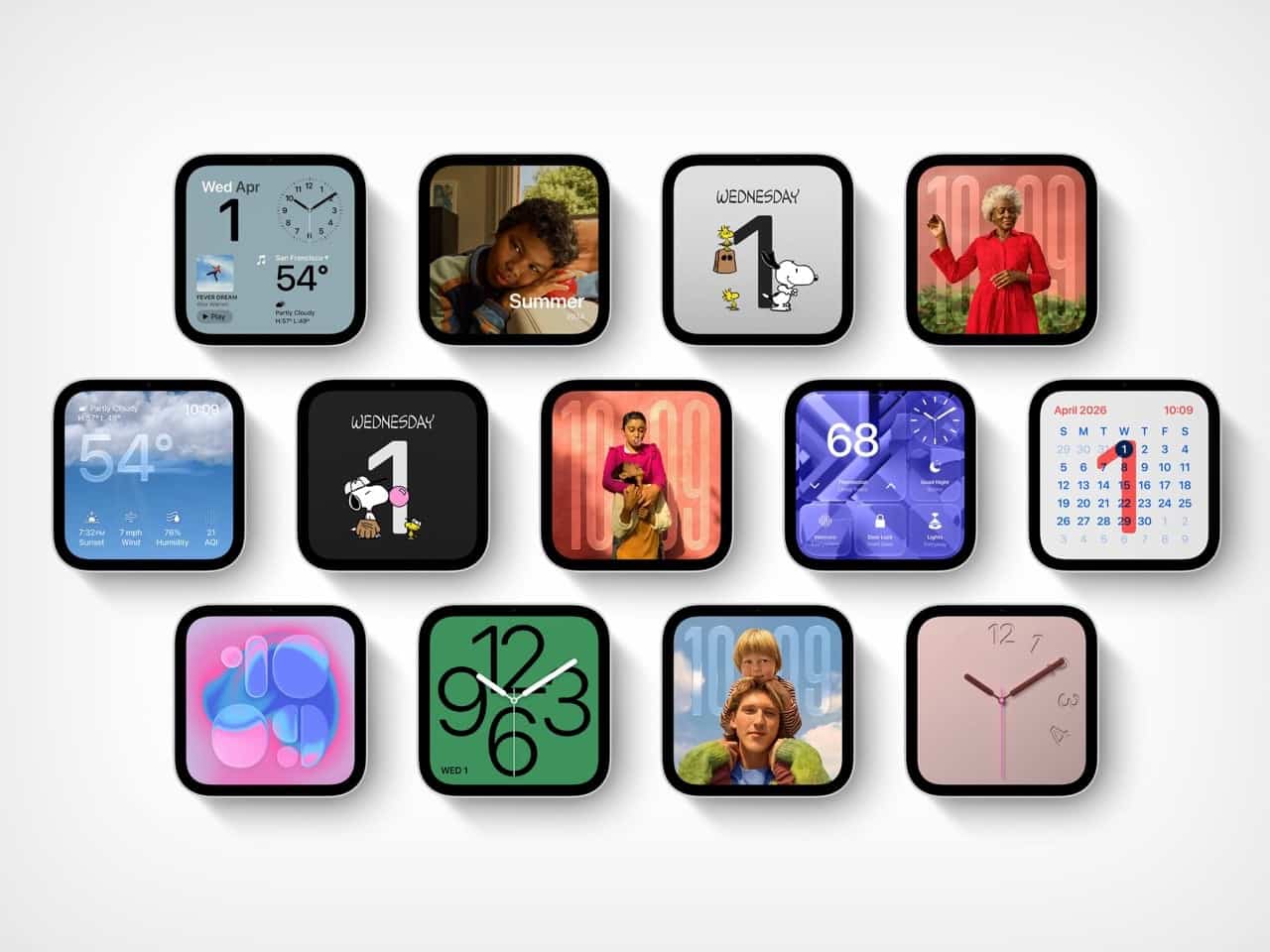
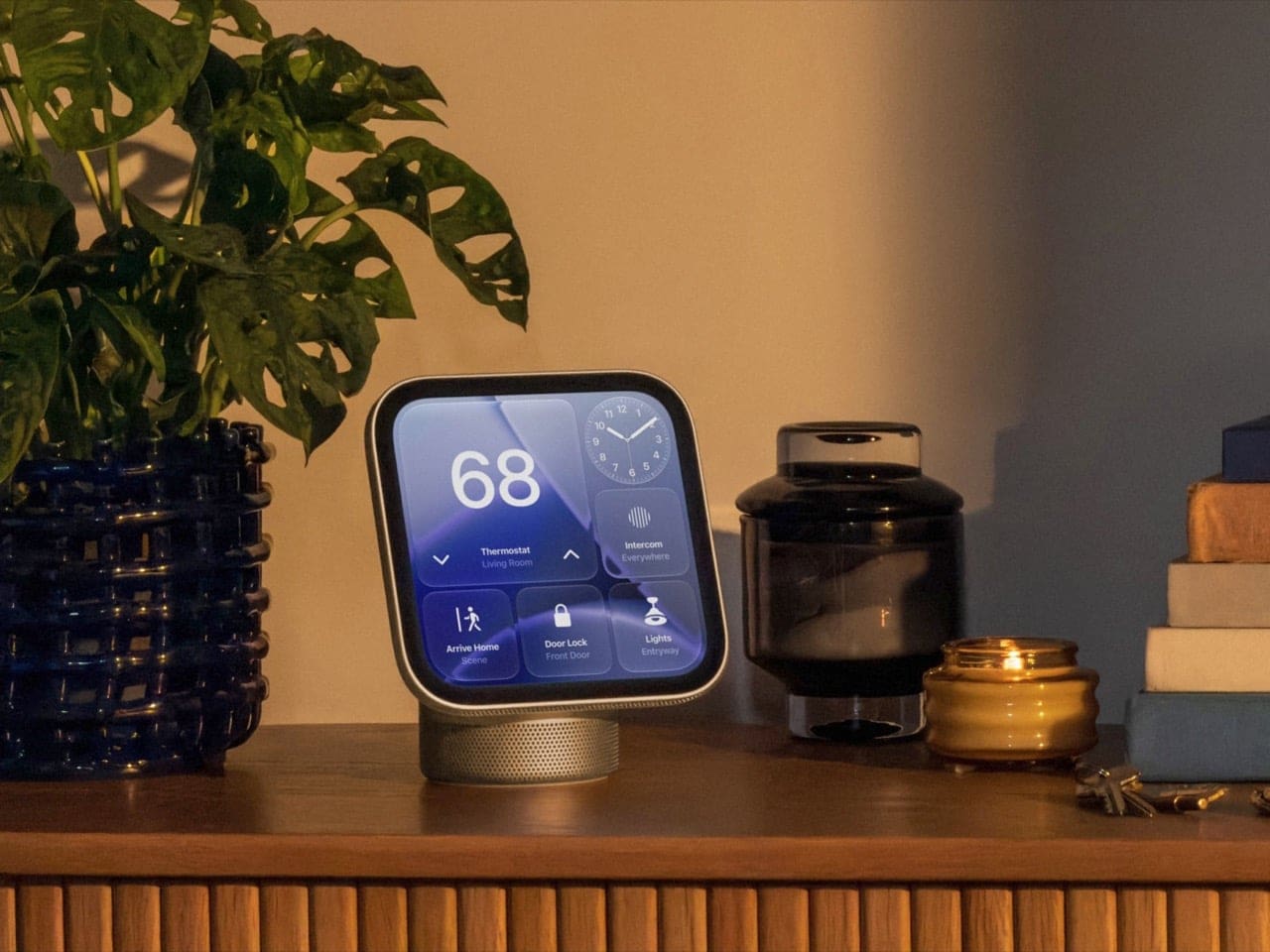
HomeView’s most interesting quality is how many Apple design eras it folds into one object. The iMac G4 contributes its playful silhouette. The Apple Watch provides glanceable faces and animations. The iPad supplies the glass display and camera. The HomePod contributes the speaker-first foundation.
Each ancestor represented a different bet about what technology could feel like. The iMac made a desktop computer expressive. The Watch turned information into quick glances. The iPad made a large touchscreen approachable. The HomePod treated room-filling audio as a central experience.
HomeView puts those ideas on one counter. It’s a lamp-like display, a smart-home dashboard, a FaceTime station, a personalized assistant, and a speaker—all wearing a friendly aluminum dome.
HomeView may be an unusual mash-up, but that’s exactly why it catches the eye. Would you want one on your kitchen counter, nightstand, or living-room shelf?
FAQ
- What is Apple HomeView?
Apple HomeView is a home-focused device combining a 7-inch Liquid Retina display, a speaker base, FaceTime camera, smart-home controls, Siri AI, and personalized user experiences. - How much does Apple HomeView cost?
Both the tabletop and wall-mounted models cost $299 in the United States. - When will Apple HomeView be available?
Apple announced availability for November 13, 2026, with preorders opening ahead of that date. - What is the difference between the tabletop and wall-mounted versions?
The tabletop model includes a down-firing woofer and two force-canceling passive radiators. The wall-mounted version has two full-range drivers but lacks the base-mounted woofer and passive radiators. - How many people can receive personalized HomeView experiences?
Apple says HomeView can recognize up to six enrolled users and provide a personalized experience for each one.
If Apple HomeView’s blend of nostalgia and modern home technology speaks to you, bring that same design spirit to your walls with a favorite album cover poster from Architeg Prints. It’s a warm, music-loving way to give your space a little more personality.
 | DISCOUNTGET 30% OFF*Use code on your next order:
|
* This post may contain affiliate links, meaning we earn a commission if you make a purchase through these links, at no additional cost to you.