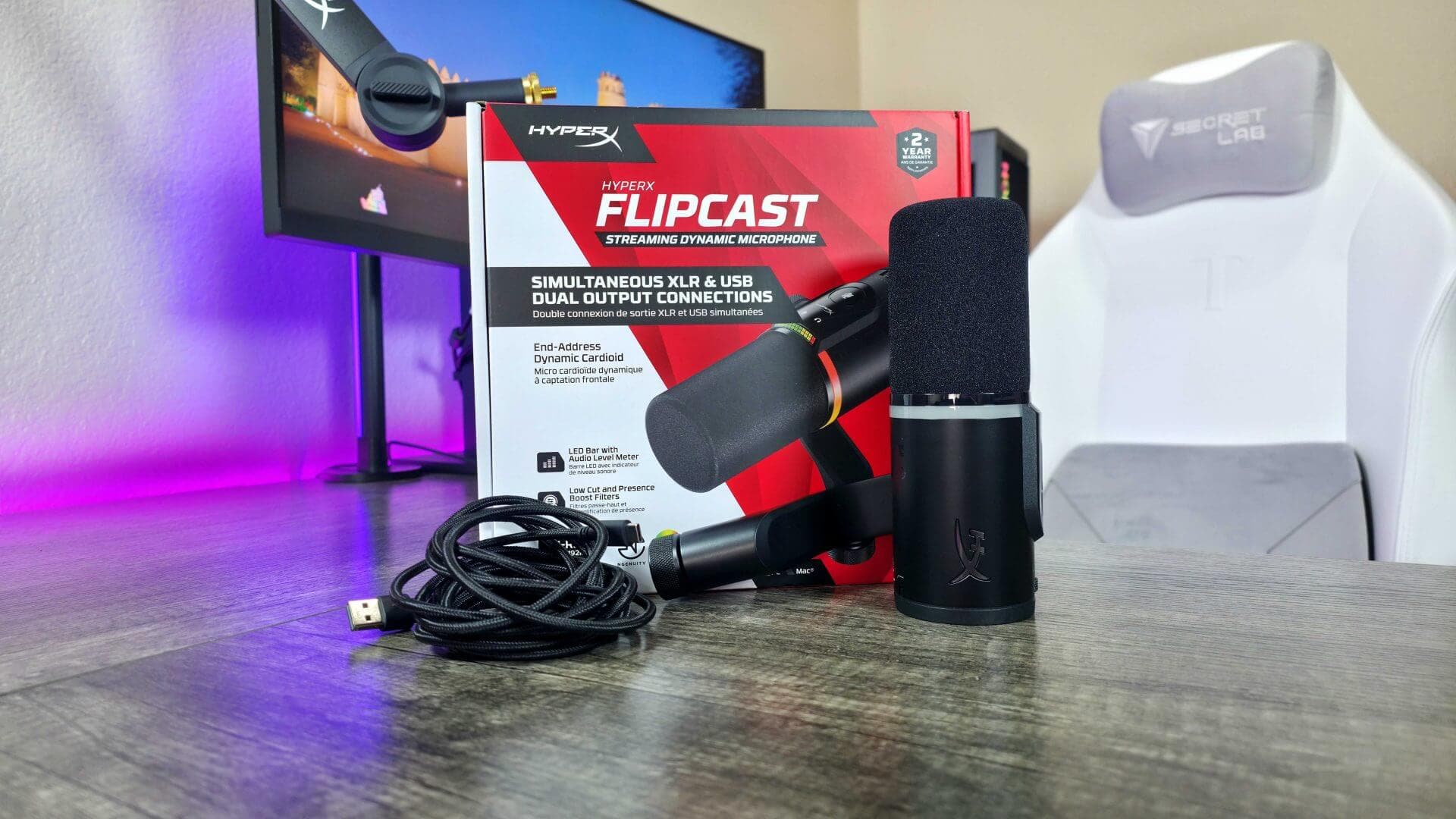
HyperX FlipCast Microphone Review: Dual-Function USB and XLR Excellence



HyperX FlipCast Microphone Review: Dual-Function USB and XLR Excellence
Explore the versatile HyperX FlipCast microphone delivering premium sound with both USB and XLR connections for creators and pros alike.
Finding the Perfect Mic: When Quality Meets Versatility
Whether you're diving into content creation, hopping on countless work calls, or laying down vocal tracks, choosing the right microphone can feel like navigating a maze. USB mics are typically plug-and-play, while professional XLR setups promise superior sound but require more gear and know-how. What if you could have the best of both worlds in one sleek device?
Enter the HyperX FlipCast, a collaboration between HP and HyperX that aims to master this balancing act with a premium mic that's both versatile and high-quality. Having spent time with the FlipCast, I can tell you—it’s a solid contender for anyone seeking flexibility in their audio gear, but it’s definitely an investment worth weighing carefully.
Pricing and Availability Insights
Currently, the HyperX FlipCast isn't officially distributed in local retail stores due to the brand's paused operations in certain regions. However, savvy buyers can still find it on major marketplaces and specialty audio shops.
The price tag tends to run higher than the global MSRP of $230, primarily because of logistics and currency fluctuations. Expect to see it priced roughly between $300 and $385 in local terms. Keep in mind, the package doesn’t include a boom arm or desk stand, so budgeting an extra $40 to $120 for a quality compatible mount (3/8″ or 5/8″ threading) is a smart move.
Navigating Software and Support Challenges
Using the FlipCast software, HyperX NGENUITY, is mostly straightforward via Microsoft Store access. But some firmware updates or online services might require tweaking your system region settings. Also, since there's no official manufacturer warranty locally, any guarantees come directly from the retailer.
For those eyeing the XLR side of things, you'll need an audio interface to unlock its full potential. Luckily, the market is brimming with options from brands like Focusrite, Behringer, and Arturia, but this adds another layer of cost—making FlipCast a serious investment for budding home studios.
Design and Sound Quality: A Premium Package
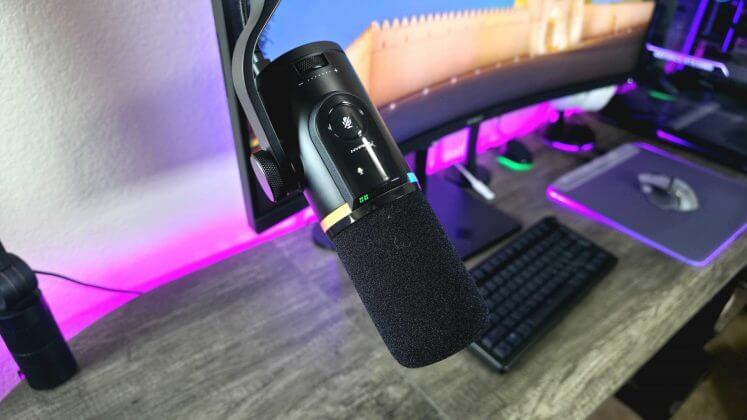
Much like the pros, the FlipCast is a dynamic, end-address microphone housed in a sleek matte black cylinder. It carries that unmistakable gamer vibe HyperX fans will recognize.
Key specs at a glance:
- Type: Dynamic, end-address
- Polar Pattern: Cardioid
- Frequency Response: 20 Hz – 20 kHz
- Sample Rate: Up to 192 kHz
- Connectivity: USB Type-C and XLR
- Features: RGB lighting, LED level indicator, multifunction dial, built-in pop filter, touch mute button, supports HyperX NGENUITY software
- Weight: 572 grams
Centrally located RGB lighting is fully customizable but unfortunately turns off when the mic powers down—a minor bummer since the FlipCast sports a handy LED level indicator that glows red when muted. I'd love an option to keep the RGB glow alive, especially during those late-night recording sessions.
The LED level indicator is a clever touch, showing input levels by default. The multifunction dial behind it lets you toggle between headphone volume, monitor level, and mic gain—pretty intuitive and user-friendly. The mute button is a touch-sensitive design but can be triggered a bit too easily, so watch your hand placement.
Sound Performance: Crystal Clear and Noise-Free
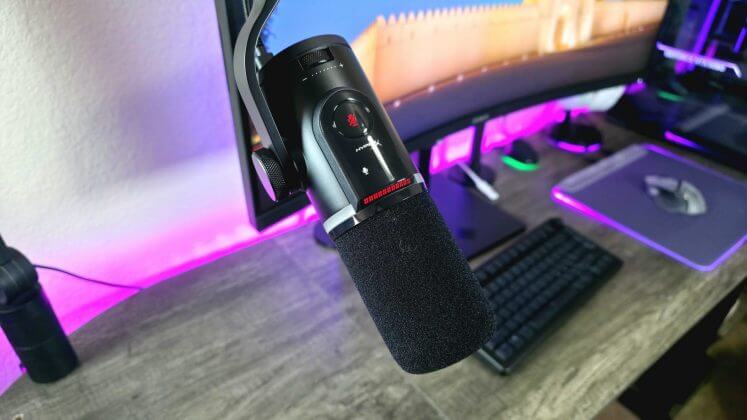
The FlipCast doesn’t just look premium—it sounds it, too. This mic delivers deep, clear, and consistent audio quality that meets the mark for most professional applications. The sound character is reminiscent of the HyperX QuadCast 2 S but with an upgraded AI-driven noise suppression system that excels at filtering background noise—even without using built-in filters like high-pass or presence boost.
Although it doesn’t overshadow all competitors in its price range—Shure’s offerings still hold a legendary crown—it certainly won't disappoint you.
Dual USB and XLR: Versatility at Its Best
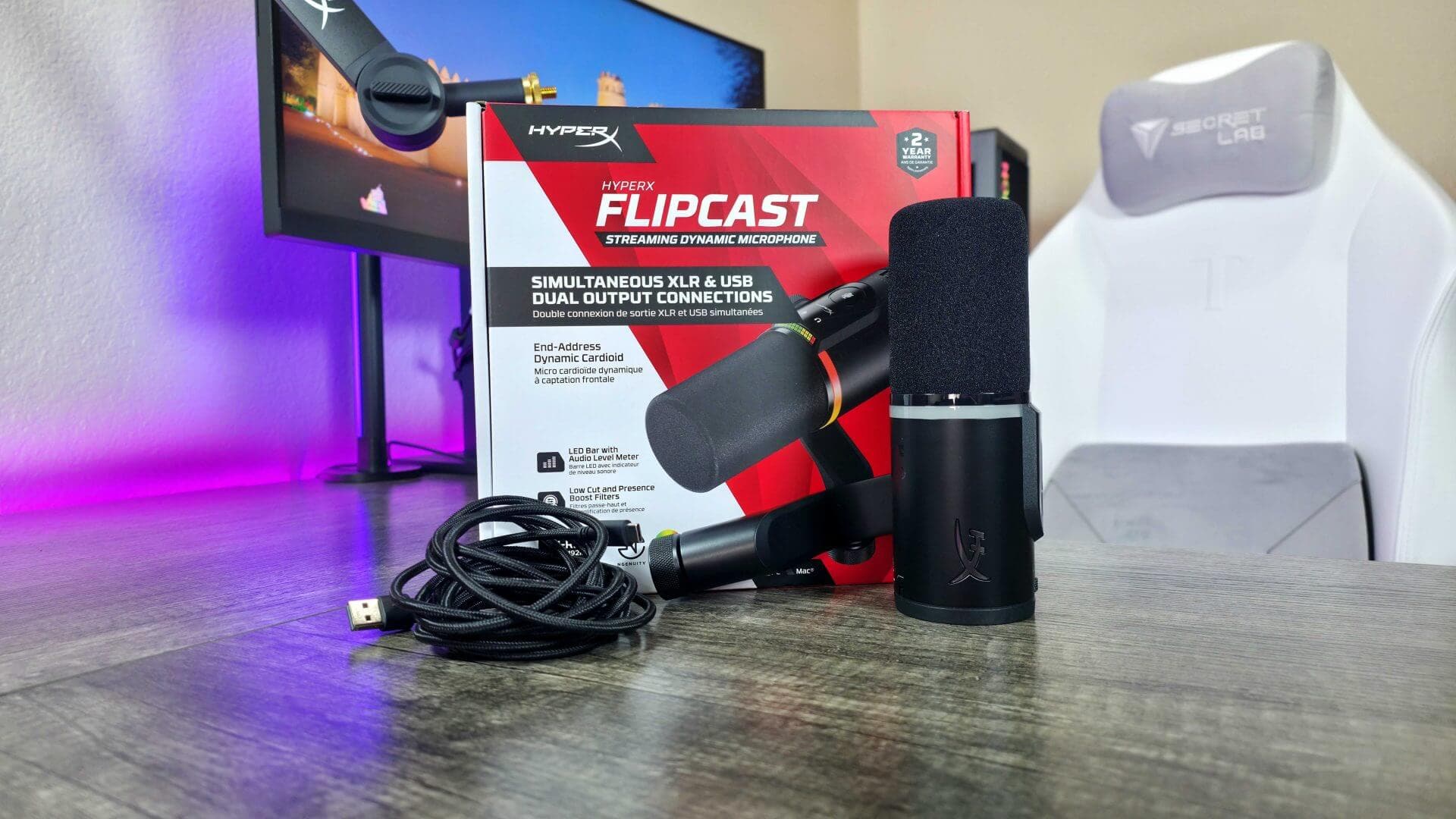
The standout feature of the FlipCast is its dual connectivity: both USB and XLR ports in one package. USB mics are convenient and budget-friendly, while XLR setups promise cleaner sound and easy integration with professional audio rigs.
Why have both? FlipCast lets you connect simultaneously to two PCs—USB for one, XLR for another—or quickly switch between casual and pro setups. It’s the perfect bridge for creators who want a plug-and-play experience now and a path to professional growth later without buying a new microphone.
While not the only dual-interface mic out there, FlipCast is rare among big brands. Its closest competitor is the Shure MV7+, which costs a good $70 more and boasts legendary sound plus more advanced software. That’s FlipCast’s main shortfall: the HyperX NGENUITY app is functional but lacks the depth of customization offered by rivals.
If you know you'll never need XLR, you might save money opting for a quality USB-only mic—HyperX’s own QuadCast 2 S is a sweet deal, especially since it includes a stand.
Final Thoughts: A Mic That Grows With You
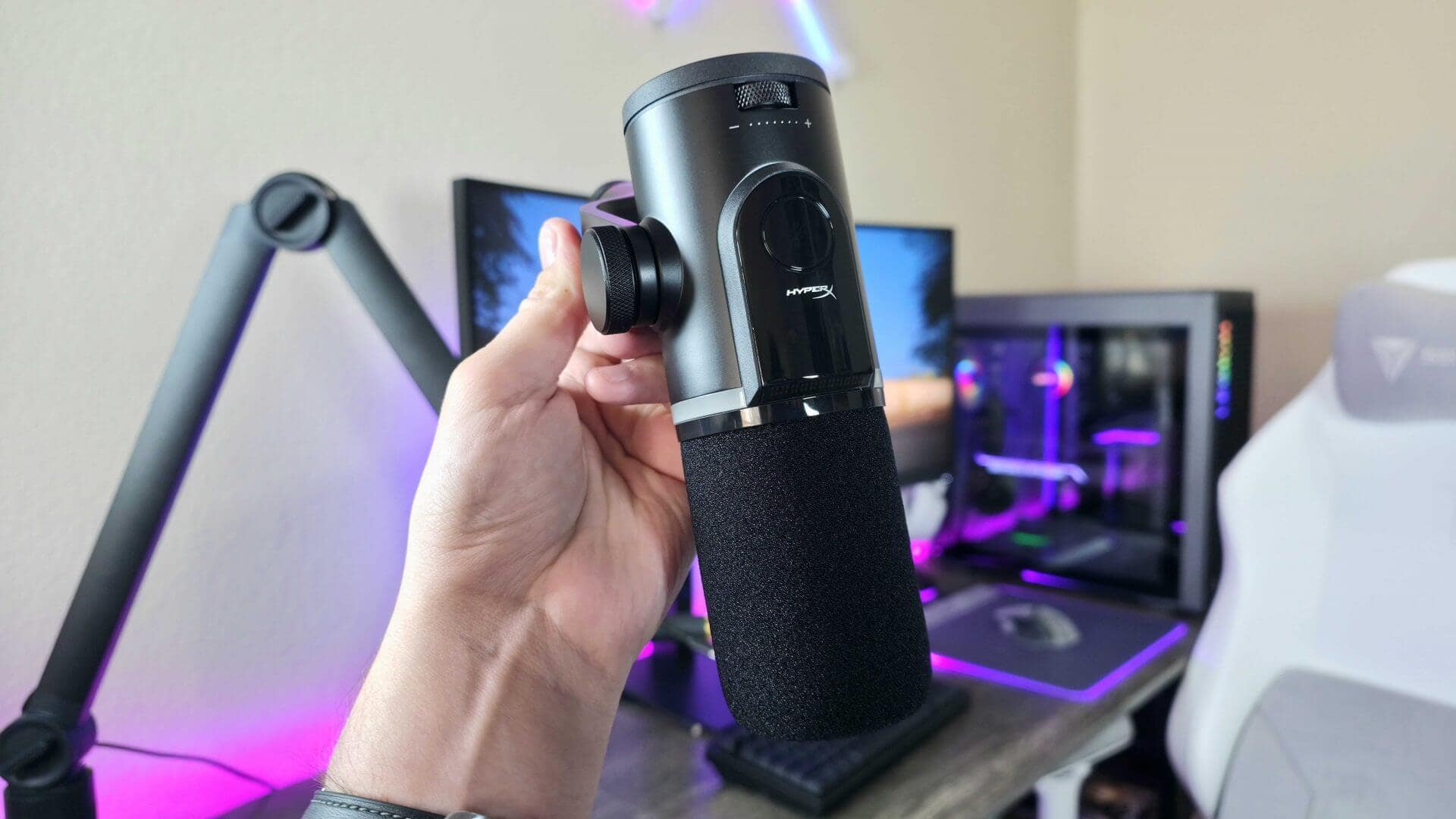
The HyperX FlipCast is a standout studio mic that competes admirably with some of the most popular models out there. Its consistently high sound quality, attractive design, and surprisingly effective noise suppression make it a solid choice.
The dual USB/XLR capability is a game-changer for creators planning to evolve their setup over time. Though the lack of a stand in the box is a small annoyance—especially given the price—it’s a common gripe among premium mics.
HyperX proves again that their gear isn’t just for gamers. While it might not top every category, FlipCast earns a hearty recommendation. If you want a microphone that adapts to your growing needs and delivers quality sound alongside flexible connectivity, this model is well worth your consideration—whether you’re just starting out or stepping up your pro game.
"The FlipCast is one of the best when it comes to filtering out background noise, even without built-in filters." – Reviewer
FAQ
- What makes the HyperX FlipCast unique compared to other mics?
It offers dual USB and XLR connectivity, letting users easily switch between casual and professional setups without buying a new mic. - Does FlipCast come with a stand or boom arm included?
No, it does not include a stand or boom arm. Buyers should budget separately for compatible mounting accessories. - Is the HyperX NGENUITY software powerful?
The software is user-friendly but lacks the deep customization features found in competitors like Shure. - Can I use FlipCast for professional studio recording?
Yes, with the XLR connection and an audio interface, FlipCast is suitable for professional-grade recordings. - How effective is the noise cancellation?
It uses AI-driven noise suppression that performs impressively well, reducing background noise without needing extra filters.
Ready to celebrate your favorite artists with style? Shop your favorite album cover posters at our store and bring that music magic to your space: Architeg Prints.
 | DISCOUNTGET 30% OFF*Use code on your next order:
|
* This post may contain affiliate links, meaning we earn a commission if you make a purchase through these links, at no additional cost to you.