Insta360 Wave Review: Your Essential Office Audio Companion


 See more Architeg Prints stories on Google.
Insta360 Wave Review: Your Essential Office Audio Companion
Explore how the Insta360 Wave speakerphone transforms office meetings with crystal-clear sound and smart AI transcription.
Getting Started: More Than Just Plug and Play
Jumping into the Insta360 Wave speakerphone experience isn’t as straightforward as plugging it in and forgetting it — there’s a bit of a learning curve to get everything just right. Right from the start, you need to tweak some device settings to make it work smoothly. The instructions say to connect the USB cable to your laptop or PC, after which the device should show up as a drive ready for software installation.
But—and it’s a big but—you first have to activate the USB mode on the speakerphone itself. This means diving into the touch screen menu, navigating through Settings, then USB Mode, and switching to File Transfer. Only then will your computer recognize the device as a disk, allowing you to install the software. It’s not very obvious at first glance. Alternatively, you can sidestep this step entirely by downloading the Insta360 Wave Controller software directly from the official site.
Smooth Operation with Simple Controls
Once you’ve got the Insta360 Wave Controller app installed and updated, using the speakerphone is a breeze. Most times, the easiest way is just to tap the big, friendly record button as soon as a call or meeting starts. The circular interface is brilliantly thought out: one tap starts recording, another stops it. You can’t get simpler than that! Plus, it seamlessly integrates with popular video conferencing apps like Teams and Zoom.
Want to adjust settings? Just swipe up on the device’s screen, hit Settings, and boom—you have full access to tweak everything. If you're connected to your computer, you can also manage these settings via the Insta360 Wave Controller app, offering flexibility in how you control your audio environment.
Unlocking AI Transcription: The Smart Side of Wave
Like many modern gadgets, to fully unlock the Insta360 Wave’s AI features, you need to register an account. The good news? You get 300 minutes of free AI transcription per month. Need more? Paid plans are available.
For most solo users, 300 minutes are more than enough. But in a busy office setting, those minutes can fly by quickly. The sound clarity during recordings blew me away. What really stood out was the ability to switch microphone modes—choose from omnidirectional, cardioid, supercardioid, figure-eight, and stereo. Adjusting the sound profile is just a tap away, toggling between default noise suppression and raw audio capture.
Crystal Clear Sound, Whether Near or Far
Testing the Wave alongside the Insta360 Link 2 webcam was a revelation. While the Link 2 upgraded my video quality immensely, the Wave transformed the audio experience—not just when I was at my desk but even when I wandered a few feet away.
This is one of those devices you don’t realize you need until you start using it. The AI transcription function alone is a game-changer. Although the 300-minute free limit might seem restrictive, most users won’t find themselves needing more. What thrilled me was the sound quality at a distance—perfect for when you’re standing by a whiteboard during a video call. The various microphone modes let you tailor your setup whether it’s a one-on-one chat, a group meeting, or a lecture.
A Few Setup Hiccups, But Worth the Effort
The initial setup—especially connecting via Bluetooth and Wi-Fi—was a bit trickier than with other Insta360 devices, usually known for their plug-and-play simplicity. However, once configured, the Wave ran flawlessly. It became an invisible assistant, always ready to capture every detail and convert it into text.
Insta360 Wave: Price and Availability
The Insta360 Wave speakerphone is widely available for around $299. It’s also sold in bundles, often paired with the Link 2 webcam, offering a complete audiovisual solution.
Technical Specs at a Glance
| Feature | Specification |
|---|---|
| Processor | AI DSP |
| Internal Storage | 32 GB |
| Ports | USB-C |
| Connectivity | USB-C, Bluetooth 5.0, optional wireless adapter |
| Audio | 8 MEMS microphones, beamforming, 5 capture modes |
| Compatible Camera | Link 2 (optional) |
| Dimensions | 64.3 mm diameter, 248 mm height (raised), 198 mm (folded) |
| Weight | 580 g |
| Accessories | USB-C cable, optional adapter, carrying case (varies) |
Design: Futuristic Yet Functional
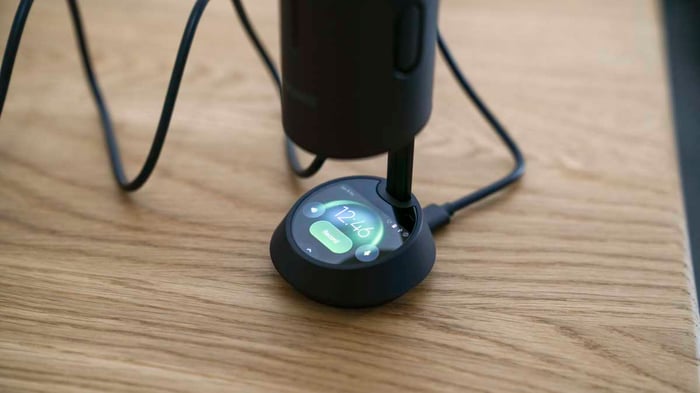
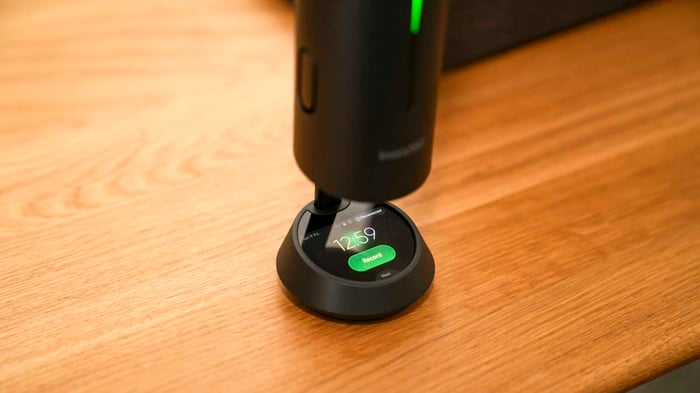
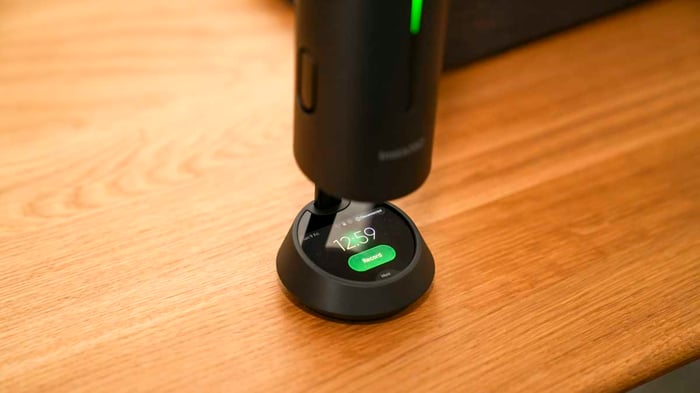
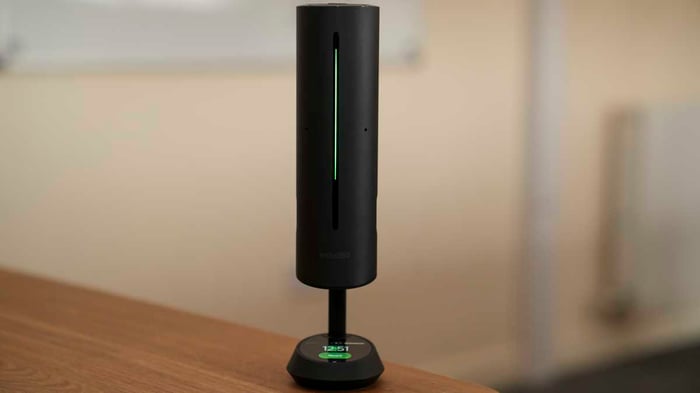
The Insta360 Wave’s design is strikingly futuristic. The sleek black cylinder elevates when powered on, revealing a small, highly responsive touch screen at the base.
Despite its relatively compact size, the device feels weighty and premium in hand. The 1.82-inch touchscreen offers crisp clarity and instant response, making it easy to control recording and audio settings.
Built for professional environments like conferences and meetings, the Wave houses an advanced AI chip and eight MEMS microphones capturing audio at 48 kHz sample rate. Its speakers are tuned for crystal-clear voice reproduction rather than music playback.
Thanks to its cylindrical shape, the Wave sits perfectly on any desk or conference table. With AI Gain Control (AIGC) enabled, it can pick up sound from up to 5 meters away—still maintaining superb quality even at 2-3 meters.
Incredible Sound Capture Modes
The real magic lies in the five microphone patterns you can select:
- Omnidirectional: 360° sound capture
- Cardioid: Focuses on sound from the front—ideal for calls and podcasts
- Supercardioid: Enhanced noise suppression
- Figure-Eight: Perfect for interviews with two people facing each other
- Stereo: Broader sound capture, great for musical projects
This versatility makes the Wave adaptable to any scenario, from solo podcasts to group discussions.
Seamless Integration and Storage
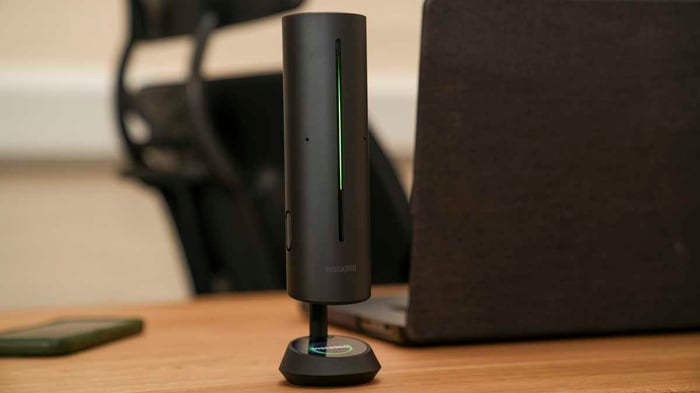
The Wave pairs effortlessly with the Insta360 Link 2 webcam, delivering a powerful audiovisual combo that far outshines typical laptop peripherals.
One standout feature is the 32 GB of built-in storage, letting you record meetings directly to the device for later playback. AI transcription smartly distinguishes speakers by voice, assigning names automatically.
Even better, the AI doesn’t stop at transcribing—it creates intelligent meeting notes and summaries. If you need to revisit a conversation, you can chat with the AI assistant to find specific moments or clarify points.
Powerful Features Beyond the Basics
At first glance, the Wave looks like a stylish desktop speakerphone. But under the hood, it’s a smart AI-powered gadget that pushes boundaries.
Voice quality is the top priority here, thanks to beamforming tech and a robust mic array. AI noise suppression, automatic gain control, and echo cancellation work harmoniously to ensure your voice is heard loud and clear, no matter where you roam in the room.
You can control settings either on the touch screen or through the Insta360 Wave Controller app. Connectivity options include USB-C, Bluetooth 5.0, and an optional wireless adapter for faster connections in conference rooms.
Performance: From Frustration to Fluidity
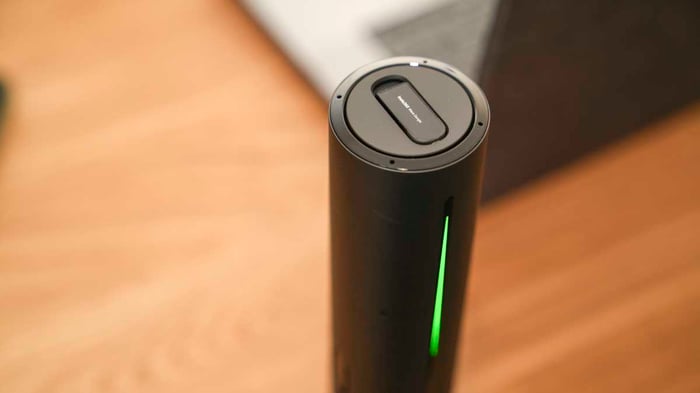
I’ve tested many Insta360 gadgets over time, usually impressed by their ease of use. The Wave, however, demanded a bit more patience initially.
Following the manual, I connected the Wave to my MacBook Pro expecting it to pop up right away. It didn’t. The device needed the USB mode manually activated before being recognized. Once I sorted that, things clicked. Downloading the app directly from the website also bypassed the connection hassle.
Recording calls on Teams was flawless; colleagues complimented the crisp sound.
Bluetooth pairing was smooth too. The wireless adapter included offers a more robust connection than standard Bluetooth, perfect for conference rooms. However, USB-C remains my favorite for reliability.
AI Transcription: A Game-Changer
Post-meeting, I hit the Insta360 Wave Connect icon on my Mac, then View AI Recordings. This opened a webpage listing all files. Clicking one gave me a neat summary plus a full transcript. There’s even a handy AI chat assistant to ask questions like, “When did someone say ‘time for lunch’?” and it instantly finds it.
The ability to format meeting outcomes into action lists was a lifesaver. After a chat with a colleague, I asked the AI to generate a task list, copied it, and emailed it out. So much easier than juggling notes!
Archiving is simple, too—you can transfer files via USB to keep a comprehensive record of your meetings.
Switching between the five microphone presets right on the touchscreen was quick and intuitive. While the sound differences weren’t earth-shattering, the overall recording quality was excellent. The mic is clearly voice-optimized, so musical instruments sound good but not studio-grade.
Final Thoughts on Performance
The Wave adapts beautifully whether you’re solo or in a small group. We took it on lunch breaks, used it as a voice recorder, and enjoyed spot-on transcriptions that cleaned up our conversations with AI magic.
What truly elevates the Wave is the transcription feature: it translates speech to searchable, editable text, recognizes speakers, and generates smart summaries and task lists you can export and share.
What the Wave doesn’t do: no text-to-speech playback, no live transcription without recording first, and it’s not a voice assistant like Alexa or Siri.
Insta360 Wave Verdict: Worth It?
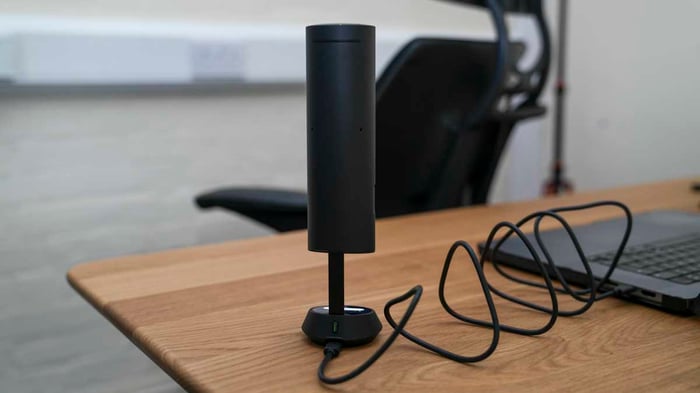
When the Wave was first announced, I was skeptical. But after using it, the ability to record meetings and instantly get AI-enhanced transcripts is incredibly convenient.
Although aimed at business users, freelancers and small business owners will find huge value here too. The only real downsides? The price tag (around $299) and the slightly confusing initial setup.
Things to Keep in Mind:
- Setup: Not complicated once you know what to do, but the manual could be clearer.
- Subscription: You get free transcription minutes, but beyond 300 per month, it’s pay-to-play. This is enough for solo use, but businesses may need more.
Summary Table: Insta360 Wave Ratings
| Price | Expensive for casual users, but a solid investment for businesses | 4 |
| Design | Ultra-futuristic with a floating column and sleek touch interface | 4.5 |
| Features | AI-powered enhancements and multiple mic patterns make it highly versatile | 4.5 |
| Performance | Excellent overall: clear sound and fast transcription | 4.5 |
| Overall | Professional-grade device for business and content creators, especially with Link 2 |
FAQ
- What makes Insta360 Wave different from a regular speakerphone?
The Wave combines AI-powered noise suppression, multi-pattern mic modes, and automatic meeting transcription, making it more than just a speakerphone. - How much free AI transcription time do I get?
You get 300 minutes free per month. Additional time requires a paid subscription. - Can I use Insta360 Wave wirelessly?
Yes, it features Bluetooth 5.0 and an optional wireless adapter, plus a built-in battery for up to 12 hours of use. - Is the Wave compatible with video conferencing apps?
Absolutely. It integrates smoothly with Teams, Zoom, Google Meet, OBS, and others. - Does the device support real-time transcription?
No, transcription happens after recording and requires uploading to cloud servers.
If you love the idea of enhancing your workspace with professional audio gear, consider shopping your favorite album cover poster at our store for that extra touch of inspiration: Architeg Prints.
 | DISCOUNTGET 30% OFF*Use code on your next order:
|
* This post may contain affiliate links, meaning we earn a commission if you make a purchase through these links, at no additional cost to you.