OXS Thunder Pro+ Review: Immersive Sound That Feels Like Magic



OXS Thunder Pro+ Review: Immersive Sound That Feels Like Magic
Explore how the OXS Thunder Pro+ delivers immersive sound and a futuristic design for gamers craving rich audio and style.
When it comes to gaming soundbars, there aren't too many options out there—but lately, the market has been buzzing with more choices. And honestly, it's no surprise. Soundbars make for a fantastic alternative to bulky desktop speakers. They fit snugly beneath your monitor, delivering immersive sound, especially during gaming marathons. Plus, if you're like me and adore the glow of RGB lighting, you might find yourself drawn to something like the OXS Thunder Pro+—a soundbar that promises not just vivid lighting but also a hint of surround sound magic.
A Futuristic Soundbar with a Unique Twist
The Thunder Pro+ is no ordinary soundbar. This beast is a 7.1 channel gaming soundbar packed with Dolby Atmos support and, intriguingly, what the company calls the world's first "neck satellite speaker." Yes, you read that right—a neck pillow with speakers embedded right into it. The idea is to boost your immersion by wrapping sound around your head, but as a skeptic and a gamer who's tried many gimmicks, I wasn't entirely convinced a neck pillow could truly deliver 3D surround sound.
That neck speaker isn't mandatory—you can buy the Thunder Pro+ soundbar alone for about $600 or get the full bundle with the neck speaker for roughly $700. We tested the latter, but if you want to try the neck pillow separately later, it runs about $150.
Design That Demands Attention
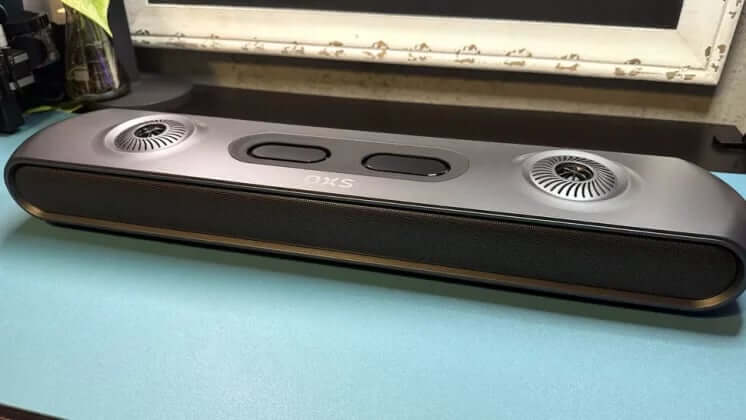
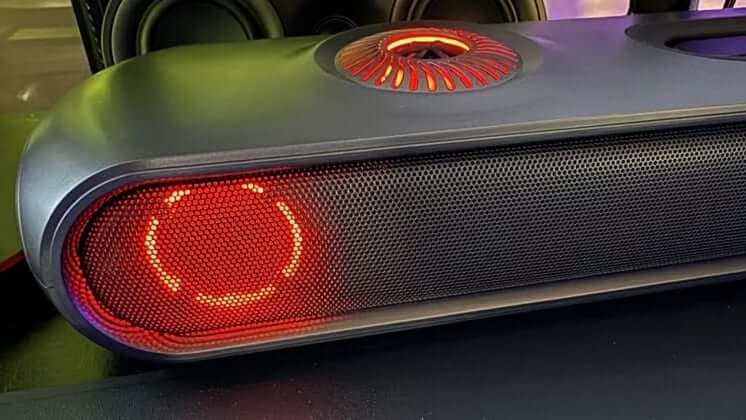
Forget the usual black rectangular box that sits unnoticed under your TV. The Thunder Pro+ rocks a dark gray plastic body with smooth, rounded edges and a metal grille housing forward-facing speakers. It even sports an LCD that shows what input you've selected—handy for those juggling multiple devices.
RGB lighting brings flair to the party, glowing from two circular subwoofers on top, side corner speakers, and two front-facing drivers flanking the soundbar. It’s a visual feast that perfectly suits any gaming setup eager for a touch of sci-fi vibe.
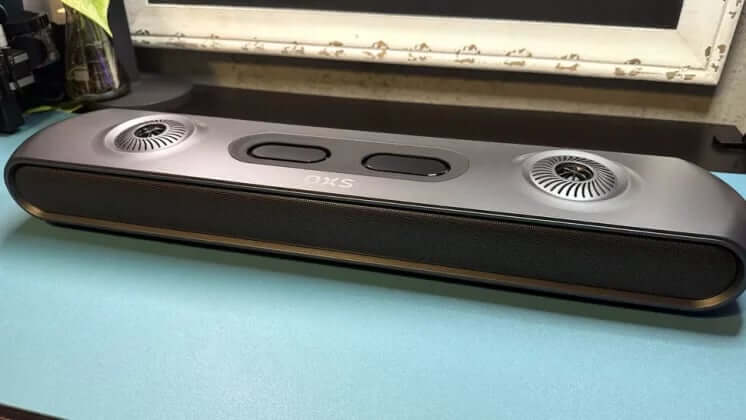
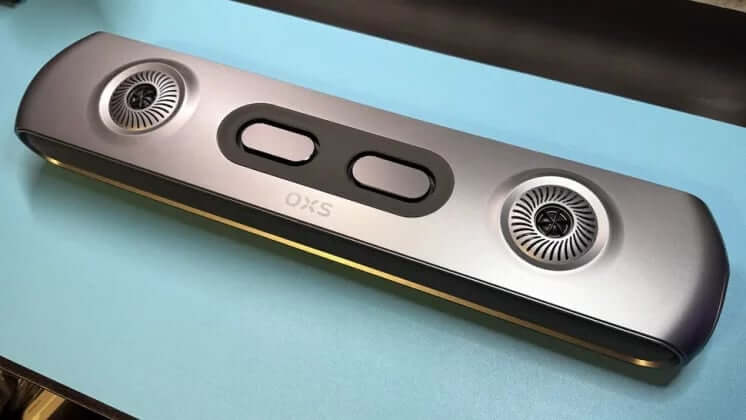
Measuring 23.9 inches wide, 4.8 inches deep, and 3 inches tall (including rubber feet), the Thunder Pro+ fits comfortably under most monitors. You can swap out the feet for slightly taller ones if you need more clearance underneath. The soundbar itself weighs just under 6 pounds, making it sturdy without feeling like a tank.
Controls, Connectivity, and Extras
Included in the package is a desktop "switcher" controller reminiscent of those you’d find on high-end gaming peripherals. This wired controller features a volume wheel, mute button, EQ preset switch, and input selector. It’s weighted and rubberized on the bottom so it won’t wander off your desk mid-game. Though I generally rely on mouse and keyboard volume controls, it’s nice to have a dedicated physical dial for quick adjustments.
RGB lighting also adorns the controller—because why not keep the glow consistent? Plus, there’s a wireless remote control for more traditional home theater use.
On the back of the soundbar, you’ll find an array of ports: power input, AUX, separate microphone and headset jacks, a USB-A port for connecting the neck pillow, USB-C, HDMI, and HDMI eARC. Bluetooth is also supported, giving you plenty of ways to hook up your devices. One small gripe: a headset port on the controller for quick access would have been a nice touch.
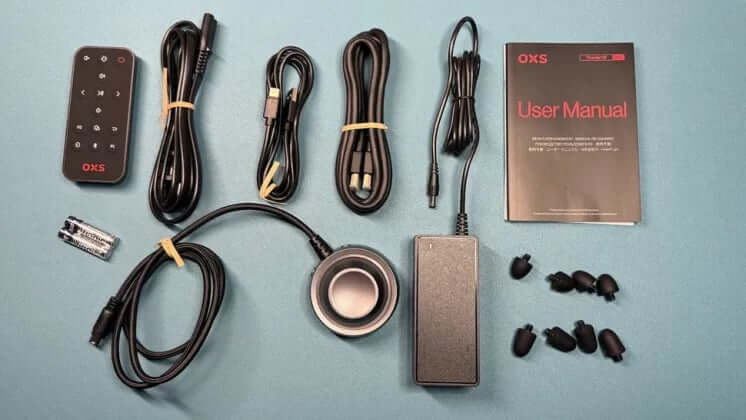
The included accessories are straightforward: a power adapter with a two-piece cable, USB-C to USB-A cable, HDMI cable, the desktop controller, wireless remote with batteries, and two sets of rubber feet for height adjustment. You’ll need to bring your own AUX cable if you want to connect via that.
OXS Thunder Pro+ Specs at a Glance
| Feature | Specification |
| Speaker Type | 7.1.2 Channel Soundbar |
| Drivers | 2 x 0.75" tweeters, 2 x 2.5" mid/bass drivers, 4 x 1.5" drivers, 2 x 1.75" neck satellite drivers |
| Frequency Response | 75 Hz – 20,000 Hz |
| Inputs | DC power, AUX, 3.5mm headset & mic jacks, USB-A, USB-C, HDMI, HDMI eARC |
| Cables | HDMI, USB-A to USB-C |
| Dimensions (W x D x H) | 23.9 x 4.8 x 3 inches (608 x 122 x 78 mm) |
| Weight | 5.94 lbs (2694 g) |
| Lighting | RGB lighting included |
| Software | OXS App for customization |
| Additional Features | Neck satellite speaker, desktop controller, remote control |
| Price at Review | $699.99 (complete set) |
Sound Performance: A Mixed Bag
The Thunder Pro+ delivers very solid sound quality overall, especially for gaming and general media. Midrange and treble frequencies are balanced nicely, letting voices and effects come through clearly and crisply. However, the bass is somewhat underwhelming. Not surprising given it’s a soundbar, but notably, there isn’t an option to plug in a subwoofer for extra low-end oomph.
Listening to tracks like Enya’s Orinoco Flow revealed a broad soundstage with good detail separation—very immersive. But when I cranked up songs with heavier bass, the Thunder Pro+ struggled to keep up. Even Royals by Lorde, which demands tight, detailed bass rather than booming lows, exposed some limitations in the bass response.
But man, when gaming, this soundbar really shines. Titles like God of War: Ragnarok and Uncharted 4 came alive with a spacious soundstage and pinpoint audio cues. Dialogue was clear even at lower volumes, so this system doubles nicely as a home theater setup. High-frequency sounds—gunshots, footsteps—felt crisp and unnervingly real. Just remember, Dolby Atmos only kicks in when connected through HDMI eARC.
The World’s First Neck Satellite Speaker
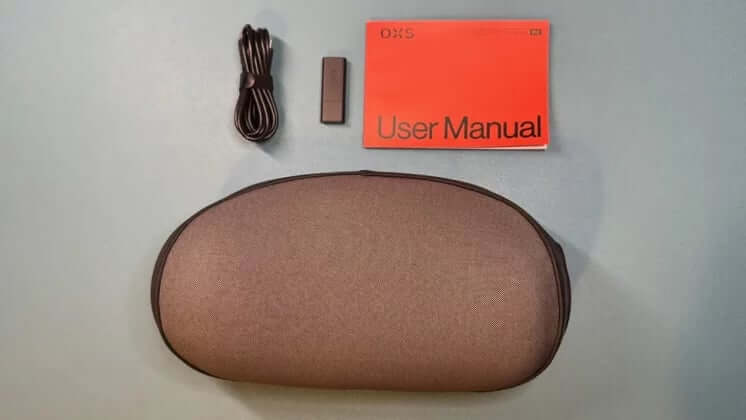
The standout novelty of the Thunder Pro+ is undoubtedly the neck satellite speaker. Picture a soft memory foam neck pillow, designed to attach comfortably to your chair’s headrest, housing two 1.75-inch wide-range speakers—one on each side.
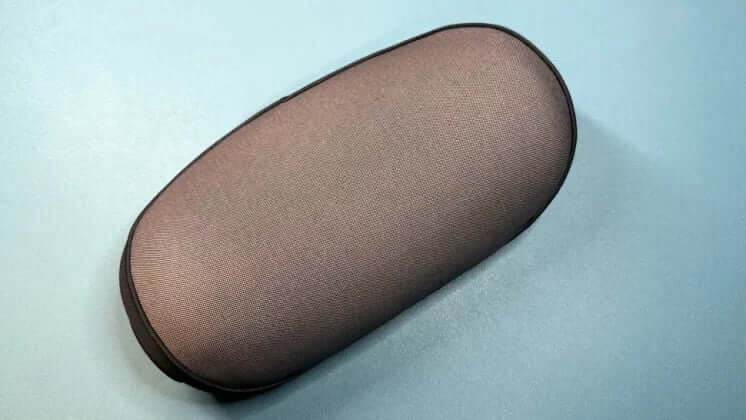
As a neck pillow, it’s surprisingly well-made—definitely better than the basic ones bundled with many gaming chairs. It features a removable fabric cover and a smooth, soft gray surface where your head rests.
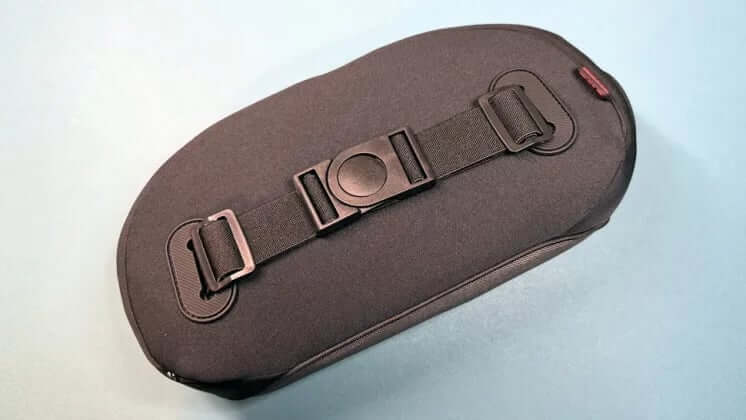
The adjustable elastic strap with a clasp fits snugly around most standard gaming chairs. The pillow itself weighs about 1.9 pounds, feels premium, and boasts a sculpted shape that’s clearly designed with comfort in mind.
Dimensions: 11.6 inches wide, 6.7 inches tall, and 4.4 inches thick.
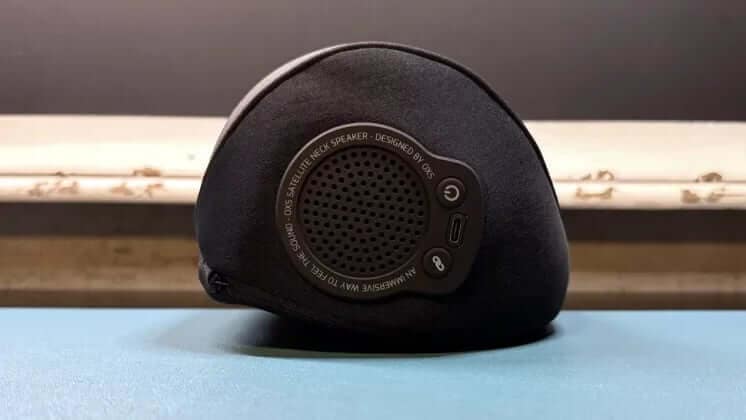
On the right side, you’ll find a USB-C charging port, power button, and pairing button to connect the pillow wirelessly with the soundbar.
Performance of the Neck Speaker
The neck speaker’s performance is decent but not mind-blowing. Thanks to the USB connection, audio delay between the soundbar and pillow is minimal. Still, the sound from the neck pillow feels compressed and a bit muted compared to the full soundbar.
OXS claims up to 12 hours of battery life, but my experience clocked less—likely due to higher volume use. Either way, 12 hours isn’t exactly marathon-worthy when some wireless headsets run 40 to over 300 hours on a single charge.
App Features and Customization
The Thunder Pro+ pairs with the OXS app, letting you tweak the RGB lighting to some extent. You get a few preset modes like sound sync, color mode, and a scene mode that syncs lighting with on-screen visuals. But don’t expect Razer Chroma-level customization here.
You can switch among four EQ presets but not create or edit your own profiles. Unfortunately, there’s no fine-tune control over individual drivers’ gain, which might disappoint audiophiles.
Final Thoughts
The OXS Thunder Pro+ is an intriguing piece of kit. The soundbar alone produces fantastic audio with a wide soundstage and clear detail, especially in games, although the bass leaves room for improvement. If it had a subwoofer input, it could easily rank among the best gaming soundbars out there.
The neck satellite speaker is a novel and comfy addition, but it falls short in sound quality and battery life. Still, it’s a neat concept that adds a layer of immersion.
"Thunder Pro+ offers an impressively wide soundstage and crisp, detailed sound with Dolby Atmos support, especially shining in gaming."
FAQ
- How does the neck satellite speaker connect to the Thunder Pro+?
It connects wirelessly via USB, with minimal audio delay between the soundbar and neck pillow. - Can I use the Thunder Pro+ without the neck pillow?
Absolutely. The soundbar works great solo and can be purchased separately. - Does the Thunder Pro+ support Bluetooth?
Yes, Bluetooth connectivity is supported alongside wired inputs. - Is there an option to add a subwoofer?
No, the Thunder Pro+ does not offer a subwoofer input. - Can I customize the EQ settings in the app?
You can select from four presets, but creating or fine-tuning custom EQ profiles is not supported.
If you love the vibe of the OXS Thunder Pro+ and want to bring that immersive audio energy to your gaming den, why not shop your favorite album cover posters to jazz up your space? Check out our curated wall art at Architeg Prints and complete your ultimate gaming setup with style.
 | DISCOUNTGET 30% OFF*Use code on your next order:
|
* This post may contain affiliate links, meaning we earn a commission if you make a purchase through these links, at no additional cost to you.