Samsung HW-QS700F Soundbar Review: Powerful Bass with Some Caveats


 See more Architeg Prints stories on Google.
Samsung HW-QS700F Soundbar Review: Powerful Bass with Some Caveats
Explore the Samsung HW-QS700F soundbar's powerful bass and features, balancing its strengths and shortcomings in the competitive Dolby Atmos soundbar market.
The Rise of Soundbars and Samsung’s Place in the Game
Since the mid-2000s, soundbars have surged in popularity, evolving from simple single panels to elaborate setups with surround speakers and wireless subwoofers. Today, it’s thrilling to see just how diverse the market has become. As a longtime fan of home audio gear, I’ve witnessed Samsung’s journey through countless configurations—some hits, some misses.
Samsung’s latest mid-range contender, the Samsung HW-QS700F soundbar, caught my ear. It’s a combo of a sleek soundbar and a wireless subwoofer, promising Dolby Atmos support and punchy lows. But in a sea of fierce competitors, especially from brands like Sonos, can it truly stand out? Let’s dive in.
Price and Positioning: Where Does Samsung HW-QS700F Fit?
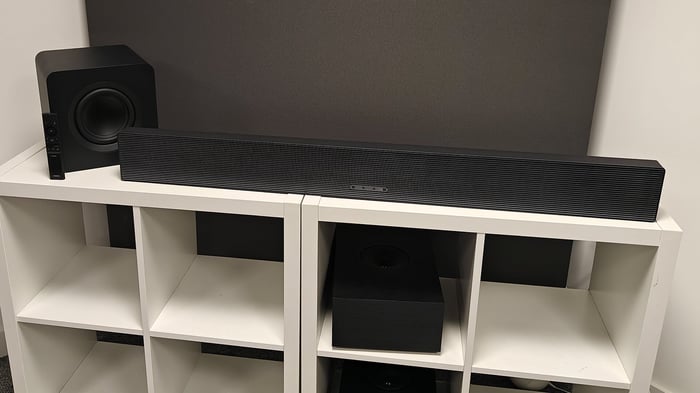
Samsung HW-QS700F soundbar with Dolby Atmos support, paired with subwoofer and remote control.
Originally priced around $700, the HW-QS700F now pops up cheaper at many retailers, slotting comfortably into the mid-tier Dolby Atmos soundbar category. This price point puts it between the Sonos Beam Gen 2 soundbar, a favorite for entry-level Dolby Atmos soundbars at around $449, and the premium Sonos Arc Ultra soundbar, which commands nearly $1,000.
Unlike Sonos’ offerings, the Samsung bundle includes a separate subwoofer—meaning more hardware for your buck. This can be a huge win if you crave that deep, rumbling bass that only a dedicated woofer can deliver.
Design and Build: Sleek with a Smart Twist
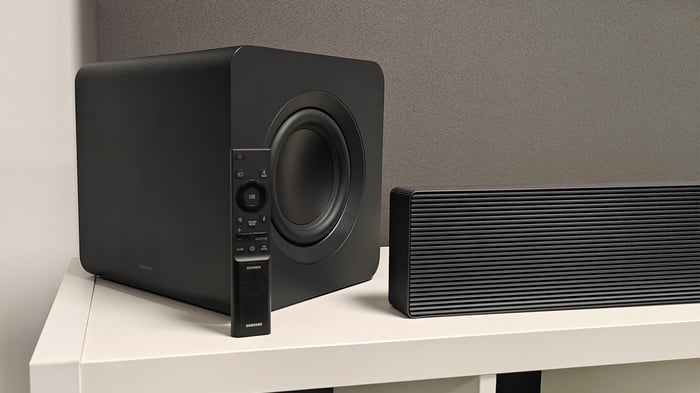
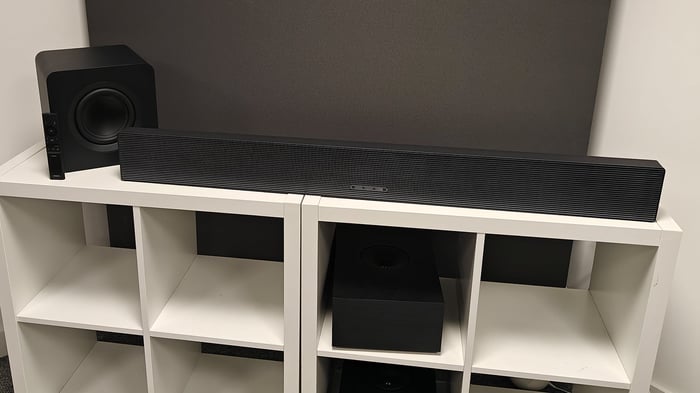
Samsung HW-QS700F soundbar showcasing minimalist Dolby Atmos design.
The HW-QS700F sports a 3.1.2 channel setup: front left, center, right speakers, two upward-firing drivers for Atmos effects, and a wireless subwoofer handling the low-end. It’s versatile enough to sit on a TV console with its grille facing upward or mount flat against the wall facing you.
Here’s a neat trick: Samsung’s "Convertible Fit" feature uses a built-in gyroscope to detect if you flip the soundbar’s orientation. It then smartly swaps the roles of the front and upward speakers to maintain Dolby Atmos accuracy—talk about tech that adapts to your space!
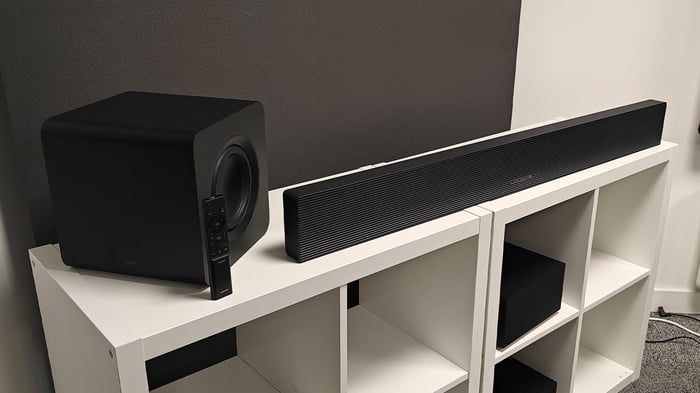
Samsung HW-QS700F Tech Specs at a Glance:
- Inputs: 2 HDMI (1 with eARC), Optical input
- Connectivity: Wi-Fi, Bluetooth 5.3, AirPlay 2
- Supported Formats: Dolby Atmos, DTS:X
- Streaming: Tidal Connect, Spotify Connect, Amazon Music
- Soundbar Dimensions: 5 x 116 x 12 cm (HxWxD), 4.4 kg
- Subwoofer Dimensions: 25 x 25 x 25 cm, 4.8 kg
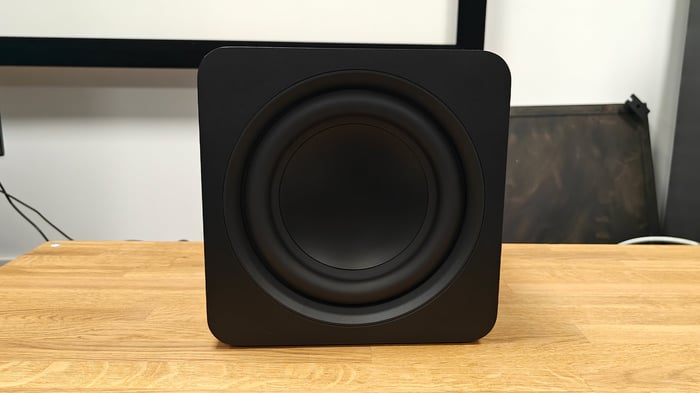
The subwoofer design is neat and compact, reminiscent of the one from Samsung’s flagship Samsung HW-Q990F soundbar but delivers slightly less deep bass (34 Hz vs. 32 Hz). The included remote feels solid in hand, with tactile controls for volume, bass, sound mode, and input selection, plus a responsive D-pad for music navigation. You can even adjust volume levels for each speaker channel independently—a thoughtful touch.
Features: Smart Connectivity Meets User-Friendly Controls
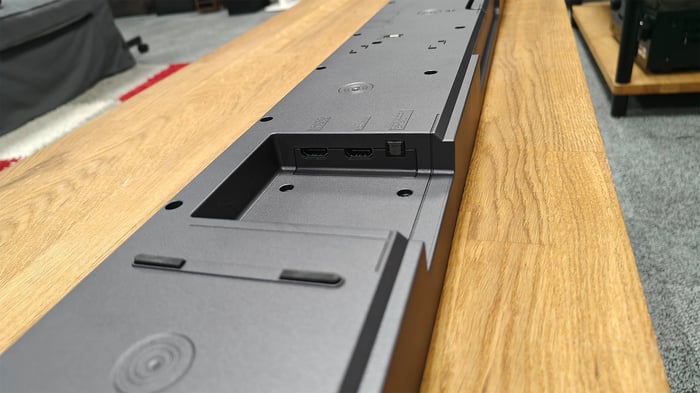
Rear panel with HDMI, optical, and other input ports.
On the back, you get a neat set of inputs including optical and dual HDMI, with one supporting eARC. It handles 4K at 60Hz, which might disappoint gamers rocking 4K/120Hz consoles or ultra-powerful PCs. Wireless options are solid, including Bluetooth 5.3, Wi-Fi, Chromecast, AirPlay 2, Spotify Connect, and Tidal Connect.
True cinephiles will appreciate Dolby Atmos and DTS:X thanks to those upward-firing drivers, which aim to create immersive soundscapes. Pairing the subwoofer and soundbar is a breeze via wireless sync, and Samsung’s Q-Symphony lets you blend soundbar output seamlessly with Samsung TV speakers for richer audio.
Control-wise, the SmartThings app mirrors the remote's functions but unlocks more detailed EQ settings including frequency adjustments, channel balancing, and a handy night mode that tones down bass and dynamic range for late-night viewing without disturbing the household.
Samsung’s SpaceFit Pro technology comes into play here too, automatically tuning the soundbar to your room’s unique acoustics—a feature that adds a layer of polish to the listening experience.
Sound Quality: Powerful Bass, Clear Vocals, But Not Perfectly Immersive
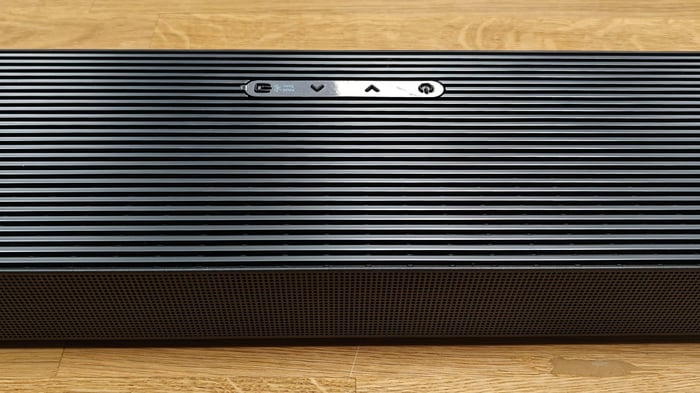
Detail of the soundbar’s upper grille highlighting speaker placement.
The HW-QS700F offers five sound modes: Standard, Surround, Game, Adaptive, and DTS Virtual:X. After testing, the Standard mode proved the best for movies, delivering a balanced, clear audio experience without distracting distortions.
Watching movies like Thunder Force in Dolby Atmos, dialogue came through crisp and intelligible — no missed words here. Voices had good tonal warmth, though not quite as lifelike as in higher-end competitors. The subwoofer truly shines during explosive scenes like the iconic Jurassic Park water splash, shaking the room with deep, commanding bass that adds palpable weight to the action.
Music playback via streaming services like Tidal was mostly satisfying. Upbeat tracks like Tame Impala’s "Dracula" had a vibrant drive, making it easy to tap your foot along. However, softer songs, such as Taylor Swift’s "August," lacked subtle emotional nuance; vocals sometimes felt a bit blunt rather than delicately expressive.
Samsung HW-QS700F soundbar neatly positioned on a shelf.
Where the HW-QS700F stumbles is in Atmos effect precision. Watching Unbroken’s intense aerial bombing scenes—where sounds should swirl and pinpoint around you—the Samsung delivered a fuzzy, less defined soundstage. Explosions came from a vague area rather than distinct locales, dulling the intended immersive impact.
By contrast, Sonos Arc Ultra’s soundstage is noticeably wider and more exact, with pinpoint object placement that elevates tension and presence in such scenes. While Samsung's bass is undeniably stronger thanks to the subwoofer, the overall Atmos experience is more restrained and less refined.
Even the less expensive Sonos Beam Gen 2 impresses with finer detail and smoother delivery, though it can’t match Samsung’s sheer power and scale.
Another quirk: Samsung’s low volume performance lacks dynamic subtlety, making quiet moments feel less nuanced and occasionally harsh at moderate listening levels. This can become fatiguing over long viewing sessions.
Final Thoughts: Strong Bass and Clear Dialogue but Falls Short in Atmos Precision
Samsung’s HW-QS700F is a solid mid-range soundbar package, especially if you value powerful bass and clear vocal reproduction. The separate subwoofer is a significant plus, giving you rich low-end that fills a room.
However, its weakness lies in the spatial accuracy and finesse of Dolby Atmos effects. It simply doesn’t deliver the intricate sound placement and expansive soundstage that top-tier rivals do. The lack of subtlety in quieter scenes and music also holds it back from true audiophile status.
If budget is tight but you want Dolby Atmos with deep bass, the HW-QS700F is worth considering—especially as prices continue to drop. For those willing to invest more, the Sonos Arc Ultra remains the gold standard for immersive sound, providing greater detail and enveloping audio that justifies its price tag.
Ratings Summary:
- Sound: 4/5
- Features: 4/5
- Build Quality: 4/5
Samsung’s HW-QS700F delivers expressive sound with crystal-clear vocals and powerful bass, but it struggles to fully capture the immersive magic of Dolby Atmos.
FAQ
- What kind of connectivity does Samsung HW-QS700F offer?
It supports HDMI (including eARC), optical input, Wi-Fi, Bluetooth 5.3, AirPlay 2, Chromecast, Spotify Connect, and Tidal Connect. - Can the subwoofer be placed wirelessly?
Yes, the subwoofer connects wirelessly to the soundbar, making placement flexible. - Does the soundbar support Dolby Atmos and DTS:X?
Absolutely, it supports both Dolby Atmos and DTS:X for immersive surround sound. - Is the Samsung HW-QS700F good for gaming?
It supports 4K/60Hz through HDMI, which is fine for most uses but might not satisfy gamers wanting 4K/120Hz output. - Can I customize the sound settings?
Yes, via the SmartThings app, you can adjust EQ settings, channel volumes, and activate features like night mode.
If you’re inspired to bring home sound that balances power with clarity, why not shop your favorite album cover poster at our store? Add a splash of music magic to your space today! Explore the collection here.
 | DISCOUNTGET 30% OFF*Use code on your next order:
|
* This post may contain affiliate links, meaning we earn a commission if you make a purchase through these links, at no additional cost to you.