Spotify Introduces Video Off Button to Save Your Slow Internet Experience



Spotify Introduces Video Off Button to Save Your Slow Internet Experience
Spotify now lets you turn off distracting videos, cutting data use and boosting playback smoothness even on slow connections.
Why Is Your Favorite Music App Suddenly Like a Video Platform?
Ever wondered why your beloved music app feels more like a nonstop video binge? If you’re like me, craving just the tunes without the never-ending clips, you’re not alone. It’s as if streaming music services forgot the main point—music.
Spotify is stepping up to fix this with a sleek new feature that lets users ditch those endless looping videos. Rolling out worldwide in just a few weeks, this update promises to bring the focus back where it belongs: on the music.
Spotify's New Video Controls: How to Enjoy Music Without the Visual Noise
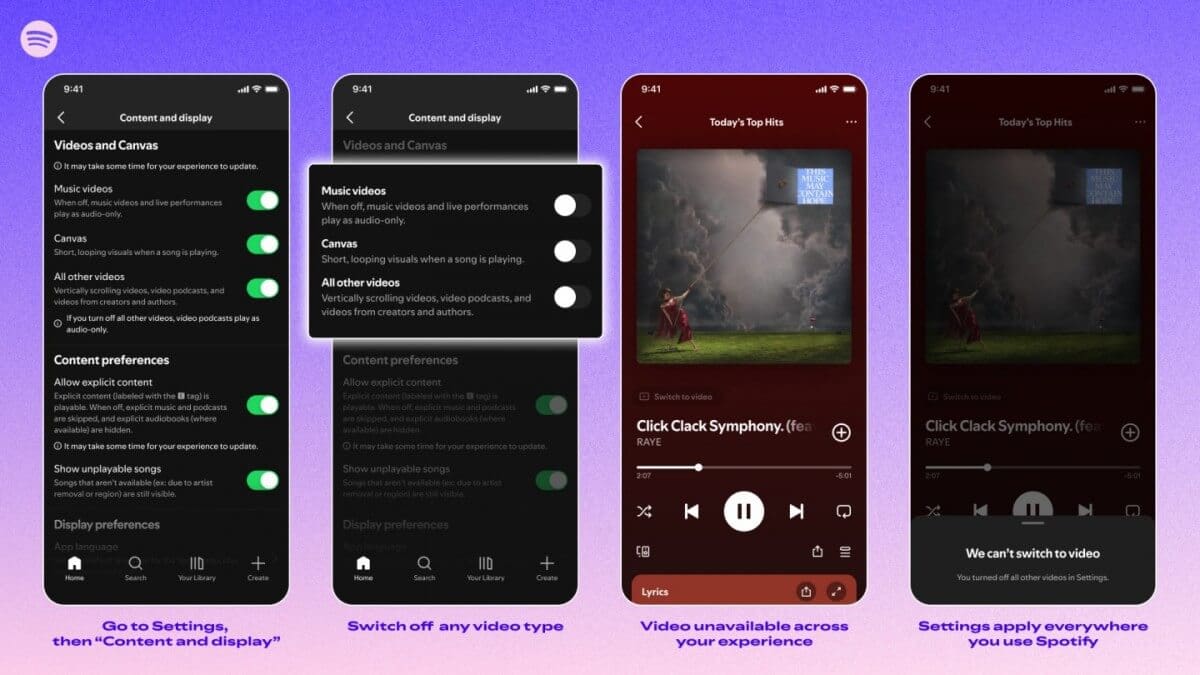
Here’s the scoop: inside Spotify’s Settings under the “Content and Display” section, you’ll find toggles to completely disable those looping Canvas videos. You can also remove music videos and clips embedded in tracks or podcasts. The best part? Your preferences sync seamlessly across your phone, PC, browser, and even your TV.
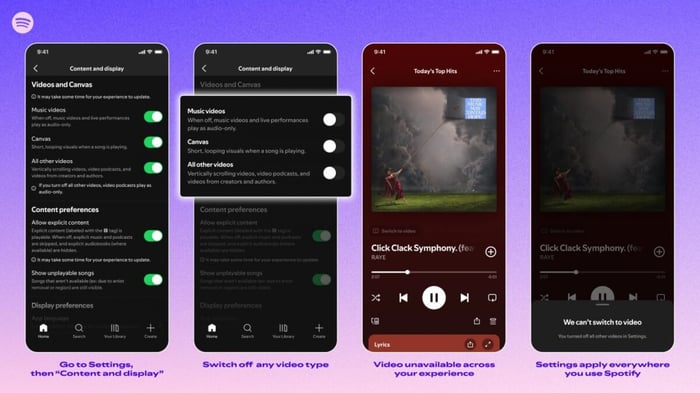
If you’re rocking a free account, heads up: you’ll still see video ads and some Canvas elements within audio ads. Spotify acknowledges users want to pick what they see, not have visuals shoved down their throats. This quick toggle is the answer for anyone tired of extra visual clutter — now you can keep Spotify all about the sound.
How This Update Works Beyond Borders
Though Spotify officially paused operations in certain countries, millions still use the app technically. The new video-off feature is activated server-side, meaning anyone with an account tied to supported regions (like Turkey, India, or Kazakhstan) will get the update simultaneously worldwide. It doesn’t depend on where your device physically is, but rather on your account’s region and app version.
Why Turning Off Video Makes All the Difference
Video content is a data hog. If you’re streaming through traffic redirects or VPNs, those videos cause glitches and pauses. Disabling video means less data strain, so your music keeps flowing smoothly, even on spotty or slow internet. I’ve felt the relief myself when the music stops buffering and just plays—pure bliss.
Beware of Modified Apps: Stick to the Official Spotify
Some folks chase premium features or video controls via unofficial Spotify mods. That’s a risky game. These unofficial versions can expose your account info or infect devices with malware. Since the official app is absent from certain app stores in some regions, it’s tempting to grab these mods, but it’s safer to wait for official updates to roll out.
What Free Spotify Users Should Expect
Even with this new toggle, free-tier users will still encounter video ads, which remain part of Spotify’s revenue stream. So, fully stripping videos from the interface isn’t possible without a paid subscription. But for many, just turning off Canvas loops and embedded clips is already a massive win.
Energy and Storage Gains from Killing Videos
Those repetitive Canvas loops and music clips can drain your phone’s battery faster than you’d think. Plus, they gobble up storage with cached video files. Switching off video playback means your device uses less juice in the background and keeps precious storage cleaner—a win-win for long listening sessions.
When it comes to smartphone devices, optimizing battery life and storage is a crucial concern for anyone who streams music heavily. Consider checking out the latest smartphones that offer improved battery performance and storage options to complement your streaming habits.
The Silent Paradox: Music Without Visuals
Spotify long pushed video elements, trying to make music feel like an endless show. Now, ironically, they’re giving us the tool to close that show’s curtain. This move feels like a rare moment of tech simplicity in a world of cluttered interfaces.
What’s fascinating is how the absence of visuals actually makes music more immersive. Without videos, your brain works harder to imagine the soundscape. It’s almost like Spotify is asking us to engage deeper with the music — a bit of a throwback to pre-smartphone days when sound was king.
“The function to disable video makes music more expensive to perceive. Without pictures, the brain spends more effort on imagination and immersion into sound.”
— Spotify feature insight
Spotify’s choice to sync video-off settings across all your devices is more than convenience—it’s a subtle way to sharpen your focus across platforms. The less you stare at screens, the longer you stay inside the Spotify ecosystem, driven by pure sound instead of flashy visuals.
FAQ
- Can I turn off all videos and ads on Spotify for free?
You can disable Canvas loops and embedded videos, but video ads still appear on free accounts as part of Spotify’s ad-supported model. - Will the video off feature work on all devices?
Yes! Once set, this preference applies across smartphones, PCs, browsers, and TVs linked to your account. - Does turning off videos save data and battery?
Absolutely. Videos consume more bandwidth and battery power. Disabling them improves streaming stability and conserves energy. - Is it safe to use modified Spotify versions to get video controls?
No, modified apps pose security risks including data theft and malware. Always use the official Spotify app. - When will this feature be available to me?
The update is rolling out globally in the coming weeks and activates based on your Spotify account region and app version.
Ready to celebrate your favorite albums without distractions? Shop your favorite album cover posters at our store and bring the music vibe to your walls: Architeg Prints.
 | DISCOUNTGET 30% OFF*Use code on your next order:
|
* This post may contain affiliate links, meaning we earn a commission if you make a purchase through these links, at no additional cost to you.