Astro A50 X Review: The Ultimate Wireless Headset for Your Gaming Setup



Astro A50 X Review: The Ultimate Wireless Headset for Your Gaming Setup
Experience seamless multi-device gaming with the Astro A50 X headset — premium sound and versatile connectivity in one sleek package.
If you’re like me, juggling a gaming setup with a PC and multiple consoles, the thought of owning separate headsets for each platform is a total headache. Enter the Astro A50 X—a wireless headset designed with true multiplatform freedom in mind. This full-sized headset pairs effortlessly with your PC, PlayStation 5, and Xbox through a single active base station that also doubles as a wireless charging dock. Pretty slick, right?
A Wireless Headset That Connects It All
The Astro A50 X is not just a pair of headphones; it’s a complete system engineered for gamers who demand the best across platforms. The base station connects simultaneously to your PC and consoles, while the headset itself connects wirelessly to the dock—no more fumbling with wires or switching devices manually.
The headset features lightweight, comfortable earcups with easily replaceable parts. It supports wireless connections to any of the three devices at once, including Bluetooth—but here’s the key: every connection, including Bluetooth, runs through the base station. Which means you’ll need to stick close to the dock for it to work.
Powered by 40mm Logitech Pro-G graphene drivers, the sound quality is top-notch with crisp highs and solid mids. Switching between platforms is silky smooth—no lag, no fuss. But all this tech magic comes at a steep price: a hefty $400 retail (roughly $350 with discounts). That’s premium territory, especially for a setup that requires proximity to the dock.
In short, you get a full-sized wireless gaming headset with a flip-up mic that mutes when lifted, paired with a powerful base station that manages wireless connections to multiple devices simultaneously.
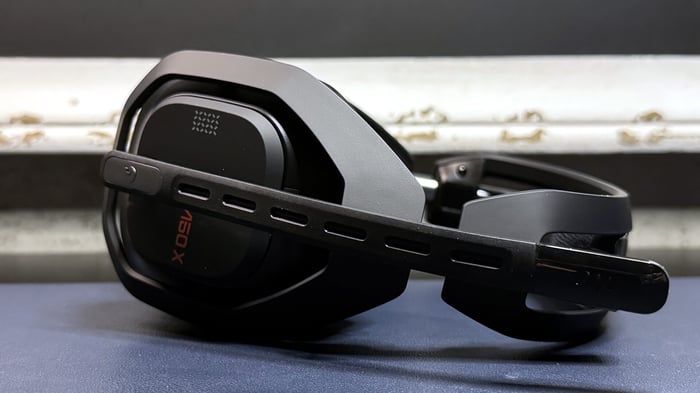
Design and Comfort: Adjustable and Sturdy
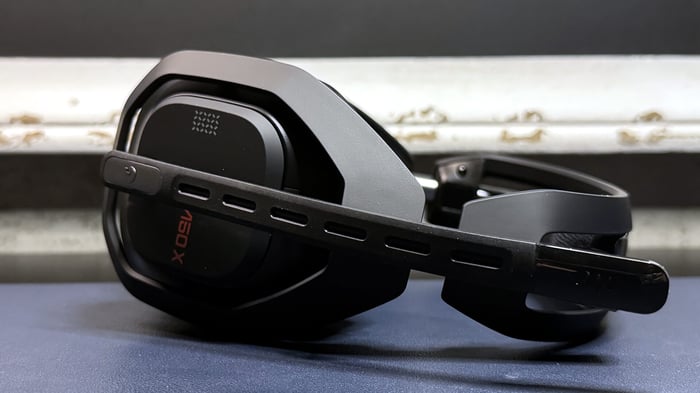
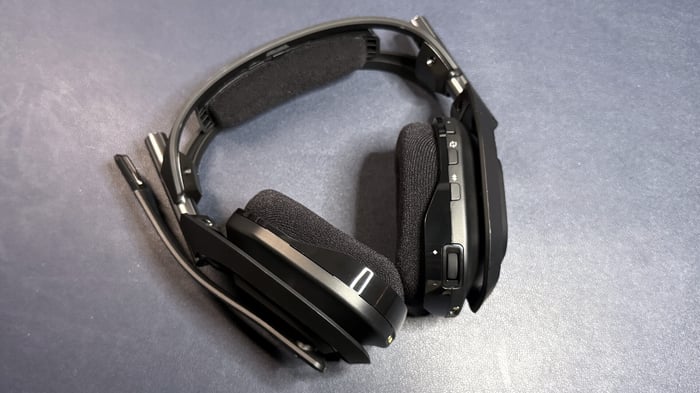
The earcups on the A50 X are moderately large and have a distinctive angular design. They swivel 90 degrees, tilt, and adjust independently in height. The headband attaches via sturdy metal cylinders that slide up and down about 25mm on each side, offering a total internal length of just over 30 cm. The headband itself is a lightweight plastic frame with a soft fabric foam cushion on top. This flexible design adapts well to the shape of your head, making the headset incredibly comfortable—unless you’ve got a really big noggin.
Here’s a handy feature: the soft padding on the headband snaps off easily for cleaning or replacement. It’s these little touches that show Logitech’s attention to user comfort.
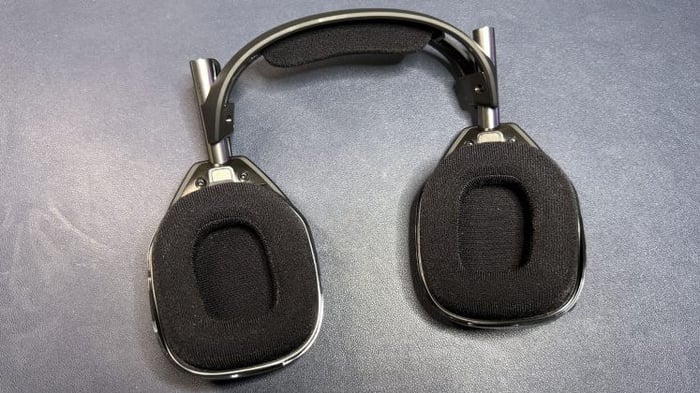
The ear cushions themselves are foam-filled and wrapped in fabric, which feels breathable but slightly on the cheaper side compared to leatherette alternatives. As someone with multiple ear piercings, I did notice the fabric occasionally snagging on earrings—something to keep in mind if you rock a lot of ear jewelry.
On the bright side, the ear cushions attach magnetically, making removal and replacement a breeze. However, unlike some competitors, the A50 X doesn’t come with spare pads out of the box, which is a bit disappointing for such a high-end headset.
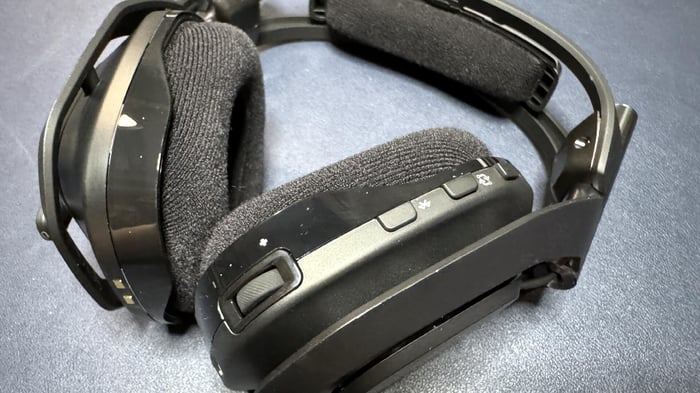
Controls at Your Fingertips
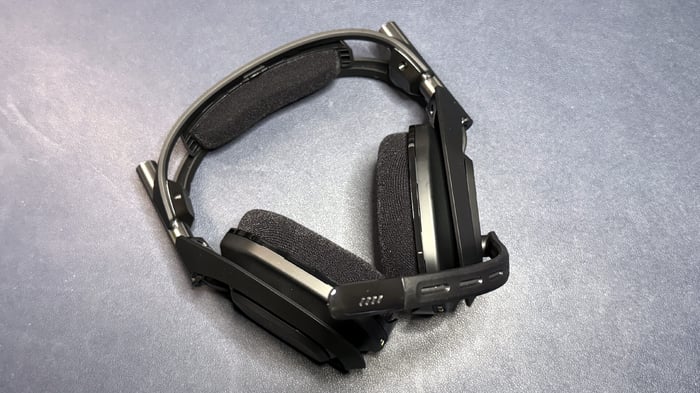
All the controls are located on the right earcup, designed for easy access during intense gaming sessions. You’ll find:
- Power button with LED indicator
- Quick switch button to toggle between connected devices
- Bluetooth toggle
- Volume wheel dedicated to Bluetooth audio
- Game/chat balance buttons (press forward to boost game sound, backward to amplify chat)
- USB-C port for direct charging, bypassing the dock
The left earcup is simple: just the flip-up microphone arm which automatically mutes when raised.
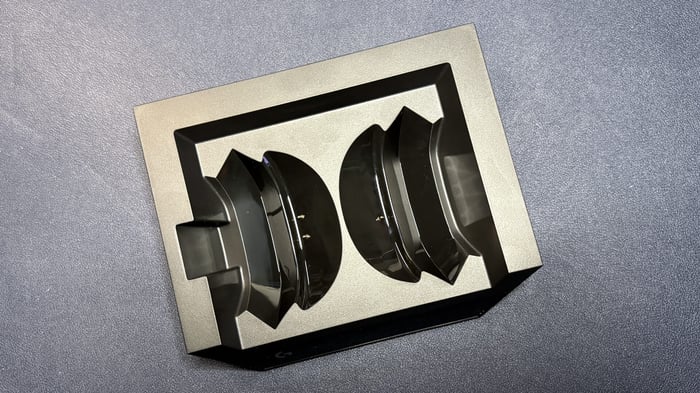
The Base Station: High-Tech Hub
The base station is a sleek rectangular block measuring roughly 14.6 cm wide, 12 cm deep, and 3.8 cm tall. Its front sports a small display that shows connection status and battery life. Around back are six ports:
- Three USB-C ports
- Three HDMI ports (two HDMI inputs for PlayStation 5 and Xbox, and one HDMI output to your TV or monitor)
This hub is where the magic happens, handling all the wireless connections and charging in one tidy package.
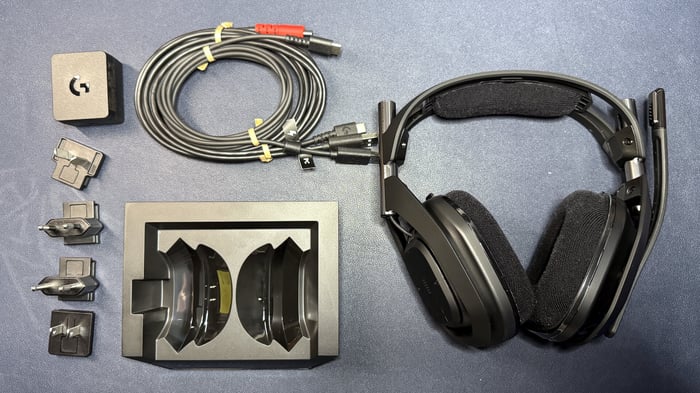
Included in the box, besides the headset and dock, are a 1.8-meter USB-C to USB-A cable, a 2-meter Y-split power cable (USB-C to USB-A/USB-C), and four interchangeable power plugs.
Technical Specs at a Glance
| Feature | Details |
|---|---|
| Driver Type | 40mm Pro-G Graphene |
| Impedance | 35 Ohm |
| Frequency Response | 20 – 20,000 Hz |
| Design | Over-ear |
| Microphone | Omni-directional boom mic |
| Connectivity | 2.4 GHz wireless, Bluetooth |
| Weight | 363 grams |
| Cable Length | 1.8m (USB-C to USB-A), 2m power cable |
| Battery Life | 24 hours |
| RGB Lighting | None |
| Software | Logitech G Hub |
| Release Date | October 2024 |
| MSRP | $400 (around $350 with discount) |
Sound Performance: Gaming Meets Music
Now to the heart of the headset—the audio. The 40mm graphene drivers deliver a frequency range standard in gaming headsets but with a twist: thanks to graphene’s stiffness, the sound is more precise and detailed with less distortion.
Out of the box, the music quality is solid. The bass leans slightly forward, giving tracks some punch without drowning out mids and highs. For tunes like Britney Spears’ Toxic, the strings sounded bright and clear without harshness, even at high volume. David Guetta and Sia’s Titanium riffs came through with minimal distortion.
But the real star is gaming. The headset shines in epic cutscenes with booming bass and complex urban multiplayer environments. Spatial sound positioning is spot-on, which blew me away while playing Where Winds Meet. For competitive players, this is a must-have feature—clearly hearing footsteps and gunshots can be a game changer.
You can also pair two wireless sources at once—connect your phone via Bluetooth while gaming on PC or console. However, Bluetooth only works within the dock’s wireless range, which means no roaming around the room with your headset on.
Microphone Quality: Clear and Convenient
The omni-directional boom mic is attached to a flexible 17.8 cm arm, easily shaped to sit close to your mouth for clear voice capture. It mutes automatically when flipped up, with a subtle click that’s almost too quiet—I'd have liked a sound notification confirming mute for peace of mind.
Voice quality is excellent straight out of the box—not quite studio-grade but impressively clear for gaming calls and meetings. Discord and Google Meet chats were loud and crisp. While the mic’s noise suppression is just average, it improves somewhat when toggled in the Logitech G Hub software.
Software and Customization
The Logitech G Hub app (available on desktop and mobile) lets you tailor your experience with three main tabs: headphone equalizer, microphone equalizer, and audio routing. There are preset EQ profiles to experiment with, and you can download community settings too. The routing feature is a boon for streamers who want to mix multiple audio sources.
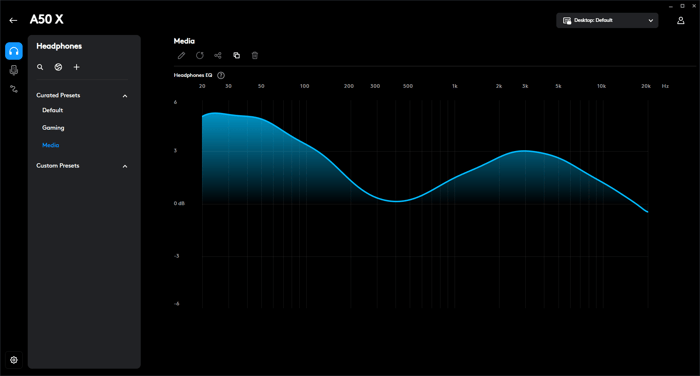
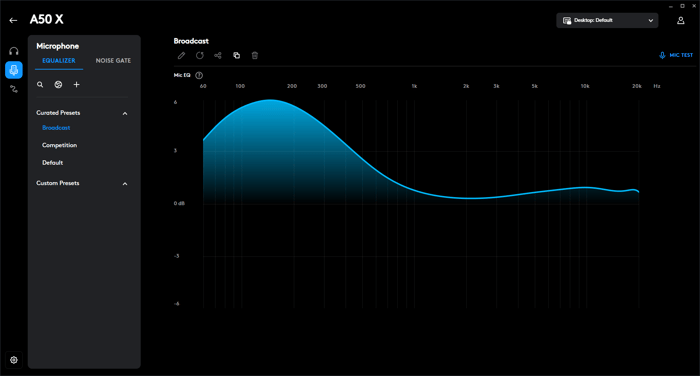
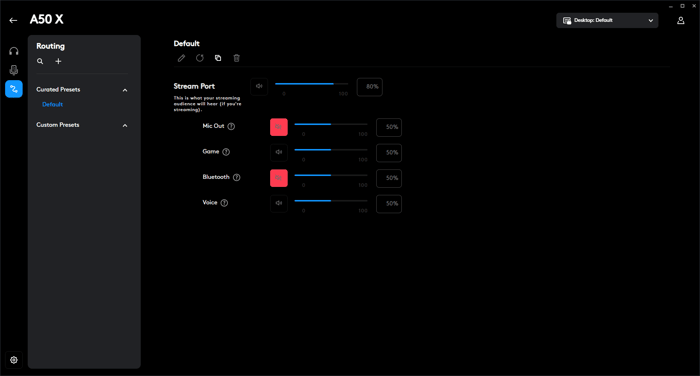
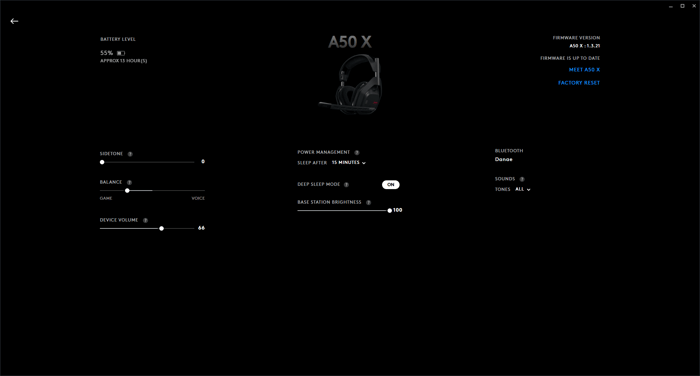
You can also tweak system settings like display brightness on the base, system sounds, sleep timer, and mic sidetone (so you hear your own voice while chatting).
Battery Life: Decent but Dock-Bound
Logitech promises up to 24 hours of battery life—a respectable figure, but not exceptional by today’s standards. Still, since the headset must stay near the base station to work, it’s not like you’d be taking it on long trips anyway.
Comparatively, other wireless headsets like the SteelSeries Arctis Nova Pro offer 22 hours with swappable batteries, while the HyperX Cloud Alpha 2 boasts an insane 250 hours on a single charge (though without Bluetooth). So, while the A50 X doesn’t break endurance records, it fits its intended use case well.
Final Verdict: A Niche Beast for the Ultimate Setup
The Astro A50 X is a highly specialized piece of gear designed for a very particular gamer lifestyle. If you have a dedicated setup where PC, PlayStation, and Xbox all coexist side by side, and you want one premium headset to rule them all, this is the one.
It delivers excellent sound (especially in games) and flawlessly connects multiple devices, letting you switch easily and even blend in phone audio via Bluetooth.
But if your setup isn’t so multitasking, or you want wireless freedom to roam outside your gaming room, look elsewhere. Almost any other wireless headset with standalone Bluetooth will serve you better on the go, because the A50 X simply can’t operate away from its base.
Even older models like the HyperX Cloud Alpha III, with no Bluetooth but a compact USB-C adapter, will be more travel-friendly than lugging around a bulky base station.
Astro A50 X blends high-end sound with multi-device connectivity, but its reliance on the base station limits true wireless freedom.
— Unnamed Reviewer
FAQ
- What devices can the Astro A50 X connect to simultaneously?
The headset can connect at once to a PC, PlayStation 5, and Xbox via the base station, plus a phone via Bluetooth within range. - Is the Astro A50 X comfortable for long gaming sessions?
Yes, with adjustable earcups and a flexible headband cushion, it offers great comfort unless you have a very large head. - Can the headset be used without the base station?
No, all wireless connections, including Bluetooth, go through the base station, so it must be nearby. - How long does the battery last on a single charge?
Up to 24 hours, which is decent but typical for this kind of wireless gaming headset. - Does the microphone have noise cancellation?
It has average noise suppression, which can be improved with software settings in Logitech G Hub but isn’t exceptional.
For fans of sleek gaming tech and premium audio, why not decorate your gaming sanctuary with a favorite album cover poster? Find unique prints that match your vibe at our store: Architeg Prints.
 | DISCOUNTGET 30% OFF*Use code on your next order:
|
* This post may contain affiliate links, meaning we earn a commission if you make a purchase through these links, at no additional cost to you.