iOS 27 to Fix Top Frustrations for iPhone and AirPods Users



iOS 27 to Fix Top Frustrations for iPhone and AirPods Users
Apple’s iOS 27 update promises streamlined AirPods settings and better AI-generated emojis and images for a smoother user experience.
Taming the AirPods Settings Chaos
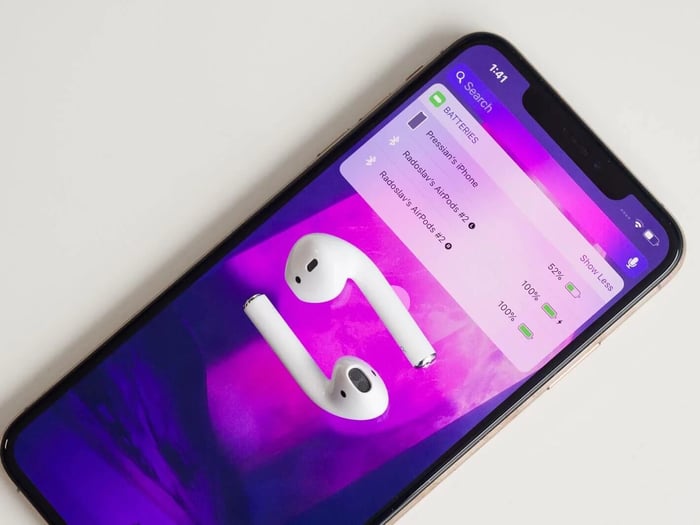
If you’ve ever plugged in your Apple AirPods Pro 2 and got lost in the overwhelming tangle of settings, you’re not alone. For years, the headphone menu has been a chaotic jumble—gestures, hearing aids, adaptive noise cancellation—all crammed into one endless scroll. It’s like wandering through a digital jungle without a map.
But here’s the good news: iOS 27 is about to bring some much-needed order to this mess. The update promises a completely redesigned interface with logical sections, clear icons, and quick access to the options you actually use. Imagine no more scrolling endlessly just to turn off a feature or tweak your noise control settings!
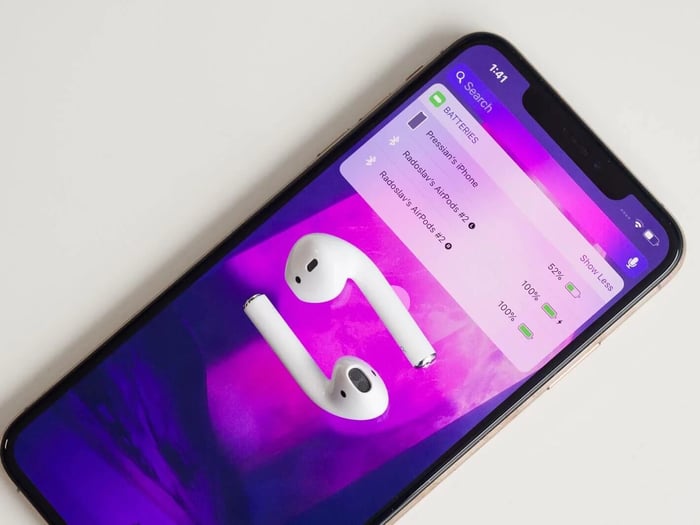
This revamp isn’t limited to iPhones alone. iPadOS 27 and macOS 27 will inherit the same simplified look, which is a blessing for those who bounce between Apple devices during the day. No more hunting for the same setting on different screens—it’ll be consistent and intuitive everywhere.
However, Apple still isn’t giving us a standalone AirPods app, despite having dedicated apps for Apple Watch and Apple Vision Pro. Some fans on forums grumble that Apple might fear giving AirPods too much independence—keeping them tethered firmly inside system settings rather than letting them “live their own life.”
Sharper AI-Generated Emojis and Images
Speaking of freshness, iOS 27 is also stepping up the game for those who love to jazz up their chats with emojis and images. Apple’s Genmoji and Image Playground tools are getting smarter with upgraded AI models. What does that mean for you? Better-quality, more realistic images and emojis that don’t look like they were pulled from a cartoon factory.
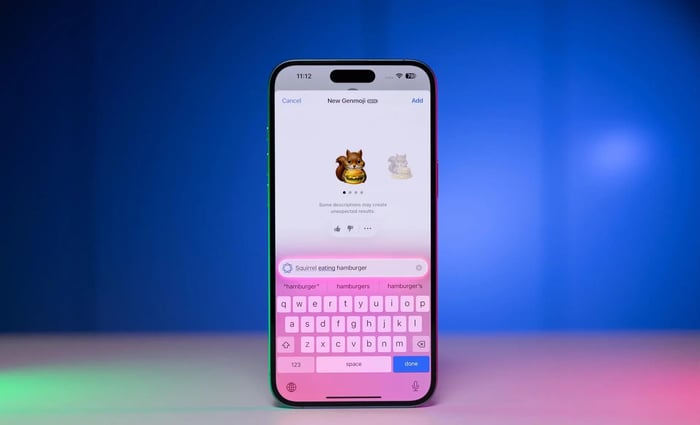
The system will even suggest Genmoji based on your conversations and photos, making customization easier and more fun. And for the first time, you’ll be able to hook up third-party AI models in Image Playground, not just ChatGPT—opening up a playground of creative possibilities right inside your messaging app.
This is perfect for parents crafting personalized stickers for kids, emoji aficionados who pepper their texts with flair, and even older users wanting to whip up simple illustrations without jumping through hoops with other apps.
Pricing and Availability
The iOS 27 update will land free this fall, supporting iPhone 16 Pro and other recent models. While prices vary worldwide, if you’re shopping, the iPhone 16 Pro typically runs around $1,200 USD and AirPods Pro 2 about $260 USD.
Language Limitations in AI Features
Heads-up: Apple’s AI features like Image Playground and Genmoji don’t yet officially support the Russian language. To use them, you’ll need to switch your device’s interface to English. Thankfully, the refreshed AirPods settings menu works flawlessly in Russian right from the start, no language switches required.
Should You Upgrade to iOS 27?
Yes, if:
- You fiddle with your AirPods Pro 2 settings often and want a tidier interface.
- Crafting emojis and images inside iMessage sounds fun and convenient.
- You juggle multiple Apple devices and crave consistent menus across them.
Maybe not if:
- You’re dying for a dedicated AirPods app on your home screen.
- Switching your phone language to English for AI tools isn’t appealing.
Pros:
- Clean, logical settings menu.
- Noticeably better image and emoji generation.
- Can use third-party AI models integrated within the system.
Cons:
- No standalone AirPods app yet.
- AI services don’t support Russian natively.
Why Apple Keeps AirPods Tied to iPhone
You might wonder why Apple won’t just give AirPods their own app, especially since these buds are practically tiny computers. They have processors, motion sensors, hearing aid functions—heck, they’re mini marvels of tech!
But Apple’s ecosystem philosophy is all about the iPhone being the heart of your digital life. AirPods are meant to be accessories, obedient sidekicks rather than independent gadgets with their own app icon. It’s a subtle tug-of-war to keep the smartphone as the main gateway to your world of sound and info.
Maybe someday AirPods will break free with their own interface. But for now, Apple prefers to keep them close, snugly integrated into the iPhone’s settings.
“If AirPods get their own icon, that’s the first step towards independence.”
FAQ
- What does iOS 27 improve for AirPods Pro 2 users?
The update reorganizes the settings menu for clarity, making it easier to find and adjust features like noise cancellation and gestures. - Will iOS 27 have a dedicated AirPods app?
No, Apple is keeping AirPods settings within the system preferences, unlike apps available for Apple Watch or Vision Pro. - Can I use AI features like Genmoji in my native language?
Currently, AI tools in iOS 27 require switching the device interface to English as they don’t officially support all languages yet. - Which devices support iOS 27?
iOS 27 will be available on iPhone 16 Pro and other recent Apple devices, along with iPadOS 27 and macOS 27 for compatible tablets and computers. - Does iOS 27 cost anything?
No, the update is free to download and install on supported Apple devices.
Enjoy the fresh iOS 27 experience? Celebrate your favorite Apple moments by shopping stylish album cover posters at our store for a perfect tech-and-music vibe boost. Explore posters here.
 | DISCOUNTGET 30% OFF*Use code on your next order:
|
* This post may contain affiliate links, meaning we earn a commission if you make a purchase through these links, at no additional cost to you.