HomePod 2 Mac Audio: Apple Adds a Handy Default Speaker Trick



HomePod 2 Mac Audio: Apple Adds a Handy Default Speaker Trick
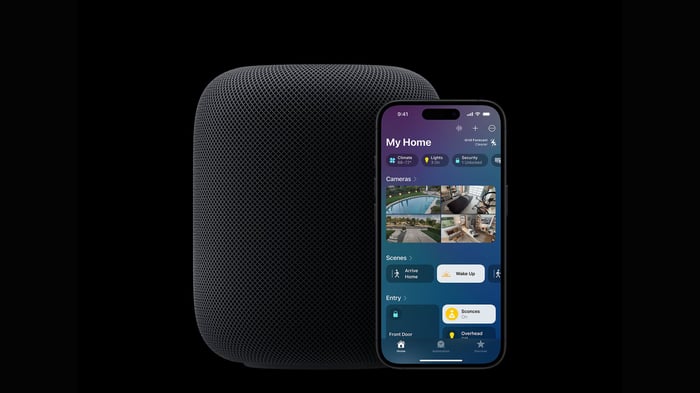
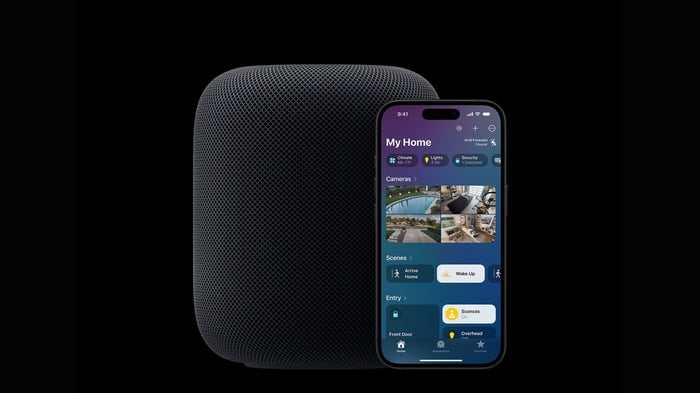
HomePod 2 Mac audio is about to get much easier, with Apple allowing compatible Macs to use the smart speaker as a default output.
A Small Change That Could Make a Big Difference
There’s nothing quite like settling in at your Mac, pressing play, and hearing the sound come from the speaker you actually wanted. Apple’s second-generation HomePod 2 is gaining a useful feature that could make that everyday moment far less fiddly for Mac users.
The full-size smart speaker will soon be able to function as a default Mac speaker. In other words, users may no longer need to manually choose the HomePod every time they want to listen to music, watch a video, join a call, or hear system audio.
It sounds like a modest software adjustment, but anyone who regularly keeps a HomePod near a Mac knows how quickly repeated audio switching can become a nuisance. A speaker sitting right beside your desk should feel like part of the setup—not like a guest who needs to be reintroduced every afternoon.
HomePod 2 Mac Audio Finally Feels More Permanent
The feature was first presented as an upgrade for Apple’s newer HomePod mini 2. Apple has since confirmed that the same functionality will also work with the full-size HomePod, second generation.
That confirmation matters because existing HomePod 2 owners won’t need to replace their larger speaker or purchase the newer mini model simply to gain the improved Mac integration. The feature is intended to work with Mac desktops and laptops that support Wi-Fi 6E or a later version of the wireless standard.
For people who already keep a HomePod near their computer, this could make the speaker feel much more like a proper desktop audio device. Instead of treating it as an occasional AirPlay destination, users should be able to make it the regular audio output for their Mac.
That’s the kind of upgrade that may not dominate a product announcement, yet quietly becomes one of the features people appreciate most. Like finding an extra pocket in a jacket you’ve owned for years, it’s practical, slightly unexpected, and immediately useful.
Why AirPlay Hasn’t Been Quite Enough
Mac users have already been able to send audio to a HomePod through AirPlay. The catch is that AirPlay has traditionally required a manual selection whenever the user wanted to redirect sound away from the Mac’s built-in speakers or another connected device.
That works perfectly well for occasional listening. Want to play an album across the room? AirPlay can handle it. Need to send a video’s audio to the HomePod for a few minutes? No problem.
The friction appears when the HomePod is meant to be a regular part of a desk setup. Repeatedly opening audio controls, finding the speaker, and selecting it again can make the experience feel less seamless than it should. The new default-speaker support is designed to remove that extra step.
With the HomePod selected as the default, everyday Mac audio should be routed there more naturally. Music, video playback, calls, and other sounds can all become part of the same routine, without the familiar little detour through the audio menu.
Of course, the exact experience will depend on the Mac and the speaker configuration. Still, the central idea is refreshingly simple: if you’ve chosen the HomePod as your preferred speaker, your Mac should remember that choice.
A Single Speaker or a Stereo Pair
Apple says the feature supports either one HomePod or a stereo pair. That gives users some flexibility in how they build their desktop audio setup.
A single HomePod could suit a compact desk, a small office, or anyone who prefers a clean arrangement with fewer devices taking up space. A stereo pair, meanwhile, offers a more spacious setup for those who want sound to feel broader and more enveloping.
That could be particularly appealing for watching films, playing games, or handling FaceTime calls. A stereo pair may make those activities feel more substantial than listening through a laptop’s built-in speakers, especially when the Mac is being used as the center of a home office or entertainment corner.
There is one technical detail Apple hasn’t yet explained: how this new connection will handle audio latency compared with standard AirPlay. Latency can matter when sound needs to match video or an on-screen action, so it’s understandable that users may want more information before judging the feature fully.
For now, Apple has confirmed the speaker options but hasn’t provided a detailed explanation of how the connection behaves in every situation. That leaves a little mystery around the final user experience, though the direction itself is promising.
The HomePod Mini 2 Isn’t the Only Beneficiary
The confirmation arrives alongside Apple’s announcement of the HomePod mini 2. The smaller model introduces an S10 chip, improved computational audio, and new color choices.
Those changes give the mini line its own update story, but the more important detail for current HomePod 2 owners is that the new default Mac audio feature isn’t being locked to the newer compact speaker. The larger second-generation HomePod is included too.
That’s good news for anyone who invested in the full-size model and doesn’t feel the urge to switch to a smaller device. Hardware owners often expect new software features to arrive across compatible products, but that isn’t always how things work. In this case, Apple’s confirmation keeps the HomePod 2 in the conversation.
It also makes the choice between the two models less about access to this particular Mac feature. Users can continue with the speaker they already own rather than treating the HomePod mini 2 as the entry ticket for more convenient desktop audio.
The Wi-Fi 6E Requirement Is the Catch
There is, however, an important limitation. The new functionality requires a Mac with Wi-Fi 6E or newer.
That means owners of older Macs won’t be able to use the HomePod as a default speaker through this feature, even if their HomePod itself is compatible. For those users, AirPlay will remain available as the familiar alternative for streaming audio to the speaker.
This requirement may be easy to overlook because the update concerns the HomePod, but compatibility depends on the Mac as well. A second-generation HomePod alone isn’t enough. The computer handling the audio connection must also meet Apple’s wireless standard requirement.
That could leave some existing HomePod users in an awkward middle ground. Their speaker is capable of supporting the feature, but their Mac may not be. It’s a reminder that modern Apple features can sometimes rely on the capabilities of several devices at once.
Still, the limitation is clearly defined. Users with a compatible Mac should know what they need, while those with older hardware can continue using the existing AirPlay method rather than losing access to HomePod audio altogether.
When Will the Feature Arrive?
Apple hasn’t announced a separate rollout date for this functionality on the HomePod 2. That leaves the timing unclear for now.
Even so, the feature has been explicitly included in Apple’s compatibility information, which suggests it’s more than a vague possibility. For people planning a Mac-and-HomePod setup, that confirmation provides a useful indication of where the ecosystem is heading.
The addition could be especially welcome for anyone who uses a HomePod throughout the day. The speaker can move from background music to video audio, then to a call or another Mac task without requiring quite so much hands-on input.
Apple’s best ecosystem improvements often work this way. They don’t necessarily add a dramatic new button or a flashy visual effect. Instead, they smooth over a small annoyance that you may have stopped noticing because it had become part of the routine.
And once that friction disappears, it’s hard to imagine going back.
What the Update Means for Mac Owners
For compatible Mac desktops and laptops, the new feature could make the HomePod 2 a more convincing everyday companion. A single speaker or stereo pair can become a consistent audio destination for music, videos, gaming, and FaceTime calls.
The Wi-Fi 6E requirement means the upgrade won’t reach every Mac user. Older machines will still need AirPlay, and Apple hasn’t yet explained the latency behavior in detail. Those are meaningful caveats, not footnotes to ignore.
Even with those limits, the announcement gives the second-generation HomePod a useful new role. It isn’t simply a smart speaker waiting for occasional commands or a device selected manually when the mood strikes. For owners with the right Mac hardware, it can become a more permanent part of the desktop.
That’s a welcome change for anyone who likes their technology to stay out of the way. Once the setup is complete, the best result is that you stop thinking about the connection altogether—and simply enjoy the sound.
The HomePod 2 Mac audio update won’t transform the speaker overnight, but it could make daily Mac use feel noticeably smoother. If you have a compatible Mac with Wi-Fi 6E or later, would you use a HomePod as your default desktop speaker?
FAQ
- What new Mac feature is coming to the HomePod 2?
The HomePod 2 will be able to work as a default audio output for compatible Mac desktops and laptops, reducing the need to manually select it through AirPlay. - Does the feature work with the HomePod mini 2?
Yes. The feature was initially highlighted for the HomePod mini 2, and Apple has confirmed that it also works with the second-generation full-size HomePod. - Can a stereo pair be used as the default Mac speaker?
Yes. Apple says the functionality supports either a single HomePod or a stereo pair. - What Mac hardware is required?
The Mac must support Wi-Fi 6E or a newer Wi-Fi standard. Older Macs won’t support the new default-speaker functionality. - Can older Macs still play audio through a HomePod?
Yes. Older Macs can continue sending audio to a HomePod through AirPlay, although they won’t be able to use the new default speaker feature.
If the HomePod has become part of your listening ritual, an album cover poster can bring that same musical personality to your walls. Browse the collection at Architeg Prints.
 | DISCOUNTGET 30% OFF*Use code on your next order:
|
* This post may contain affiliate links, meaning we earn a commission if you make a purchase through these links, at no additional cost to you.